David+GIBOUT
Participant
June 10, 2026

P: Problème importation des courbes

  • June 10, 2026
  • 2 replies
  • 41 views
Bug courbes personnalisées

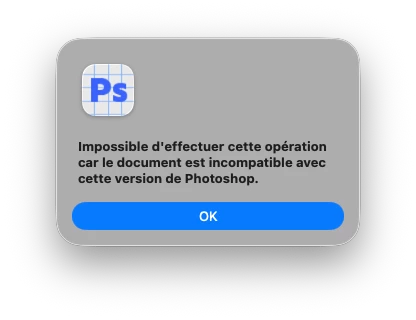
Lorsque j’importe mes fichiers de courbes en .acv, je peux les utiliser de suite, en revanche dès que je ferme le logiciel et que je veux réutiliser les courbes précédemment importées, j’ai cette fenêtre qui apparaît et qui supprime mon paramètre de courbe personnalisé. Je dois donc les charger à chaque nouveau lancement du logiciel.

    2 replies

    CShubert
    Community Manager
    Community Manager
    August 5, 2026

    Hi ​@David+GIBOUT we want to see if you are still having this issue?  Please make sure to update to the latest Ps Beta: Adobe Photoshop Version: 27.10.0 20260802.m.3625 8f8ccb9  arm64 (beta, PublicBeta) and if you still see this issue:


    We would like to have few details like which version it's happening and which version/kind of .acv file. Would it be possible for you to share a sample .acv file as well?  Feel free to send the .acv file to shubert@adobe.com


    Thanks,

    Cory - Photoshop Product Manager

    CShubert
    Community Manager
    Community Manager
    June 10, 2026

    Thank you for the post ​@David+GIBOUT … we will pass this on to the team to look into.


    Until a fix ships, you can try:

    • Use the new preset format — Instead of importing .acv, create the curve adjustment in Ps and save it as a new preset via the (+) button in the Adjustments Panel (this saves as .psap which persists properly)
    • Keep .acv files accessible — Store them in a known folder for quick re-import via Image > Adjustments > Curves > Load Preset

    Thanks,

    Cory - Photoshop Product Manager