


P: Rotate Object tool cuts out the plate/background when rotating food items
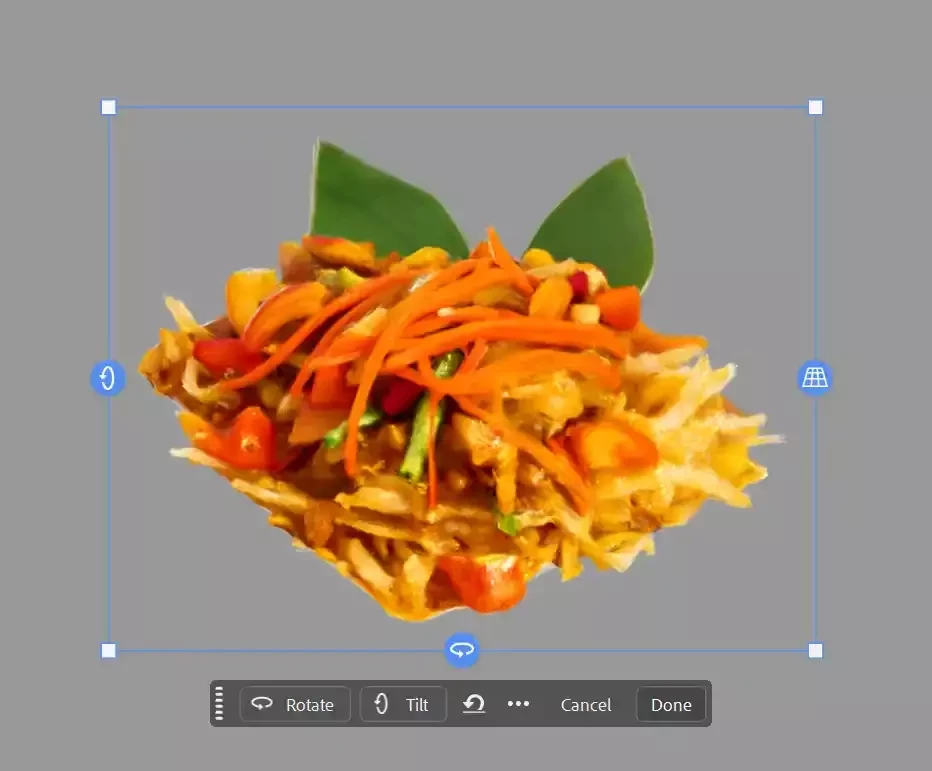
I am experiencing an issue with the new Rotate Object feature in Photoshop Beta. When I try to use the tool to change the perspective of a food dish, the AI only selects and generates the food itself as the main 3D object, completely cutting out the white plate underneath it.
I want the tool to recognize the entire object (both the plate and the food) or at least preserve the background context so that the food doesn't end up floating in mid-air after rotation.
Steps to Reproduce:
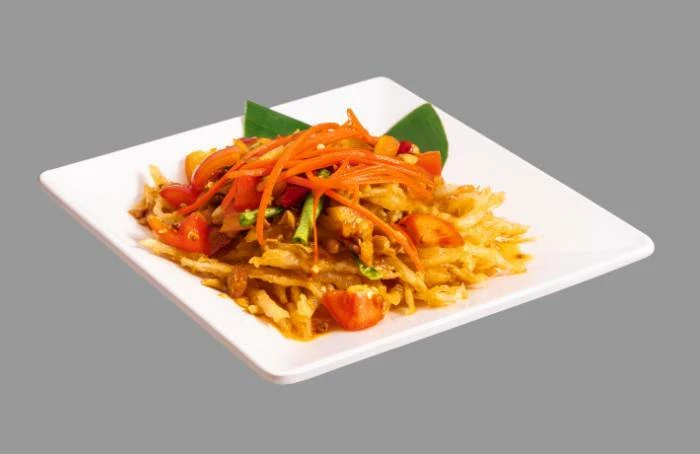
1. Open an image of a food item served on a plate.
2. Select the object and use the Rotate Object tool.
3. Observe that only the food rotates, while the plate disappears completely.
Expected Result:
The tool should rotate both the food and the plate together, or allow users to manually include the plate in the selection before generating the 3D rotation.
 AdChoices