

Participant
October 20, 2026
Open for Voting

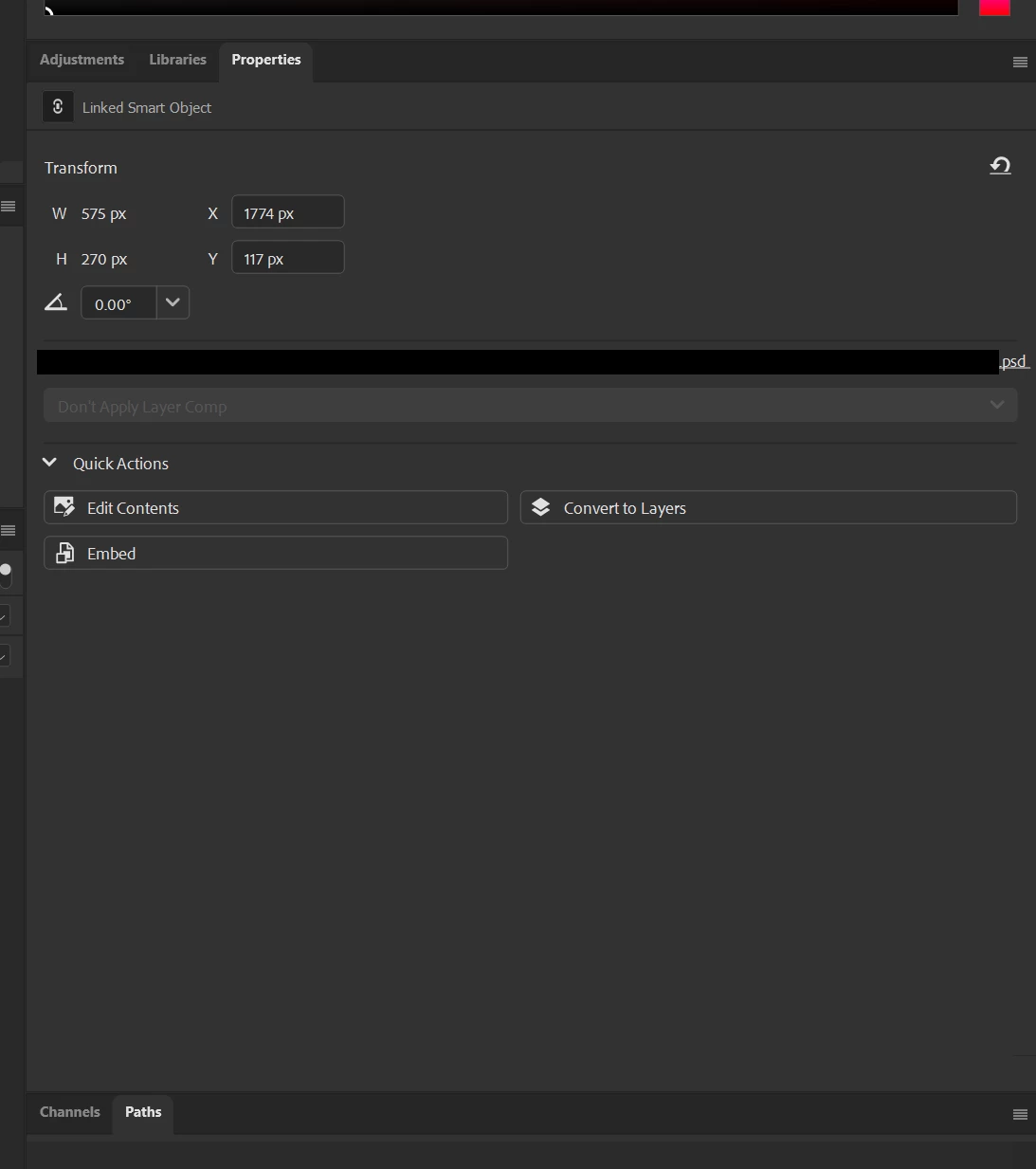
The properties window expands to show the full filepath for a linked file in the layer stack and just covers the entire screen for me.
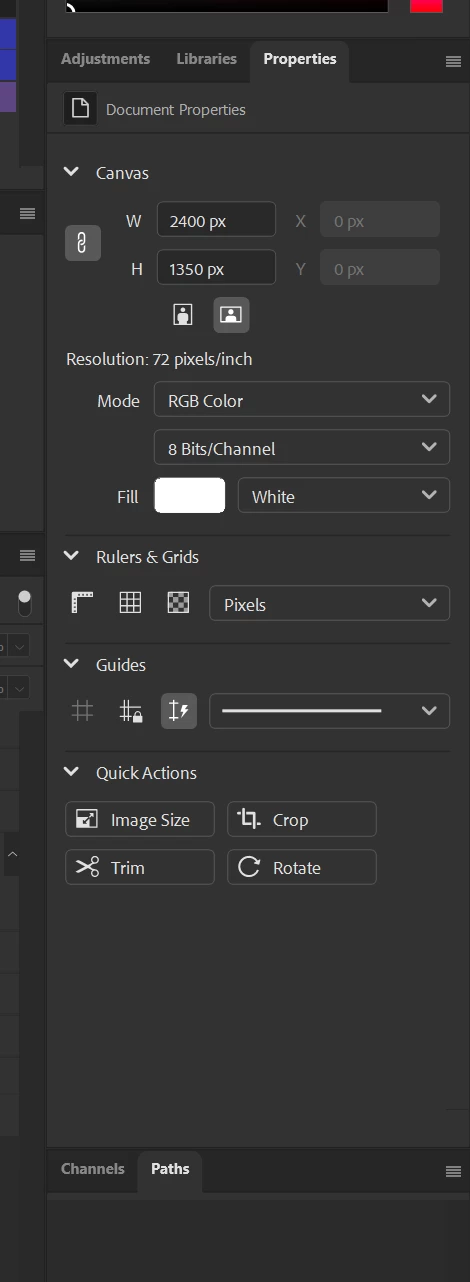
When there’s no layer selected
Window expands automatically when selecting a linked layer


    2 replies

    arzelia
    Known Participant
    October 20, 2026

    Photoshop Beta 28.0.1
    MacOS 26.6.2

    Similar issue with the OP

    In Photoshop Beta 28.0.1, I have the Properties and Layers panels stacked vertically and docked on the right side of the screen.

    When I select a linked Smart Object, the panel dock expands to an excessively wide width, apparently to accommodate the linked file’s source information in the Properties panel. This takes up a large portion of the workspace.

    Steps to reproduce:

    1. Stack the Properties and Layers panels vertically and dock them on the right side of the screen.
    2. Open a document containing a linked Smart Object.
    3. Select the linked Smart Object in the Layers panel.
    4. Observe the width of the docked panels.

    Expected result: The dock should retain its manually set width, with long source information wrapping or truncating within the Properties panel.

    Actual result: The dock becomes much wider when the linked Smart Object’s source information is displayed.

    This appears to affect linked Smart Objects only. I haven’t observed the same behaviour with embedded Smart Objects.

    Translate
    stOrm15719637
    Participant
    October 21, 2026

    Same here on Photoshop Beta 28.0.1, macOS 27.0.1. The Properties panel dock widens to fit the full linked file path, and the window extends across both displays. The release version of Photoshop 2026 shortens the path, so the problem doesn't appear there.

    Translate
