
Participating Frequently
August 3, 2026

V27.10 Aug 2 version images are very dark with NVidia GPU Processing, HDR, enabled

  • August 3, 2026
  • 3 replies
  • 28 views


When using GPU with HDR enabled monitor, all image content is dark.

This is new with the Aug 2 version of V27.10 (today). Nothing changed but installing the update.

Windows 11 - 25H2 26200.8875
Adobe Photoshop Version: 27.10.0 20260802.m.3625 8f8ccb9  x64 (beta, PublicBeta)
GPUName: NVIDIA GeForce RTX 3070 Ti
Monitor: XG27UCG  (ASUS ROG XG27UCG)

(See included .txt for more)

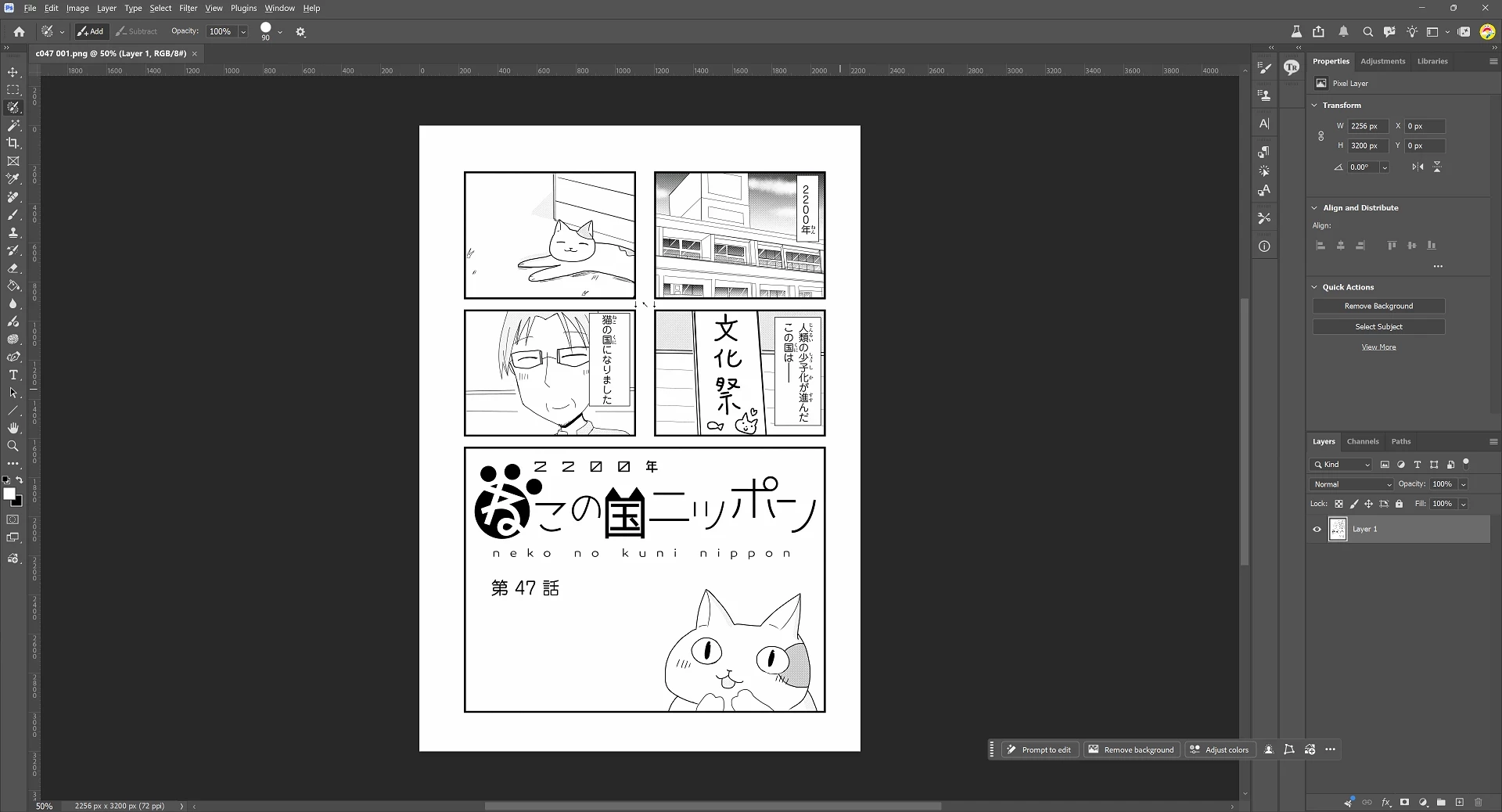
This is how a page normally looks (and still looks in PS 27.8)


This is how it looks in today’s 27.10 - I had to cheat to get this, because the image looks fine in an SDR screenshot, but this level layer reproduces what I see:
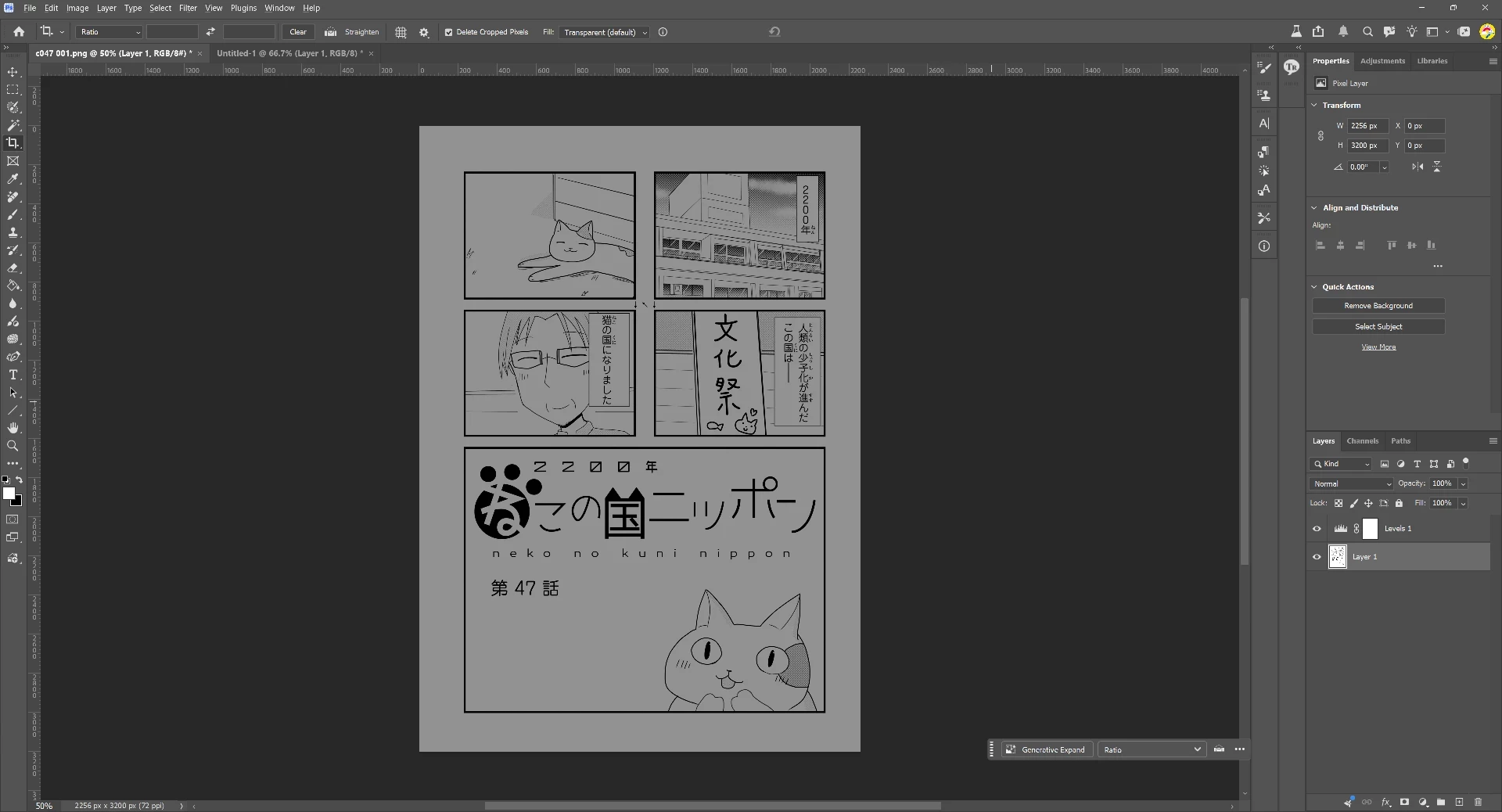
This is a greyscale image, but I get the same issue in RGB photos.

Note that the UI rendering is fine, and if I copy the image to another app, or move PS to another monitor, it looks fine.  I can fix this by either Edit → Preferences → Performance → Use Graphics Processor - Off  or by Windows Settings → System → Display → HDR → HDR - Off

For now I am working around this by disabling HDR because obviously I don’t want to give up GPU acceleration.


Thanks!

    3 replies

    sizer99Author
    Participating Frequently
    August 4, 2026

    Hi Cory,


    I might have been bitten by the fix (it happens). I zapped my preferences both ways and even deleted the whole Adobe Photoshop (Beta) parent directory (overkill), but still get the same result - dark images on the HD monitor if HD is enabled. All my preferences are gone (actions, key shortcuts, etc), version is still 27.10.0 20260802.m.3625 8f8ccb9  x64.  Just verified my NVidia driver is the latest normally available 610.88.  Rebooted the computer (again). Tried overriding the NVidia Color mode to Reference Mode, nope.  Went into System → DIsplay → HDR and dragged the SDR Content Brightness slider - I can see the UI getting brighter and dimmer while the image stays the same. Nothing in Color Settings seems to make a difference, including just setting to Monitor Color, though of course there are tons of options there.

    Is there anything else I can provide? In the mean time I’m just temporarily disabling HDR.

    Thanks,

    Ron

    CShubert
    Community Manager
    Community Manager
    August 4, 2026

    Hi ​@sizer99 this was a known issue that was fixed in the recent update… it looks like you have that update, but to make sure nothing is still causing this, please refresh your preferences and share screenshots of a few different images showing if this issue persists for you.


    1. 
    /Users/yourname/Library/Preferences/ Photoshop Beta Settings (Mac Ventura)
    /Users/yourname/Library/Preferences/Adobe\ Photoshop\ \(Beta\)\ Settings (Mac)


    C:\Users\user name\AppData\Roaming\Adobe\Adobe Photoshop (Beta)\Adobe Photoshop (Beta) Settings


    Launch BETA Photoshop While Pressing The Keyboard Shortcut
    With Photoshop closed, press and hold Shift+Ctrl+Alt (Win) / Shift+Command+Option (Mac) on your keyboard and then Launch Photoshop the way you normally would.
    https://helpx.adobe.com/photoshop/using/preferences.html#Manually 


    Thanks,

    Cory - Photoshop Product Manager

    sizer99Author
    Participating Frequently
    August 3, 2026

    System Info dump attachment.