



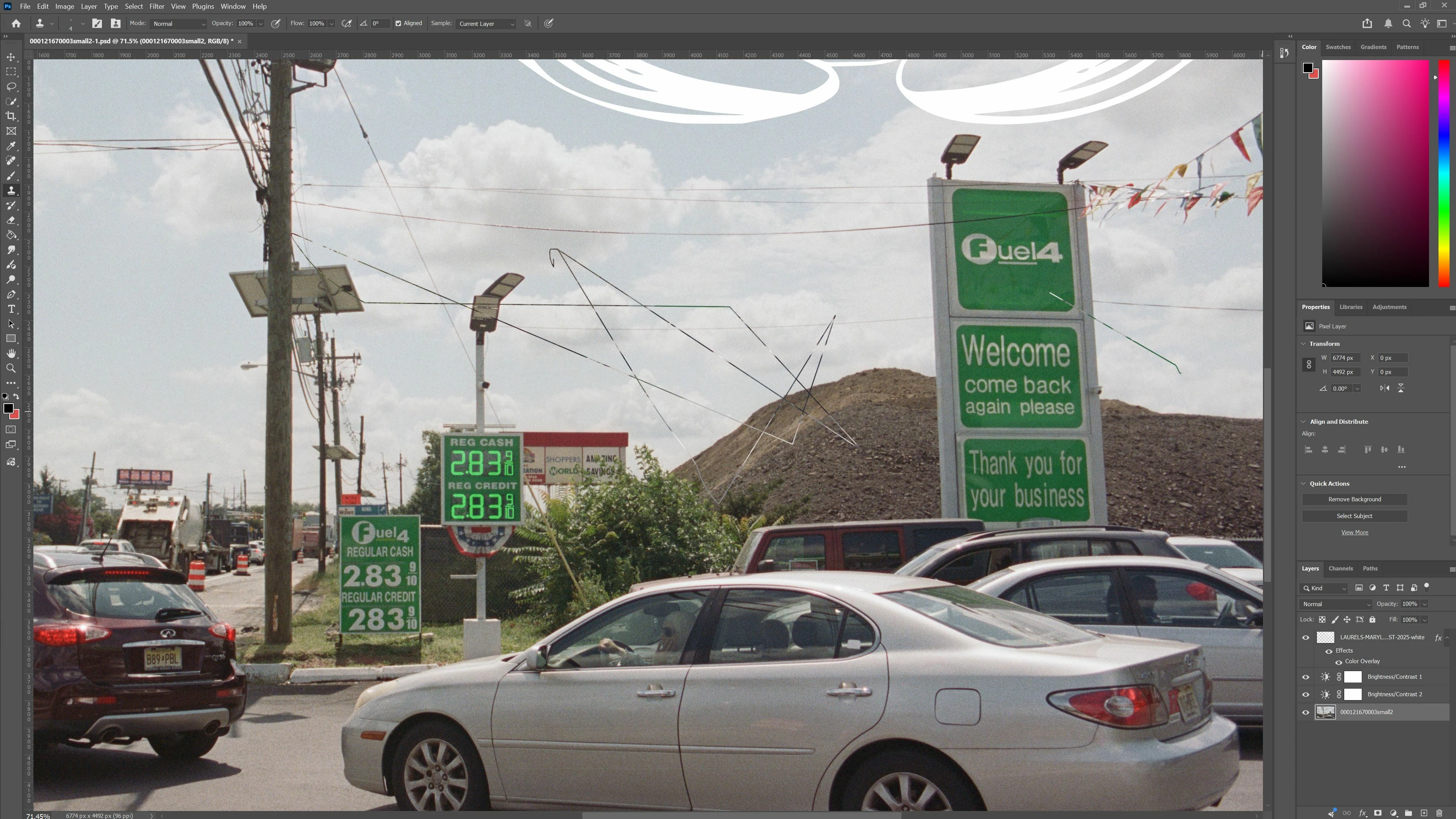
Clone Stamp tool creates a line between sample point and cursor (sometimes crazy line)
When sampling an area with the clone stamp tool, upon clicking where you want to paint with the cursor, it automatically creates a paint line between sample and cursor. Sometimes the link isn’t even logical it’s just crazy and random and all over the place. Reset app, updated photoshop, reset clone stamp tool, reset preferences. I got a “scratch disk full” message once when opening so I deleted a bunch of stuff and it still has the issue.
 AdChoices