

Miron0226
Participant
April 23, 2026

CMD+C stops working for copying layers — Photoshop loses keyboard focus

  • April 23, 2026
  • 3 replies
  • 69 views

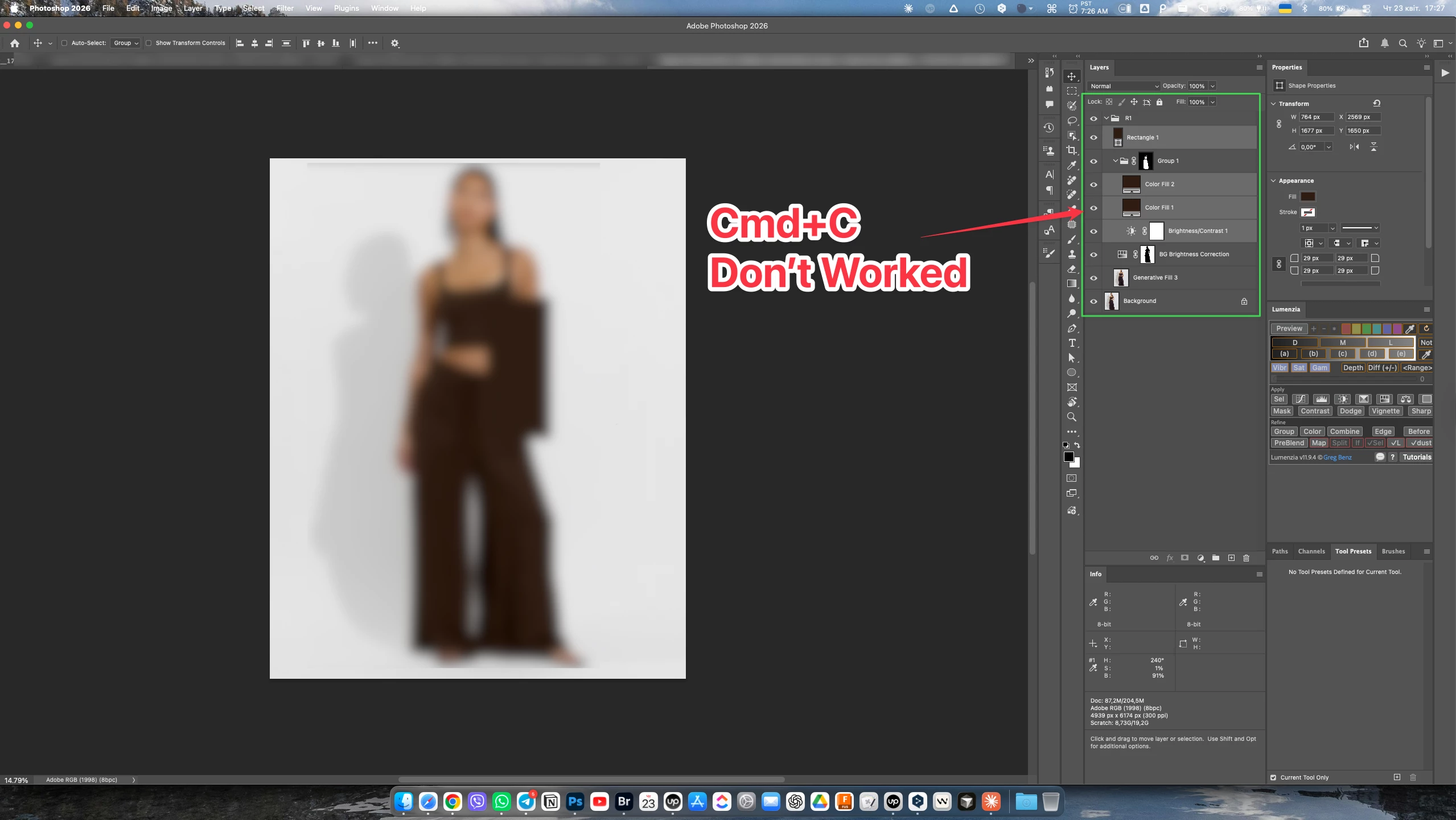
CMD+C stops working intermittently when copying layers in Photoshop — keyboard focus loss

The problem: CMD+C randomly fails to copy selected layers. The failure is immediately noticeable by audio feedback — Photoshop plays a different sound when the copy fails compared to a successful copy. When copy fails, subsequent CMD+V produces no result. The issue happens very frequently and is reliably reproducible.

The problem appears to be directly related to keyboard focus loss. Switching focus to another application and returning to Photoshop usually fixes it temporarily. Sometimes switching focus between panels within Photoshop itself also helps — but not always, which suggests the focus loss behavior is inconsistent.

Environment:

  • Adobe Photoshop 27.5.0 (2026)
  • macOS 26.4.1
  • Apple M2 Max, 32 GB RAM
  • Two external SDR displays
  • Plugins loaded: Lumenzia 11.9.4, StreamDeck Plugin 2.2.4, CC Libraries, Share Panel

Steps to reproduce:

  1. Open a multi-layer PSD document
  2. Select one or more layers in the Layers panel
  3. Press CMD+C repeatedly
  4. Listen to audio feedback — a different sound plays when copy fails
  5. Attempt CMD+V after a failed copy — nothing is pasted
  6. Switch to another app, return to Photoshop — CMD+C works again temporarily

Expected behavior: CMD+C copies selected layers consistently every time

Actual behavior: CMD+C silently fails very frequently. Photoshop plays an error sound indicating the command was not recognized — suggesting the canvas or layer context lost keyboard focus


    3 replies

    Miron2026
    Participating Frequently
    April 25, 2026

    What's truly interesting is that I installed the beta version, and in the Photoshop beta version, these issues are completely absent. Everything works flawlessly.

    Trevor.Dennis
    Community Expert
    Community Expert
    April 25, 2026

    I am sure this a daft question, but I can’t see any marching ants.  I take it that you do have and active selection?

    Miron2026
    Participating Frequently
    April 25, 2026

    What does “marching ants” have to do with this? The issue is copying entire layers rather than parts of the image

    Trevor.Dennis
    Community Expert
    Community Expert
    April 25, 2026

    You need an active selection to copy all, or part, of a layer.  To copy the entire layer to the clipboard, use Ctrl/Cmd A to copy all, then hit Ctrl/Cmd C.  

    Srishti Bali
    Community Manager
    Community Manager
    April 23, 2026

    Hi ​@Miron0226 


    Thanks for the detailed report. This is helpful. I’m currently unable to consistently reproduce this behavior on my end, which suggests it may be environment-specific.

    Given that you have multiple plugins loaded, could you please try temporarily disabling all third-party plugins (especially Lumenzia and the StreamDeck plugin) and then relaunch Photoshop to see if the issue persists?

    If the problem goes away, you can re-enable the plugins one by one to identify if a specific plugin is causing the focus issue.

    Additionally, if you haven’t already, try:

    • Resetting Photoshop preferences after creating a backup. Steps are shared here: Backup and restore preferences
    • Testing in a new user account on macOS (to rule out OS-level focus conflicts)

    Let me know how it behaves after disabling plugins; this will help narrow down the root cause.

    Thanks, Srishti Bali | Community & Engagement Strategist, Digital Imaging | Adobe
    Miron0226
    Miron0226Author
    Participant
    April 24, 2026

    I've tried all of that, but it doesn't help; it seems the problem is with the app Photoshop