
Extremely dark image output on Photoshop (Windows 10)
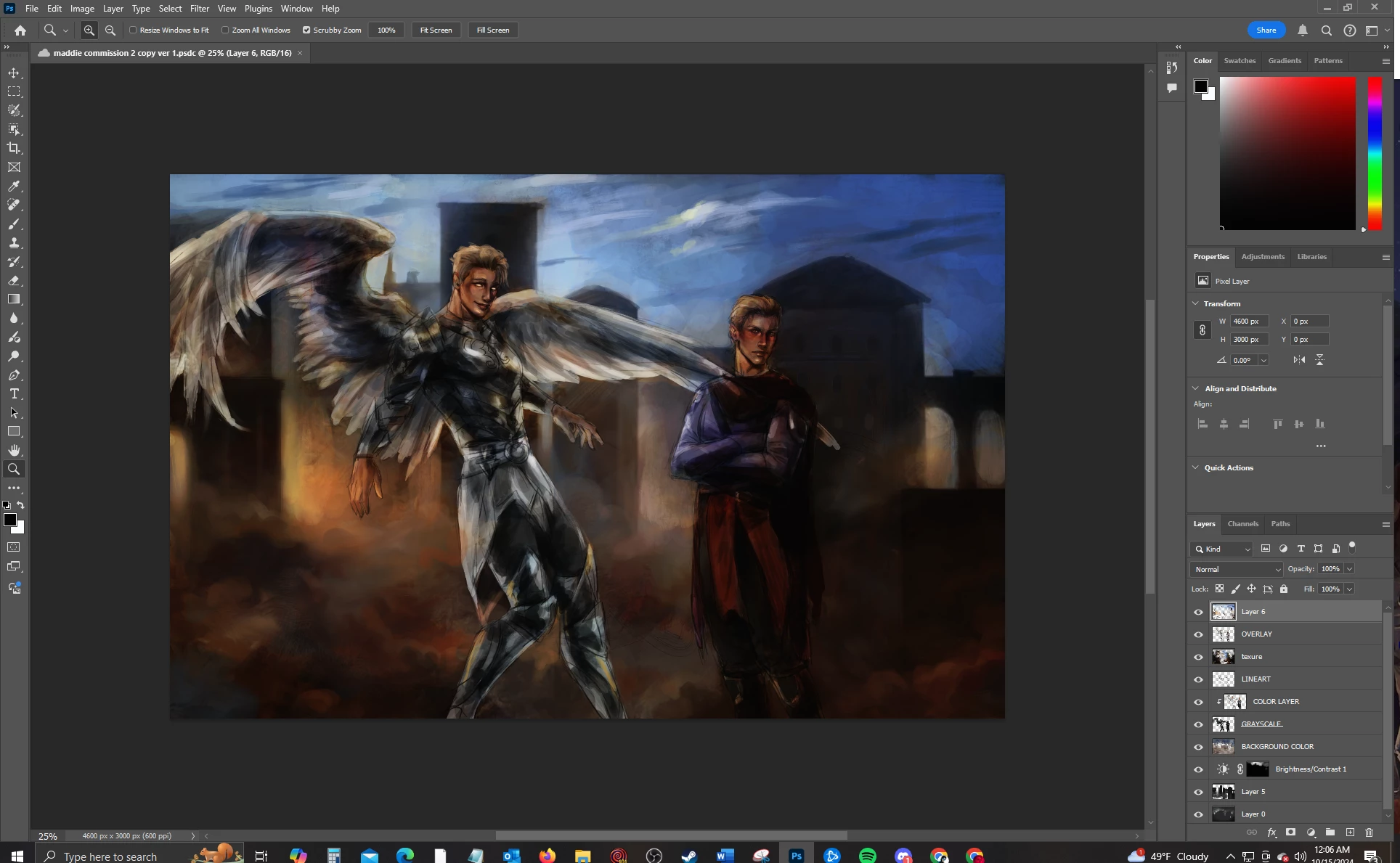
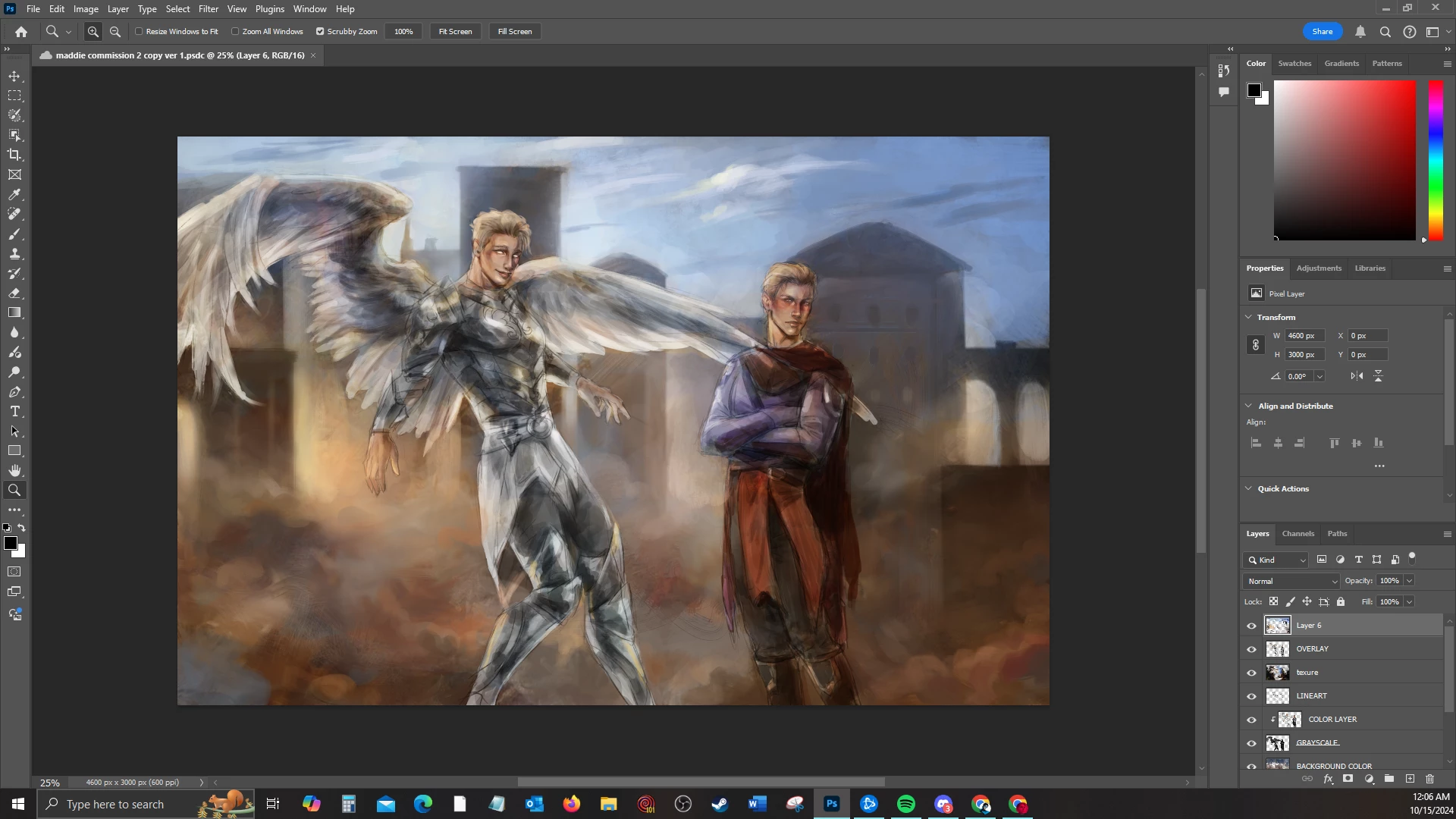
This is a recent issue that developed in the last week. My two monitors have different color outputs, so I was troubleshooting to try to fix it. I switched the Display and HDMI cords to see if that would make a difference on the monitor I draw on, but when I switched them back, my Photoshop suddenly became incredibly dark. The contrast on my images is extremely high and the brightness appears all the way down. I can hardly see anything. I bought a new monitor to try to improve color accuracy and potentially fix this problem, but upon plugging in either the Display capble or the HDMI cable, the issue still persists. I've updated my drivers and removed old ones, updated Windows, uninstalled and reinstalled Photoshop, reset all settings, nothing seems to fix it. I'm worried something may have corrupted, but even on a new monitor and with a new HDMI cord, it hasn't fixed.
In the examples below, the first image is the dark and incorrect output, and the second image is how it's supposed to appear. If this is an issue with Photoshop, I would really appreciate some assistance to a solution, as this is my job and I am very anxious! Thank you.
 AdChoices