

Keyboard selection does not work for some context menu options
Photoshop 27.4.0 / macOS Sequoia 15.7.4
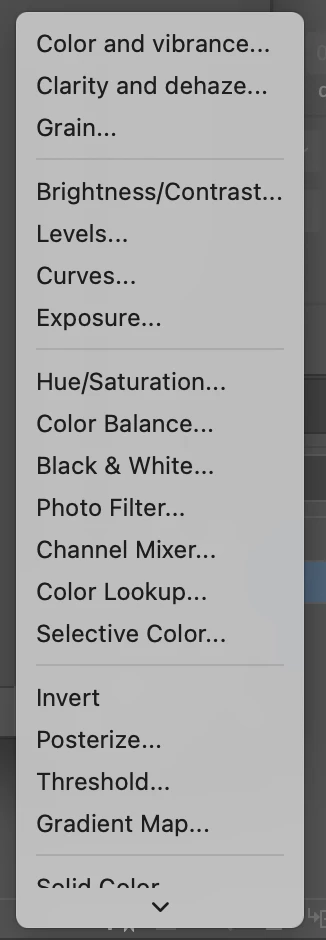
In the “New fill or adjustment layer” context menu (pictured below), the “Solid Color…” option cannot be selected by pressing “S” on the keyboard. Instead, the menu toggles between “Selective Color…” and “Threshold”.
Keyboard selection is also broken for the “Gradient…” and “Pattern…” fill layers in this menu. Along with “Solid Color…”, these three options were previously at the top of the menu.
The issue of menu options being disconnected from keyboard presses occurs in other menus. For example, the “Mask All Objects” option in the layer context menu cannot be focussed using the “M” key.
 AdChoices