

Menus greyed out and Quit not working - STILL keeps happening
This STILL keeps happening - M4 macbook Air - Photoshop 27.6.0
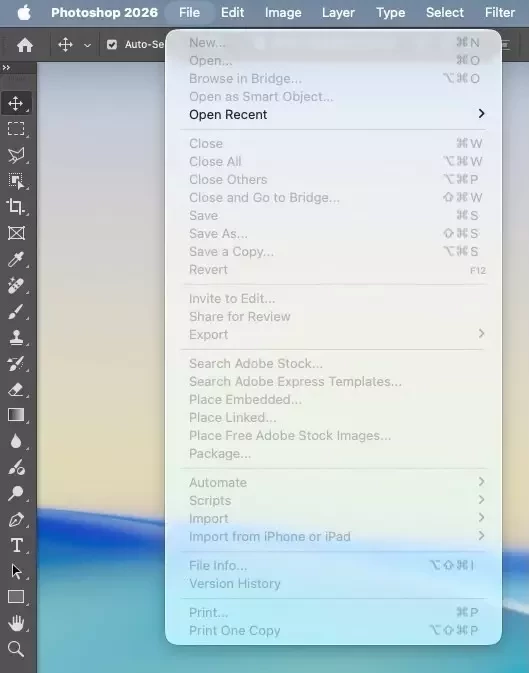
After a certain time the menus grey out - you can’t open files - recent files does nothing nor double clicking an image to open. You can’t quit so have to force quit. Then it’s back to normal until about an hour later the same problems.
I have to force quit and reopen photoshop.
I’ve tried re-installing Photoshop and resetting Prefs - yet the problem re-occurs.
Is this known bug that needs fixing?
 AdChoices