
Sofiamins Art
Known Participant
March 17, 2026
Question

Navigator shows only the area of a specific layer after pressing eye icon on said layer

  • March 17, 2026
  • 1 reply
  • 73 views

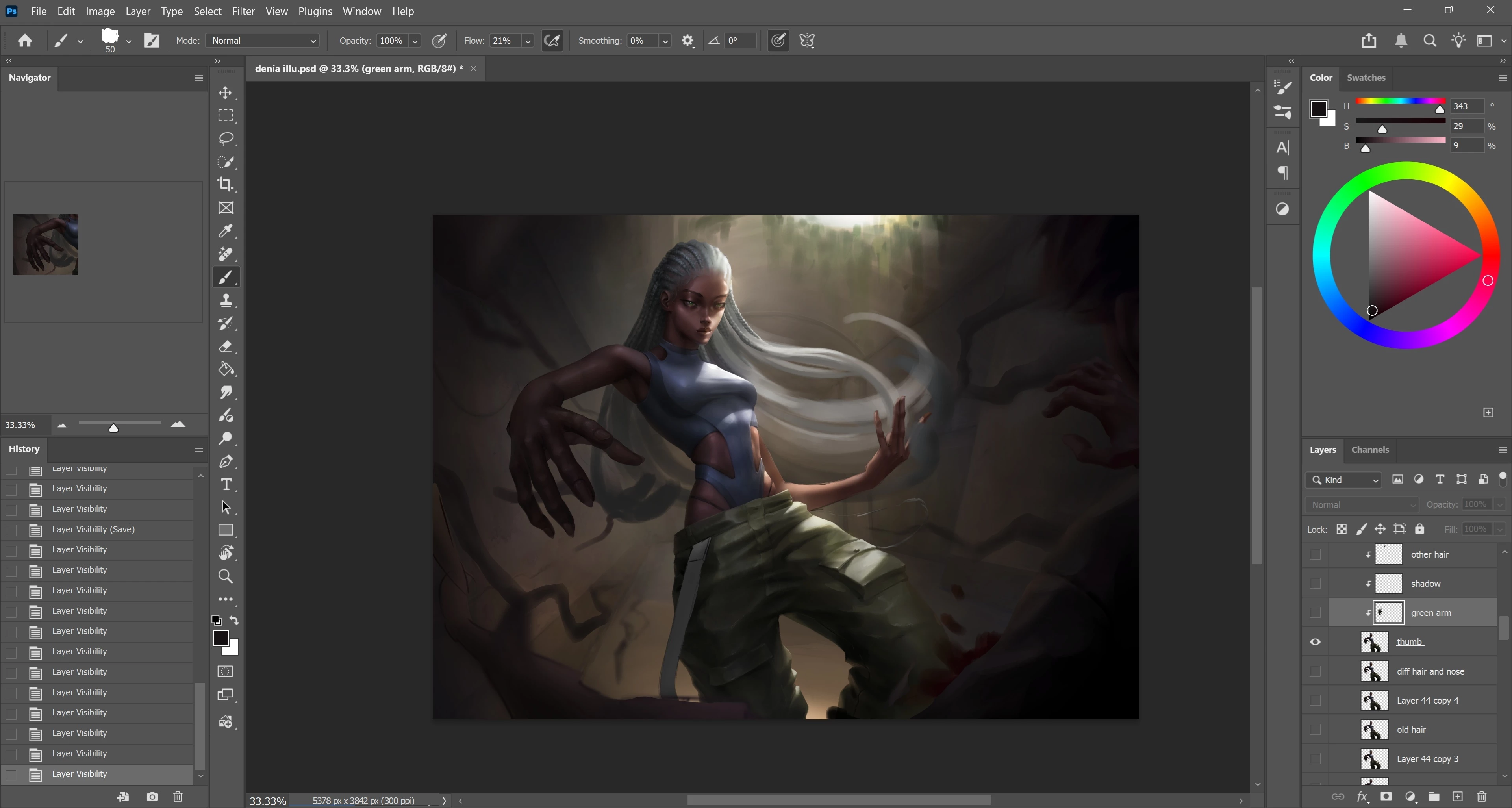
In Photoshop 2025, I didn't have this issue. In the new update, 90% of the times I click on the eye icon of a layer to hide/unhide it, my Navigator stops showing the entire image and only shows a chunk of the image that is the size of whatever layer I was hiding/unhiding. My GPU and everything else within my PC is updated. If it's just a me issue, I apologize for the inconvenience, but would naturally still like to know if there's a fix.
 

    1 reply

    Sameer K
    Community Manager
    Community Manager
    March 17, 2026

    Hey, @Sofiamins Art. Welcome to the Photoshop Community. I'll help you figure this out. Based on the description, this behavior is expected, as the Navigator preview shows the currently selected layer.


    It'll help if you could share a serialized set of steps that trigger this behavior with a specific layer structure, or a sample document that you can share along with a video of the issue and the system info from Photoshop Help > System Info. Copy and paste it into a text document, then upload and attach it here.


    Please test and confirm if Photoshop (Beta) has an issue. You can get Photoshop (Beta) from the Creative Cloud > Apps tab > Beta Apps section. 


    Thanks! 
    Sameer K

    (Type '@' and type my name to mention me when you reply)

    Sofiamins Art
    Known Participant
    March 17, 2026

    Hi ​@Sameer K . Thank you for wanting to help! Here is a video of the issue and the text document. The problem happens within every art project, so I didn't include one.

    I also checked in Beta, and it seems to happen there too. This probably means it's a problem on my end, I assume? Sorry for the inconvenience and thank you in advance!

    Kind regards,
    Sofia M

    jane-e
    Community Expert
    Community Expert
    March 17, 2026

    @Sofiamins Art 

    Your video went pretty fast, so it was hard to watch both the Navigator and Layers simultaneously. It appears that both the image and Navigator are zoomed to 33% and remain at that Zoom throughout. In the beginning your Navigator displays the entire image, then starts showing only a portion of it. Am I missing anything?


    Jane