
mattstix
Known Participant
January 3, 2021

P: Blend If functionality on Groups is broken / missing

  • January 3, 2021
  • 15 replies
  • 875 views

As of Photoshop 21.x, attempting to use Blend If on a Group caused Photoshop to crash. A"fix" in 21.2.1 stopped the app crashing in this scenario, HOWEVER, the Blend If on a Group still doesn't work as it did prior to 21.x.


It may not crash, but the Blend If effect isn't functioning. Blend If on the Group, using the Underlying Layer slider, just toggles the effect of the group on and off. It doesn't apply a blend based on luminosity. It is just on or off, same as using the layer visibility eyeball. This is on Windows 10, to be clear.


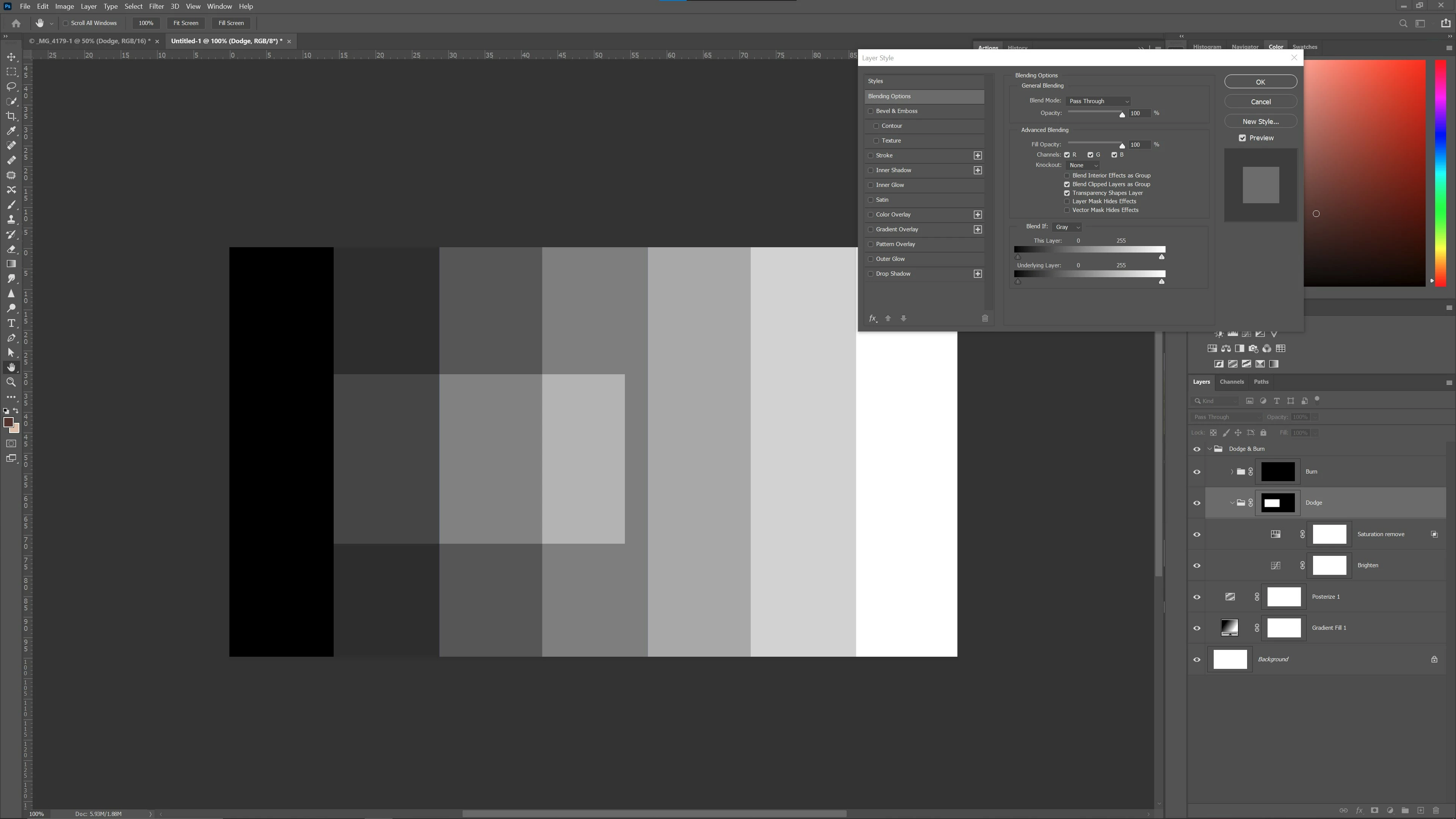
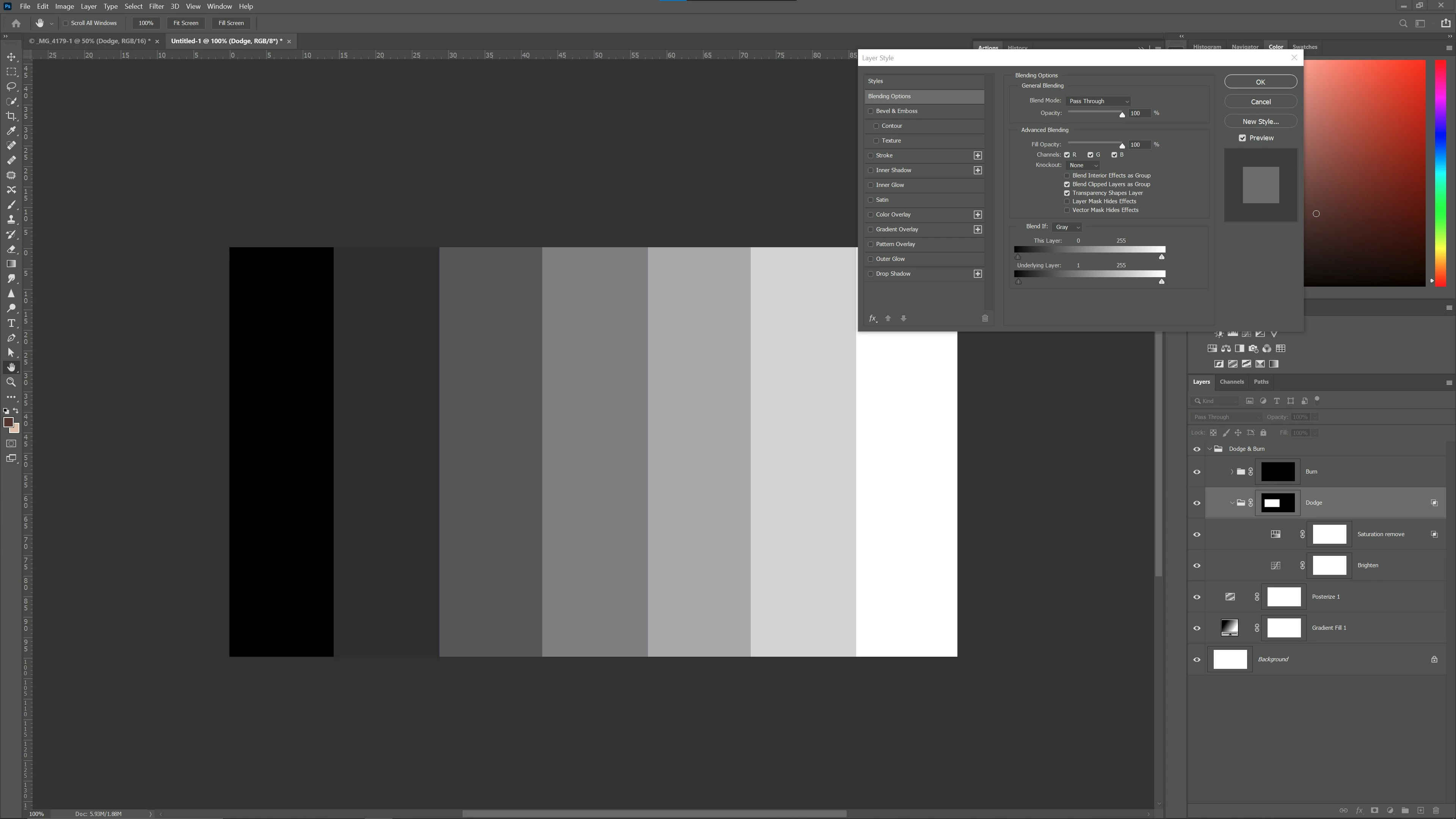
These pictures hopefully demonstrate. The "Dodge" group comprises a Curves layer with a simple luminosity midtone lift and a Hue/Sat layer with just -10 Saturation applied. Both have a blank mask but the Group has a negative mask, with painting on the Group mask to apply the combined effect. 


Picture 1shows no blend and the dodge effect fully applied in the selected area, on the group mask. Pic 2 shows that by merely raising the Group Blend If Underlying Layer slider by 1 level, the effect totally vanishes whereas prior to 21.x the effect should apply across the luminosity gradient. Splitting the sliders to feather also has no impact on the fault. The effect just disappears as if the group had been hidden.
 

To repeat myself for sake of total clarity, the app no longer crashes but Blend If on a Group still doesn't do anything.


I am starting a new issue because of confusion on the existing thread and because I don't consider this fixed until it works again as expected.


This topic has been closed for replies.

15 replies

Ivan Zajats
Inspiring
May 25, 2023

It really doesn't work... it's a pity.

Known Participant
December 25, 2021

So has this been fixed? 

mattstix
mattstixAuthor
Known Participant
January 12, 2021

No. I only noticed it in June I think, 21.2 release from memory. I couldn't swear that 21.0 didn't bring it in by I do know it certainly used to work and was fine until not long before June

Known Participant
January 12, 2021

Eiyhrr Since ver 20 or 21 for me on mac os. Would have go back and look but I think ver 21

Participating Frequently
January 12, 2021

Thank you guys for creating a separate thread from the crasher.  I noticed we have this logged in our internal To Do list already.  Has this issue been around for previous versions like Photoshop CC 2019 or older?

mattstix
mattstixAuthor
Known Participant
January 12, 2021

Yes thanks for acknowledging

Known Participant
January 12, 2021

Thanks for the reply.  Really hoping this gets sorted out.

Legend
January 12, 2021

Looks like this was never fully implemented. It's on the team backlog to see if they can hook it up.

Known Participant
January 11, 2021

The same exact thing is happening on Mac OS Catalina. But here is the weird part.

I've tried the group blend/if with multiple adjustment layers inside a group and get the same result as mattstix when working on Nikon, Canon, and Fuji images. Whenever you attempt to adjust the blend/if on a group it is either ON or OFF.

But tonight I created a file from scratch in photoshop and placed a black to white gradient on the background layer. Then added three or four adjustments and placed them inside a group. Then adjusted the blend/if on the group and it worked. This was a group that had levels, curves, and solid color adjustment layers. But when I added the Black&White Adjustment layer or a gradient map and tried to blend if it was either on or off.

Makes no Sense.

mattstix
mattstixAuthor
Known Participant
January 4, 2021

Cheers, look forward to the feedback!