
Inspiring
May 13, 2018

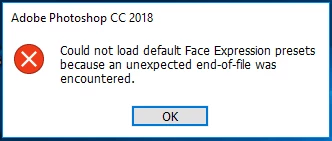
P: Could not load default face expression presets because an unexpected end of file was encountered

  • May 13, 2018
  • 3 replies
  • 2254 views

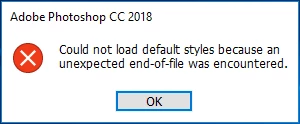
Hi, I am running Adobe Photoshop cc 2018 in Windows 10. When I run Photoshop it says "Could not load default face expression presets because an unexpected end of file was encountered". Also another error like "Could not load default style because an unexpected end of file was encountered". But Photoshop open normally with no error. And I quit Photoshop and again run there is no such error message. It happens when I first run Photoshop. So is the problem still remaining with face expression, style, and brushes, or not. So, please reply.


This topic has been closed for replies.

3 replies

Inspiring
March 18, 2019
you saved my life 🙂 thanks so much for the simple and easy solution, thank you so very much 🙂
Hannah Nicollet
Community Manager
Community Manager
May 14, 2018
When you say, "when I first run Photoshop," am I understanding you correctly that at this point you haven't even opened any files yet? Are you getting the error every time you run PS?

You might want to start by resetting your preferences if you haven't already. Press and hold Alt+Control+Shift (Windows) as you start Photoshop. You are prompted to delete the current settings.

***If you have custom actions, 3rd party plug-ins or presets you wish to save, make a copy of them in another folder before resetting your preferences. In Win those are stored at Program Files > Adobe > Adobe Photoshop CC 2018 > Presets and 
Program Files > Adobe > Adobe Photoshop CC 2018 > Plug-Ins.

Thanks,
Hannah
Hannah Nicollet
Community Manager
Community Manager
May 14, 2018
Hi Binoy,

Thanks for the report. Can you please go to Help > System Info and then copy and paste the contents of that window here? 

Thanks,
Hannah