

Photoshop 27.6 – RAM error with Remove Tool, Windows Ink, and assigned Wacom pen side switches
Hi everyone,
I would like to report this explicitly as a bug report, and I kindly ask that it not be moved to the Questions section again. The behavior is reproducible in my setup and appears to involve the interaction between Photoshop 27.6, Windows Ink, the Remove Tool, and assigned Wacom pen side switches.
Short description
In Photoshop 27.6, using the Remove Tool repeatedly causes a massive memory increase. Photoshop then becomes unresponsive for a while and eventually shows the error message:
“The operation could not be completed because there is not enough RAM.”
In my tests, this happens when using the Wacom pen, but not when performing the same Remove Tool actions with the mouse.
Key finding
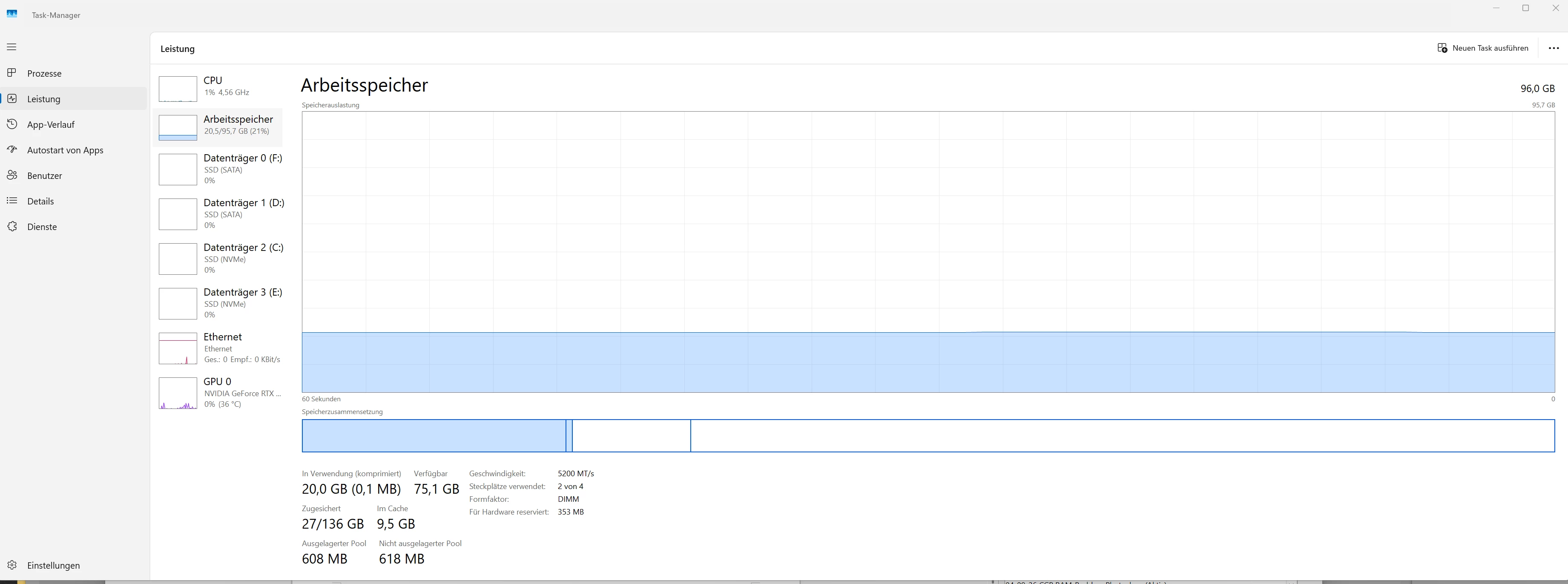
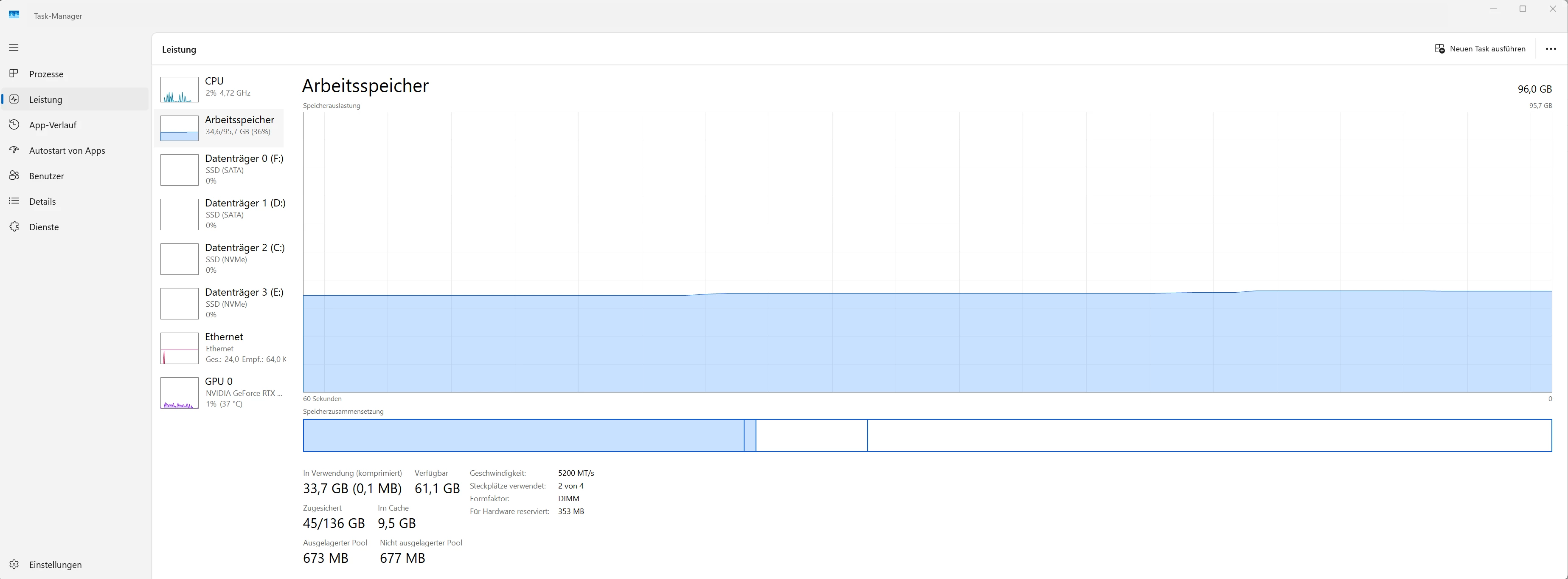
I ran several comparison tests with the same file while monitoring Windows Task Manager.
Test 1 – Remove Tool with mouse input
- Photoshop 27.6
- Windows Ink enabled
- Remove Tool
- input with the mouse
- 46 Remove Tool strokes
- no freeze
- no RAM error
Memory usage increases somewhat, but remains controlled.
Test 2 – Remove Tool with Wacom Pro Pen 3, side switches assigned
- Photoshop 27.6
- Windows Ink enabled
- Remove Tool
- input with Wacom Pro Pen 3
- pen side switches assigned
- after about 12–14 Remove Tool strokes, the error occurs
At that point, memory increases massively:
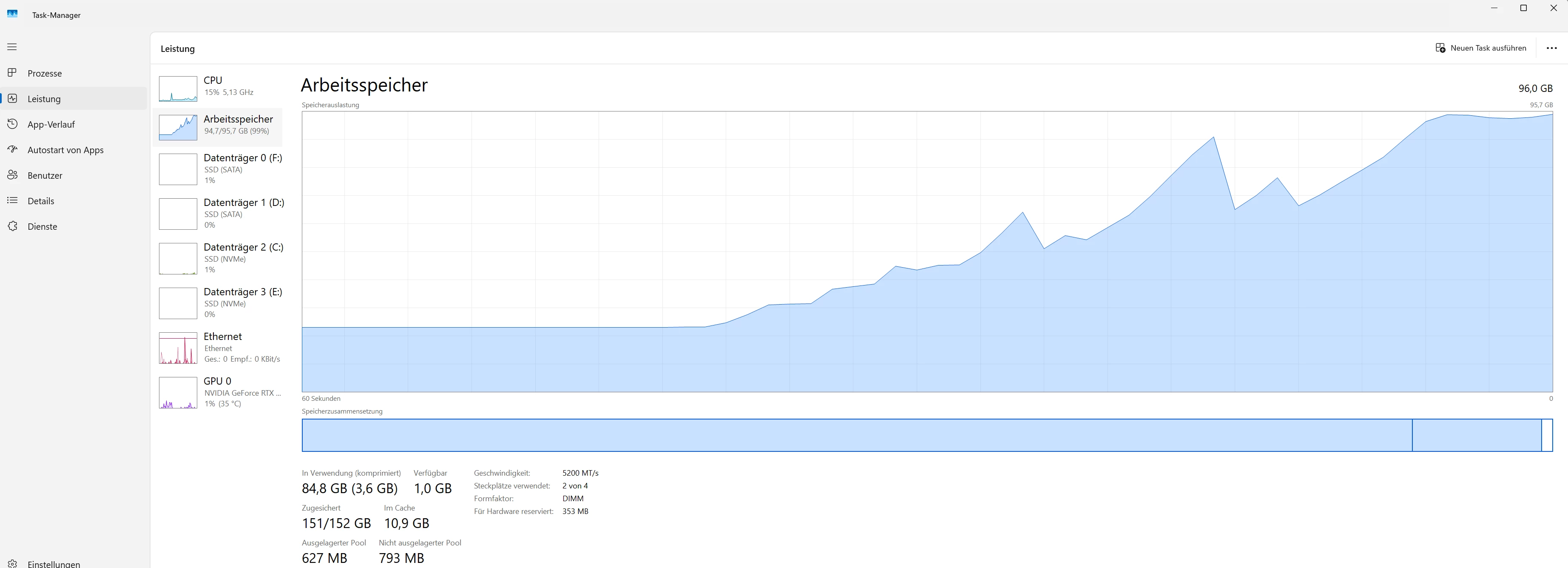
- Windows Task Manager: Committed rises to about 151–153 GB
- Commit limit is about 152–164 GB
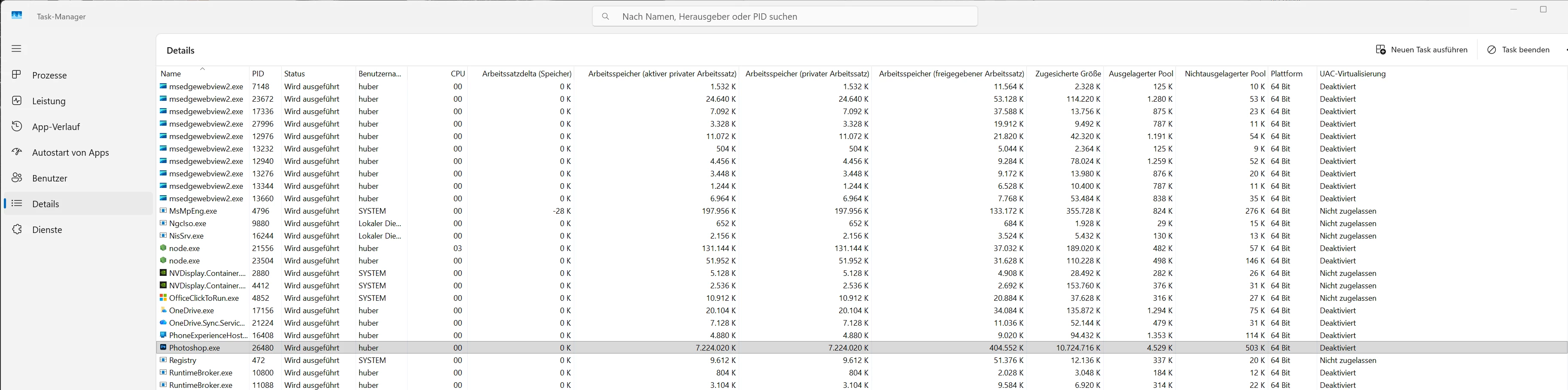
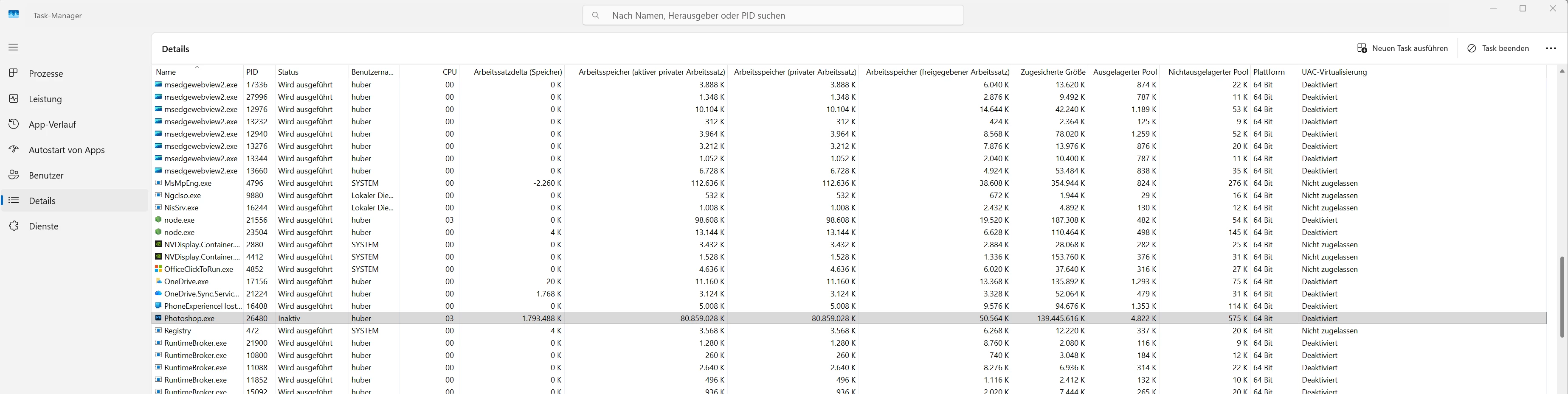
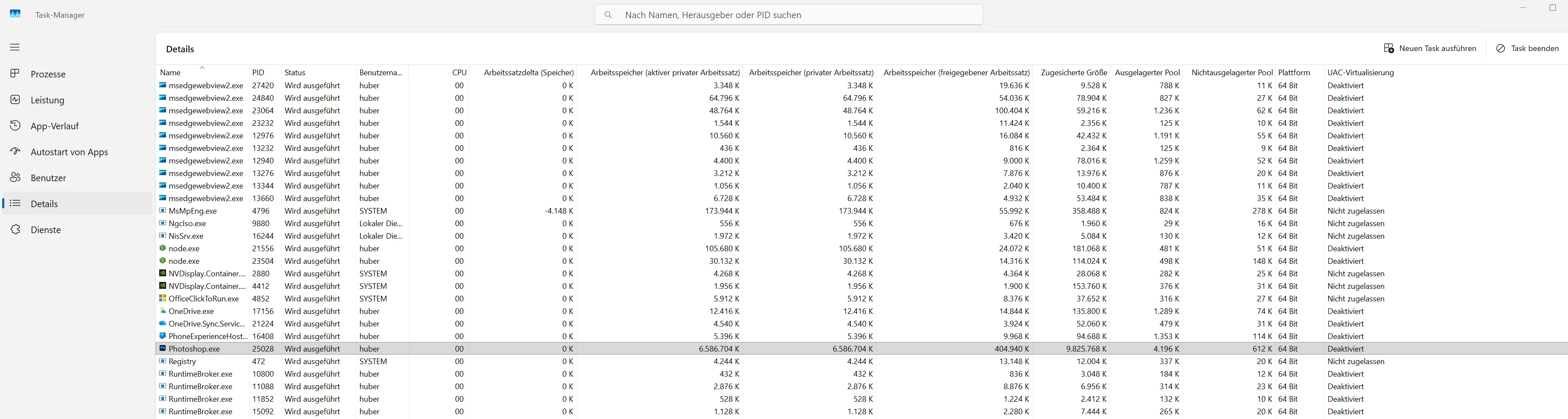
- Photoshop reaches a committed size of about 139–153 GB in Task Manager Details
- Photoshop becomes unresponsive / inactive
- then the RAM error appears
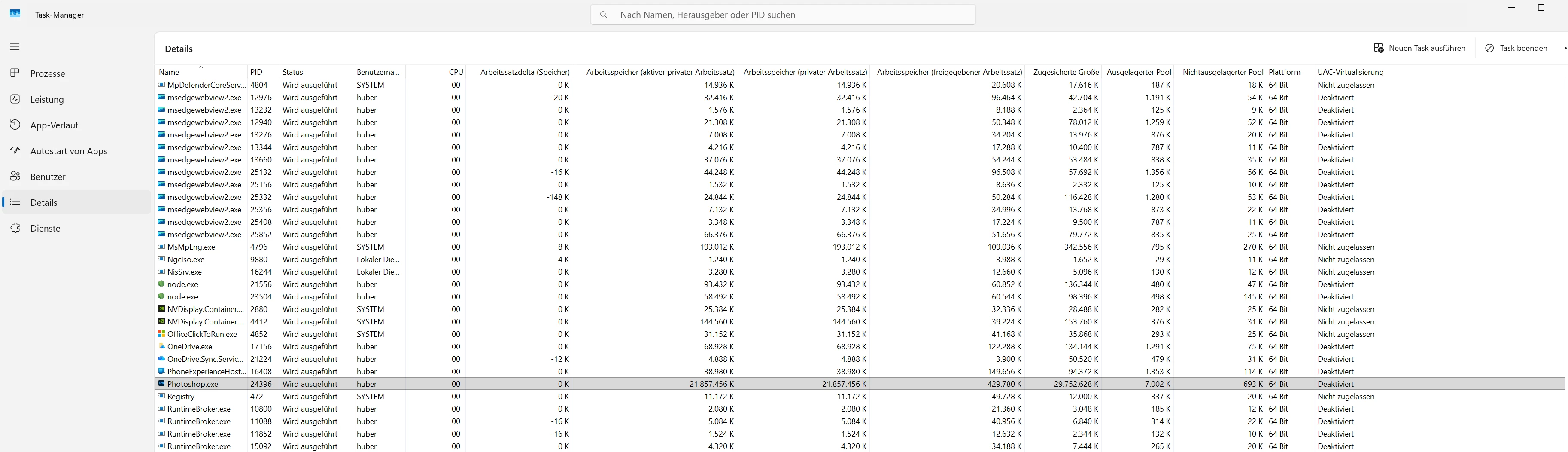
Test 3 – Remove Tool with Wacom Pro Pen 3, side switches disabled
- Photoshop 27.6
- Windows Ink enabled
- Remove Tool
- input with Wacom Pro Pen 3
- pen side switches disabled
- 56 Remove Tool strokes
- no freeze
- no RAM error
- memory remains much lower
This strongly suggests that the issue is not triggered by the Remove Tool alone, but by the combination of:
Photoshop 27.6 + Windows Ink + Remove Tool + Wacom pen with assigned side switches
Why this does not look like normal RAM shortage
My system has:
- 96 GB RAM
- plenty of free scratch disk space
- NVIDIA RTX 4090
- current NVIDIA Studio Driver
- Wacom Intuos Pro PTK-670 / PTK-870
- current Wacom driver 6.4.13-4
- Wacom Pro Pen 3
- Windows 11 25H2
Before the error occurs, there is enough memory available. The problem is that Photoshop suddenly requests an extreme amount of committed memory while using the Remove Tool with the pen. To me, this looks more like a memory leak or memory runaway than a normal lack of RAM.
Mouse vs pen comparison
The critical difference is:
- Mouse input: 46 Remove Tool strokes without error
- Pen input with assigned side switches: error after about 12–14 strokes
- Pen input with side switches disabled: 56 Remove Tool strokes without error
So the assigned Wacom pen side switches appear to be a relevant trigger when using Windows Ink.
Practical impact
Disabling the pen side switches is unfortunately not a usable long-term workaround for me. I rely on the pen side switches in Photoshop for context menus, layer-related actions, and normal workflow operations.
Using the mouse is also only a workaround. For retouching work, using the Remove Tool with the pen is much more natural and productive.
Additional context
Up to Photoshop 27.3.1, I was able to work with WinTab, and these issues did not occur there. In newer Photoshop versions, WinTab is no longer usable in my setup, so in Photoshop 27.6 I have to use Windows Ink.
The separate WinTab freeze is a different issue. This report is specifically about the RAM / memory error with the Remove Tool under Windows Ink.
Already tested
- Photoshop 27.6
- Windows Ink enabled
- Remove Tool Processing set to More Stable
- mouse input compared with pen input
- pen with assigned side switches compared with pen with side switches disabled
- Task Manager memory values documented
- enough RAM / VRAM / scratch disk space available
- GPU compatibility check without issues
- current driver environment
Conclusion
From my point of view, this is a reproducible bug in Photoshop 27.6:
When using the Remove Tool under Windows Ink with a Wacom pen that has assigned side switches, Photoshop causes a massive memory increase until it eventually fails with a RAM error.
Please treat this as a bug report and forward it to the appropriate development team.
Thx al lot! Hubertus 📺🫎
Screenshots
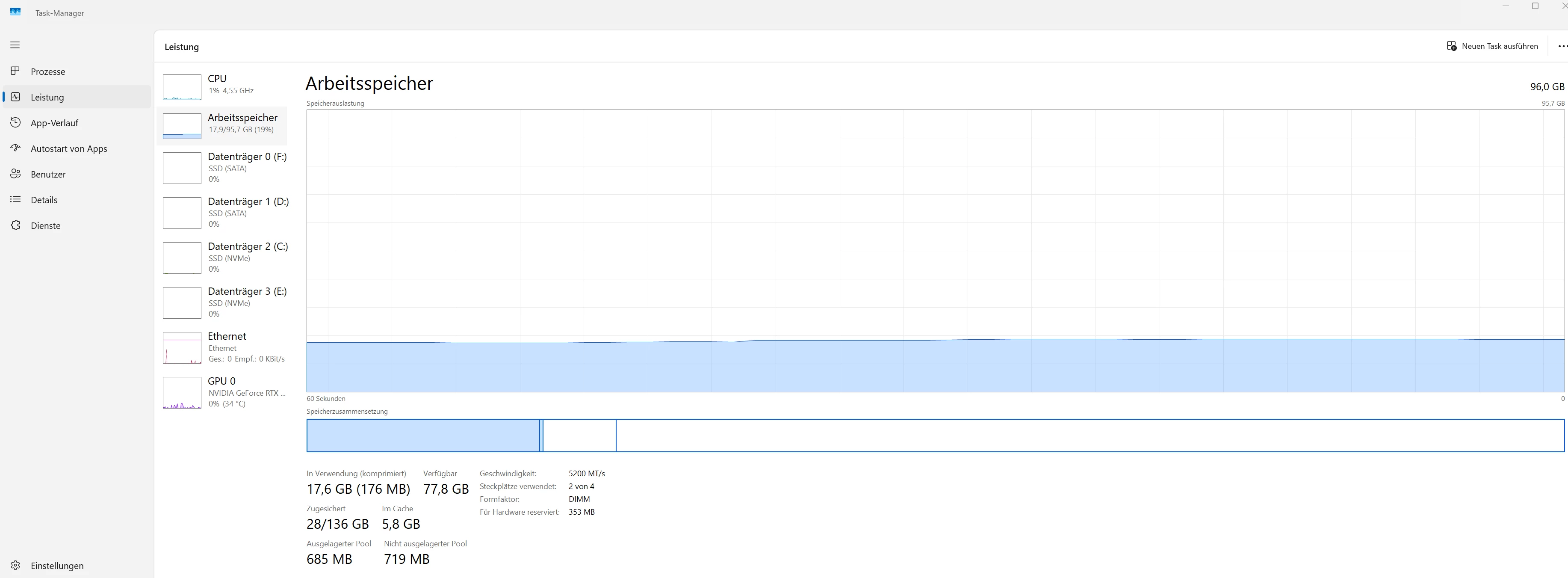
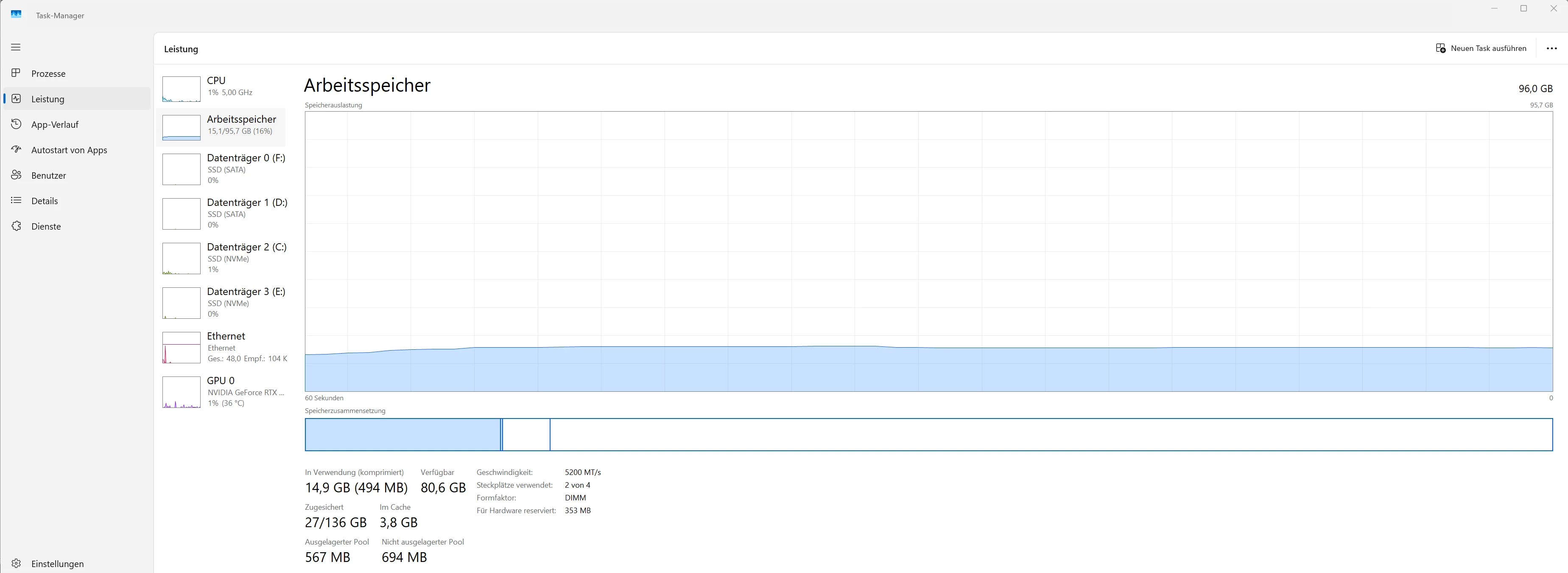
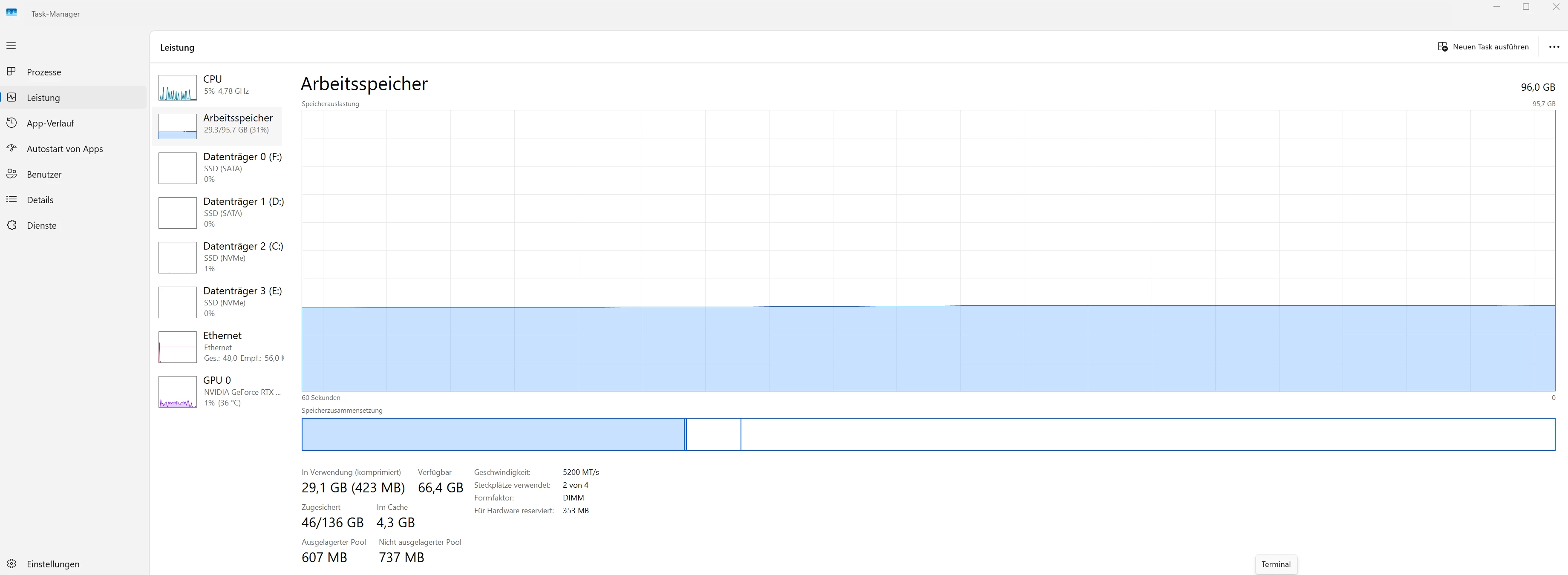
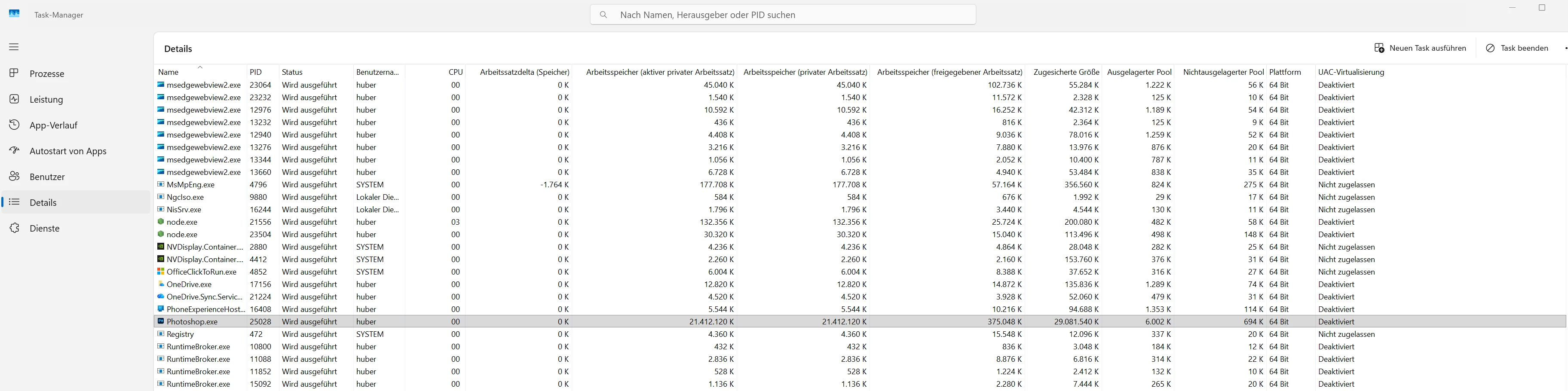
I am attaching screenshots from Windows Task Manager showing the difference between the tests:
- initial values
- after many Remove Tool strokes with the mouse
- after only a few Remove Tool strokes with pen input and assigned side switches
- after many Remove Tool strokes with pen input and disabled side switches
Test 1: Mouse input: Start + 46 Remove Tool strokes without error (46 strokes without error)
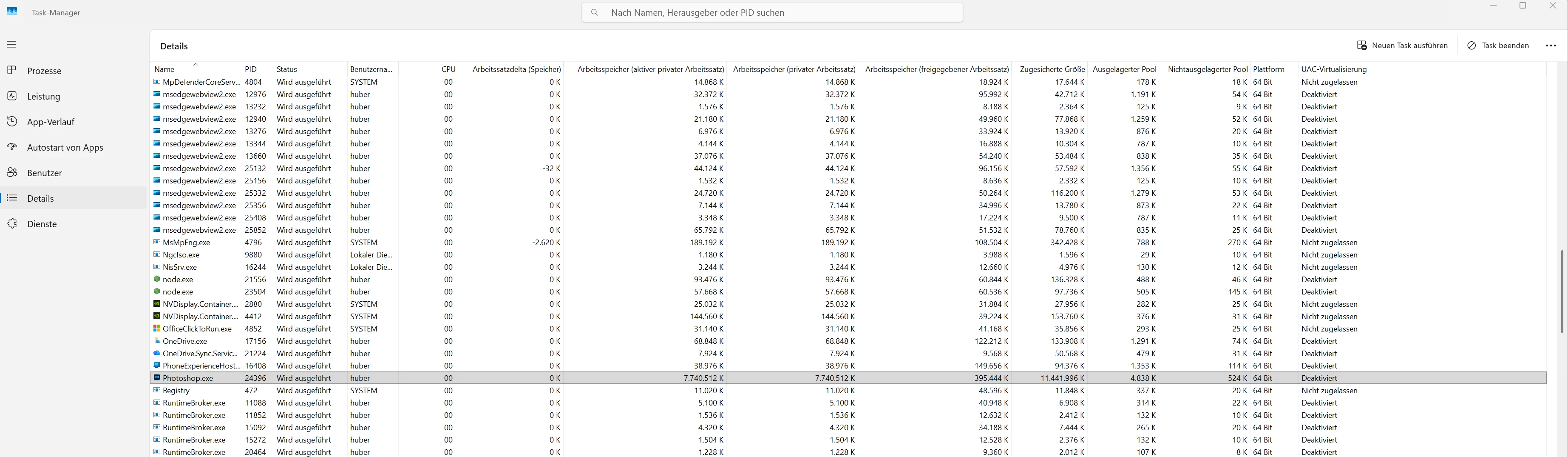
→ Test 2 – Remove Tool with Wacom Pro Pen 3, side switches assigned (after 14 strokes ERROR!)

→ Test 3 – Remove Tool with Wacom Pro Pen 3, side switches disabled (56 strokes without error)
 AdChoices