


Symmetry tool not mirroring brush-settings correctly
OS: Latest Windows version.
Photoshop: 27.3.1
GPU: RTX 5070, latest driver.
When using the Symmetry Tool to draw, the mirrored side doesn’t seem to take some brush settings into account and redraws an off-looking line, but brush path and stylus pressure sensitivity is still correctly mirrored.
This is always true for both vertical and horizontal symmetry, but somehow redraws a perfect looking line in the opposite corner of a Dual Axis symmetry. Same for Mandala symmetry.
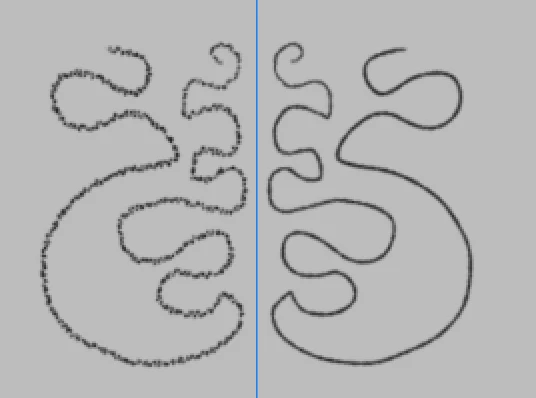
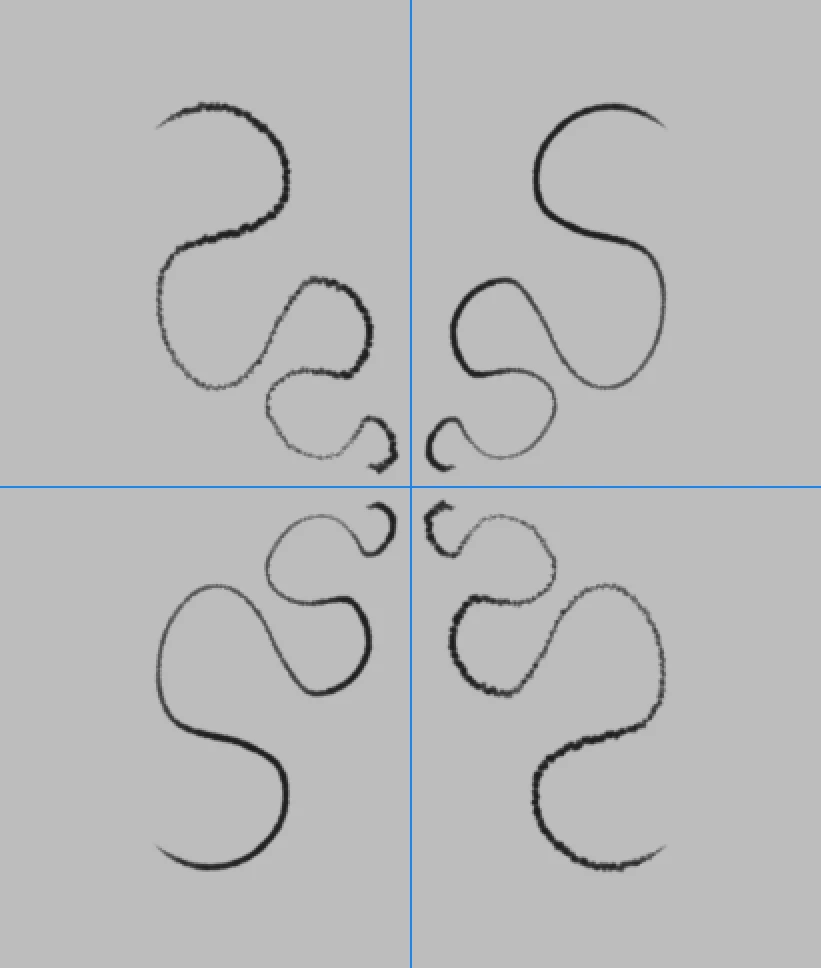
The only exception is the Radial symmetry which reproduces perfect looking lines. Though I’m guessing the “nice looking lines” are only rotated, not flipped/mirrored.
The bad looking results get worse the smaller the pixel size of the brush is.
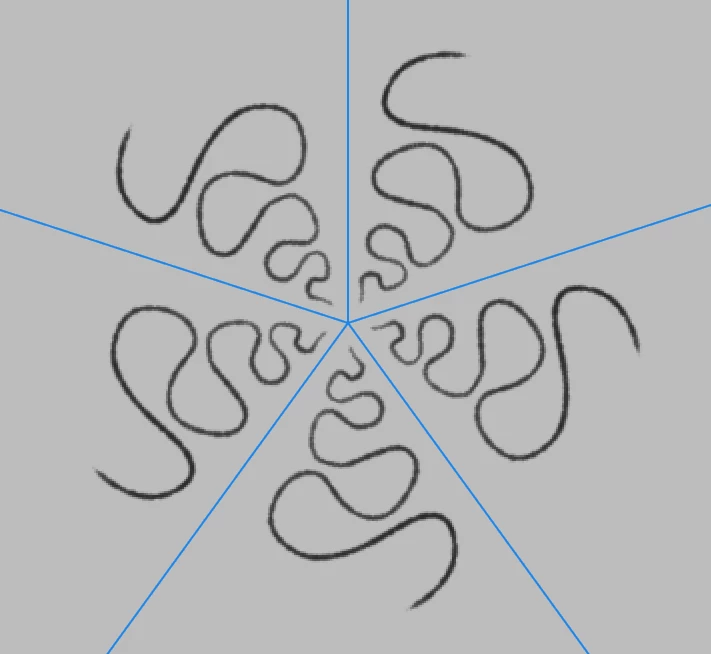
My pen input is represented by the right hand (or top right hand) side of each screenshot, using a 4px size brush (except for the horizontal example where I used a 3px brush to emphasize that pixel size mattered).
Brush settings included if find it hard to reproduce with your own.
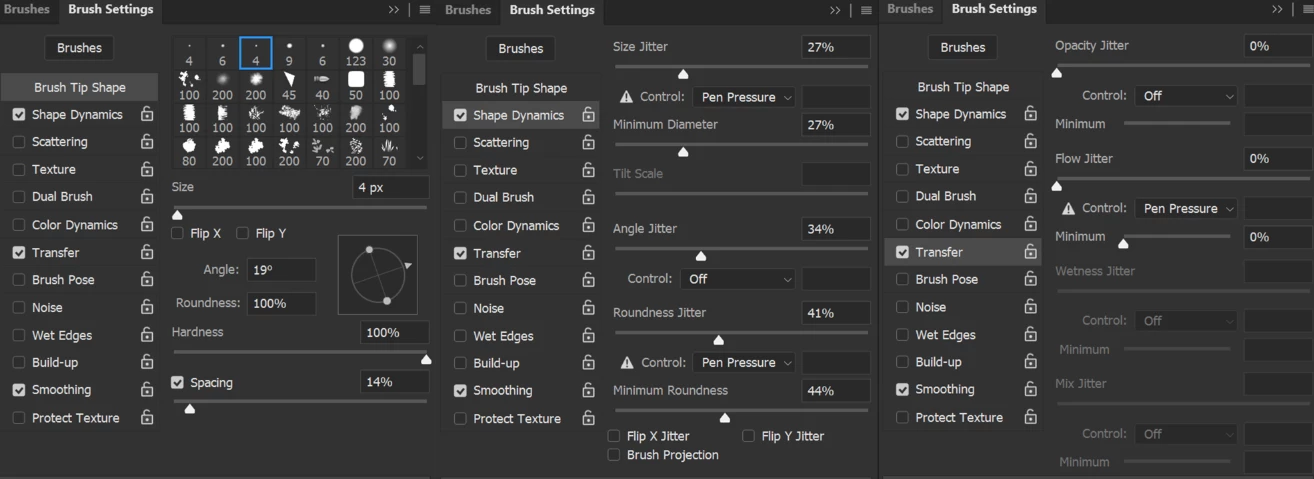
Canvas setting is 300dpi.
Thank you for looking into this,
H
 AdChoices