


Known Participant
June 24, 2026

25.6.0 Beta Build 44 - Control Surface completely broken

  • June 24, 2026
  • 2 replies
  • 69 views

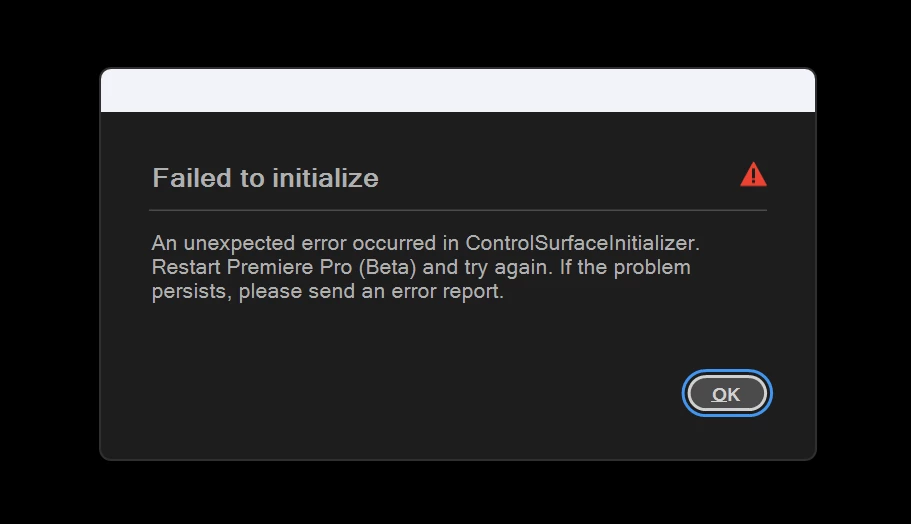
This build of the Beta (it happened even on the previous one) has Control Surface completely broken. An ‘unexpected error’ prevents Premiere to initialize any Productions and Projects, resulting in a warning window telling me the error - I attached the warning window.

The issue doesn't present itself in the regular release - altough I'm some version behind as the latest stable build has a known issue with RTX 50 series cards when it comes to graphics properties, which funny enough was fixed in the Beta builds.

My PC is as follows:

  • Windows 11 Pro
  • Intel Ultra 9 285K
  • NVIDIA 5070Ti 16GB (latest Studio Drivers)
  • 64GB DDR5

I use the Logi MX Creative Pad.
 

    2 replies

    Adobe Employee
    July 18, 2026

    I am pleased to inform that this issue has been fixed in Premiere Beta 25.6 (Build 66). Please try out the latest version, and let us know if it works or not for you.

    Cheers,

    Vinayak

    lukeripaAuthor
    Known Participant
    July 18, 2026

    Sorry for the late reply, I was away for work for 3 weeks and I changed workstation.
     

    Unfortunately, the issue still presents itself on my PC Desktop, while on my laptop PC there are no issues, despite still using the Logitech Creative MX Console also there.

    There are any other ways to overcome this issues? As it may be I have to reset the control surface options - the latest Beta also crashes if I try to remove any control surfaces in the list.

    EDIT: A clean Install did the trick. 

     
    Adobe Employee
    July 19, 2026

    Awesome! thanks for confirming that the issue is fixed!

    Adobe Employee
    June 30, 2026

    Hi ​@lukeripa,

    Thank you for reporting the issue. I am not seeing the same issue on Tangent device. While we investigate the issue, can you please confirm if you are still seeing the issue in latest version of Premiere Beta.