


Abysmally catastrophic failure! My experience with the newest Premiere apps (I tried updating today)
As I reflect what I have written in this text below, I see I've had a wild journey. The journey that was full of stress, frustration, disappointment, and emotional damage.
TLDR:
- I found a catastrophic failure. The app closes. No work can be done.
- I discovered tons of frustrating and abysmally poor user-experience moments.
- In the end, everything worked out: I downgraded the version and accepted my losses.
- I hope this comprehensive text, this immersive journey, will be very useful for the technical staff. I hope many bugs will be identified. I hope many challenging UX quirks will be resolved. And finally I hope my contributions will make Adobe a better company, making better products.
----------
Today I made, apparently, the biggest mistake in life: decided to update my Premiere Pro Beta.
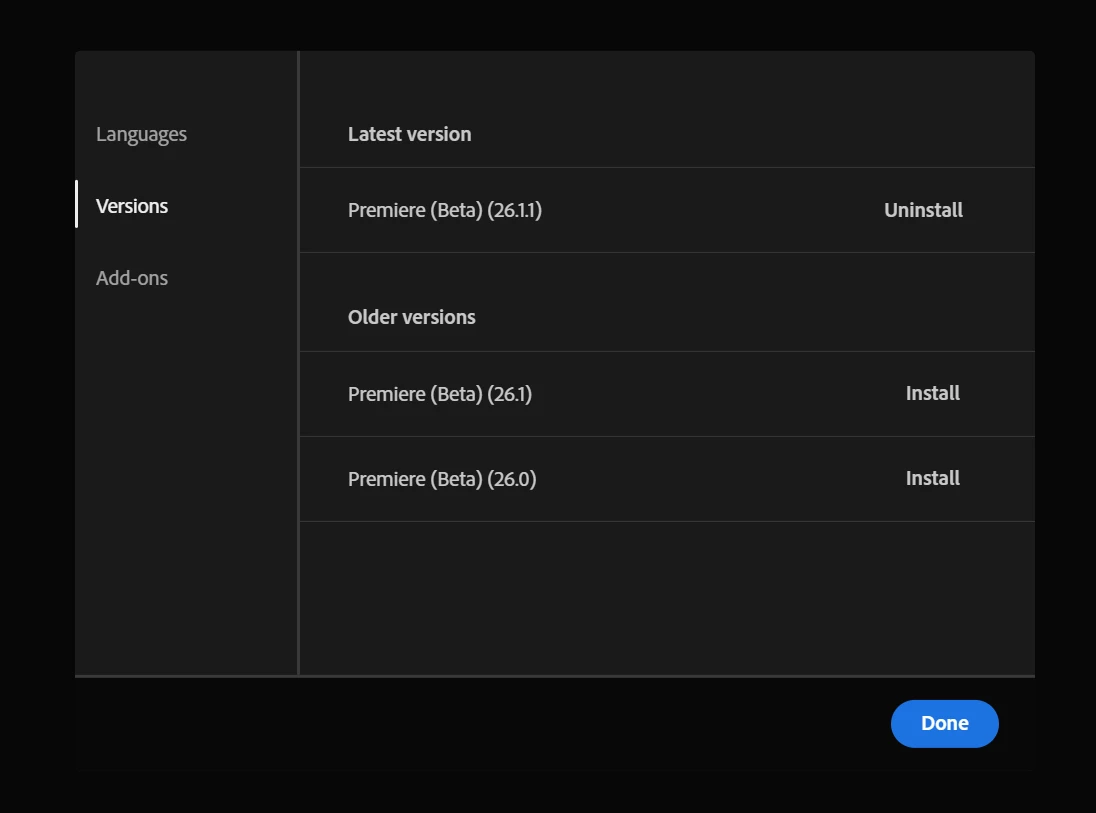
I think the 26.0 was installed prior.
I tried to open the file that was saved from the previous Premiere Pro Beta. And got such notification:
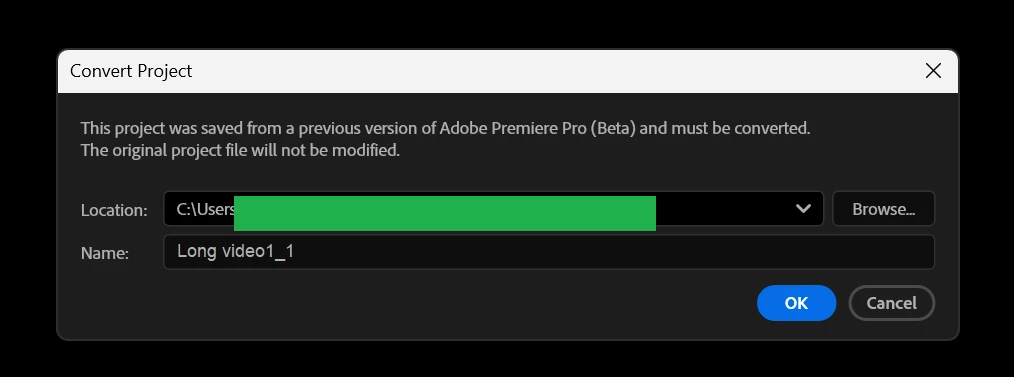
It's as if it was a non-beta Premiere Pro file, and it needs to be "converted" into Beta version.
First of all, the compatibility should be flawless. The fact that non beta and beta files are incompatible - that brings major issues.
But now 26.0 version files are incompatible with the newer? - what a joke. I am disappointed.
Anyway, all is not lost, I finished my complaint and click "OK". Guess what. The app just closes. No more work for me today. No more income for me. What sick joke is this?
You should be experiencing this. Not me. Now my main source of revenue is gone. Why did you do this to me?
I love Adobe products. But Adobe is literally removing the capability to make money from me. Adobe is removing the capability to survive. The capability to exist. That's rude!
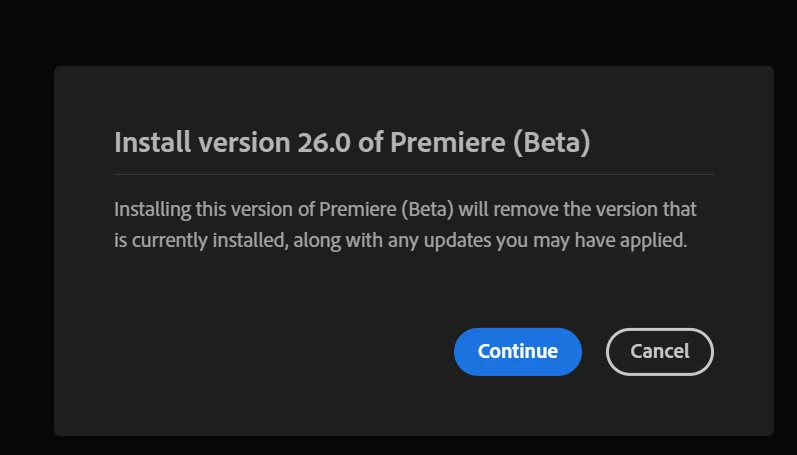
As I am writing this, I will now attempt to install the older version. I hope all is not lost.
Update rollback finished. Let's see. Same warning.
I click Ok. This time the app opens.
Now I have files, both created by 26.0. what a comedy:
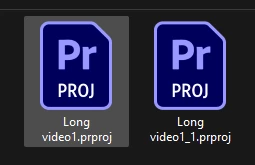
OMG. absolutely ALL my Beta files need to be converted. Why are you doing this to me?
Look, the update prompt is showing.
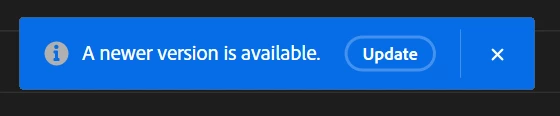
It's a trap. Run!!!
The Beta project files no longer have the capability to be opened by the non beta version.
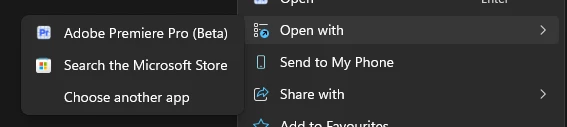
I have a template files: one for Beta, one for non beta.
The non beta does not open by non beta anymore.
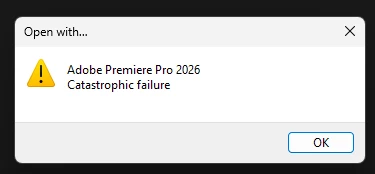
Let's try again.
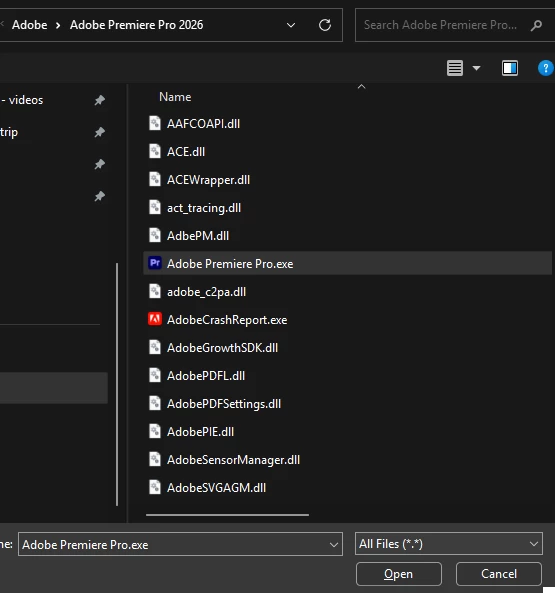
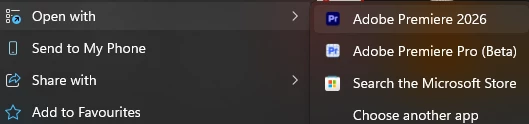
Ok, so even non beta version needs to be converted from non beta version to non beta version. Are you doing this on purpose? This is precisely how you ruin user experience.
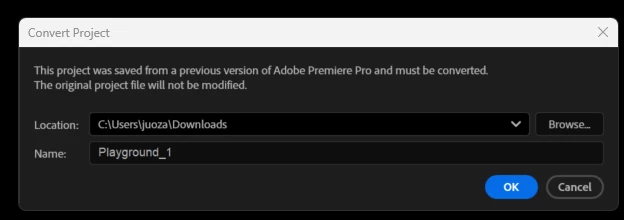
One positive finding:
now the new non-beta version saved project files are compatible with the 26.0 beta. and vice versa.
- I opened the pre-update 26.0 beta version's project with the post-rollback 26.0 beta - it needs conversion.
- I opened the pre-update 26.0 beta version's project with the post-update non beta - it needs conversion.
- I opened the pre-update-non-beta version's project with the post-rollback 26.0 beta - it needs conversion.
- I opened the pre-update-non-beta version's project with the post-update non beta - it needs conversion.
However,
- I saved the project using the new non-beta. And it opens in both non-beta and post-rollback 26.0 beta. that is good.
- I saved the project using the post-sollback 26.0 beta. And it opens in both non-beta and post-rollback 26.0 beta. that is good.
In summary, my works can continue. Workflows are not ruined.
2+ hrs of my time is lost. Mood is ruined.
The fact that 26.11 DOES NOT open is a serious flaw. This is a major red flag. We have a non functioning app that will ruin lives.
I am thankful that:
- That I was able to restore to the previous version. If I got stuck, then even if I posted the call for help on this forum (which, as far as I'm aware, is the only possible way to reach adobe personnel in desperate times), the response would have taken couple of days. That would have created a terrible bottleneck. Practically impossible to resolve. So I am glad that the posibility to get rid of crap version and install the one that works - exists. Well done.
- That now non beta and beta versions' project files are compatible with each other.
- That despite this "wild ride" of updates, my workspaces are still available. It took me 2 months to make my workspaces pixel perfect, and I would rather keep it that way. Thank you very much. It is terrible to imagine what would happen if the saved workspaces were unavailable, leaving only default ones.
I am abysmally disappointed that:
- That the newest beta version failed to open.
- That now non-beta and beta versions need to convert something in order to open the files that could perfectly be opened prior my disappointing update attempt.
- That the old 26.0 is not the same as the new 26.0. Face it, the project file, saved by the old 26.0 needs a conversion to be opened again by the 26.0. That exposes the lie. It is false to claim that this is 26.0. I don't know what this 26.0 really is, but it is absolutely not the old 26.0 that I used to have.
- That there is no acceptable backwards compatibility. I have been using premiere pro for years. First non beta versions, later beta versions. Now, not one, not some, but absolutely ALL project files would need a conversion if I wanted to open them by an existing app. Why? Am I the only person in the planet to whom this feels wrong? I have thousands of project files. Who knows when I will need to return to an old project. Sometimes I do noeed. Now I will have to do all the conversions. It wastes a few seconds, and creates extra file. That is uncouth!
I hope my feedback was useful. To add an element of honesty, I did not use AI for writing this text (if it wasn't showing).
If my feedback proves not useful, I'd resort to lodging official complaints. The issues I discovered are unexcusable, unacceptable, and unforgivable. If anyone thinks otherwise, then you've been lied to. I am European, living in Europe. And today my experience was NOT what should be coming from a top tier self-respecting world-class company.
Please treat this message seriously. Do not punish your employees, but create a safe and nurturing environment. If people are overworked or stressed, or fearful, then more of such flaws, more of such bugs, more of such ruined UX moments will be emerging. Frankly, in 1996 such bugs would be almost acceptable. But now, in 2026, they explicitly ain't!
I will not monitor this forum thread. I don't have enough time for this. If you feel I need to be contacted - send a message plz.
Respectfully,
MH
EDIT: for some reason this appeared as a Firefly bug, and not as Premiere Pro bug. Would the qualified person MOVE this into the appropriate category? Thank you kindly.
 AdChoices