


All the effects applied to the clips have disappeared. This issue is occurring in all Premiere files
This issue is occurring in all Premiere files on my PC.
All the effects applied to the clips in my project files have disappeared.
Every file is experiencing the same problem, and this is extremely urgent for me.
The only thing I did before this issue occurred was 1. checking for updates and then,
2. selecting [Window > Workspaces > Reset to Saved Layout].
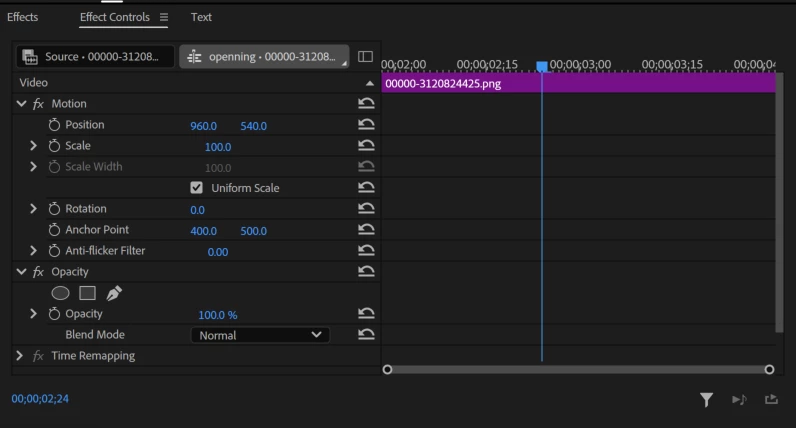
As you can see in the above picture, I had applied keyframes for size and position to the clip, but they are now missing. This is the same for all clips in all files.
Additionally, the same issue is occurring on both my Windows and Mac computers.
Even the auto-save files are same problem!!!
Please help me resolve this urgently.
Because this problem is happening in all my files, I am unable to continue working.
Please help me resolve this issue.
 AdChoices