


Participant
August 22, 2023

Anamorphic footage and Exporting Out Screenshots

  • August 22, 2023
  • 12 replies
  • 2677 views

Hello,


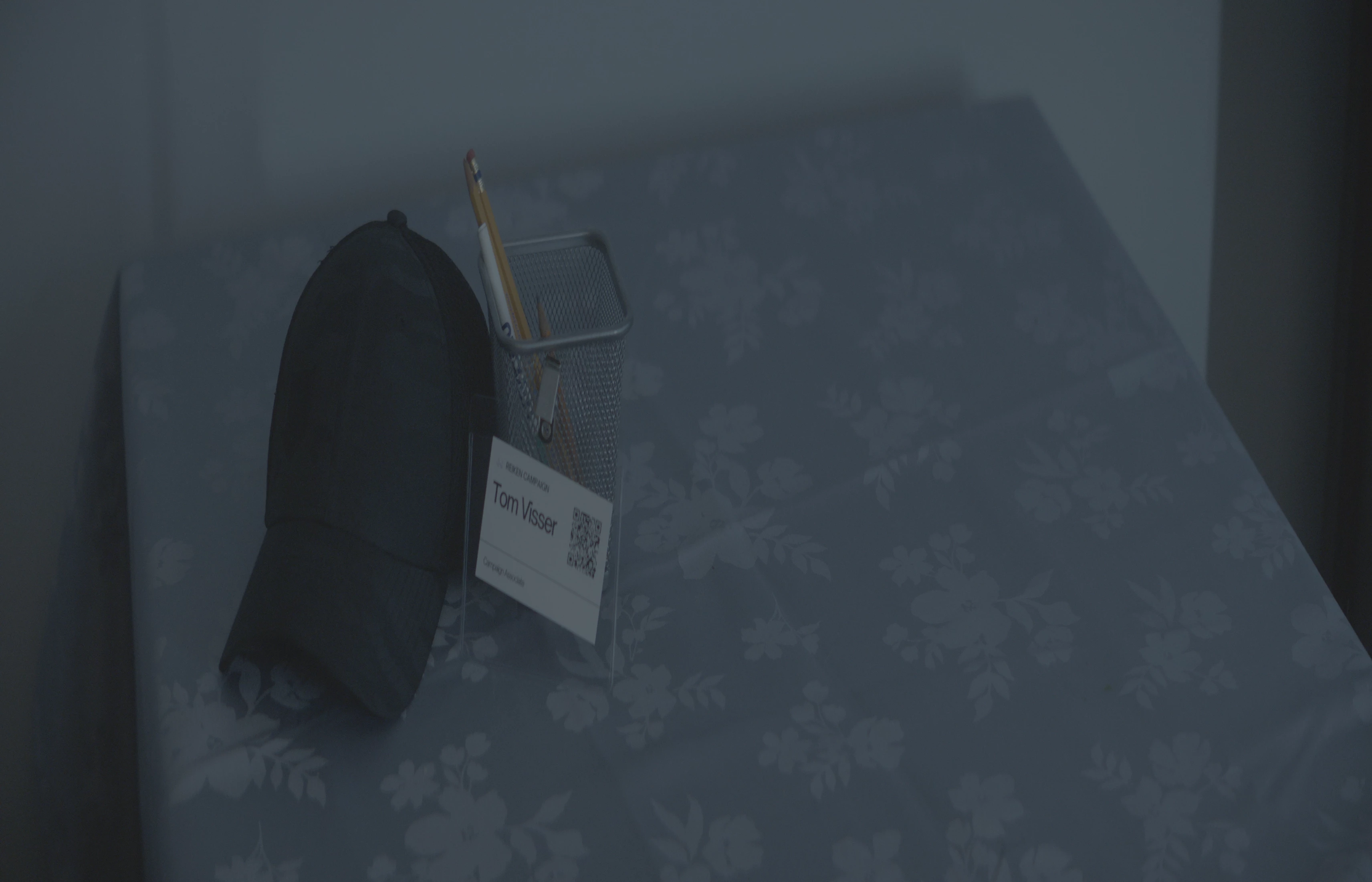
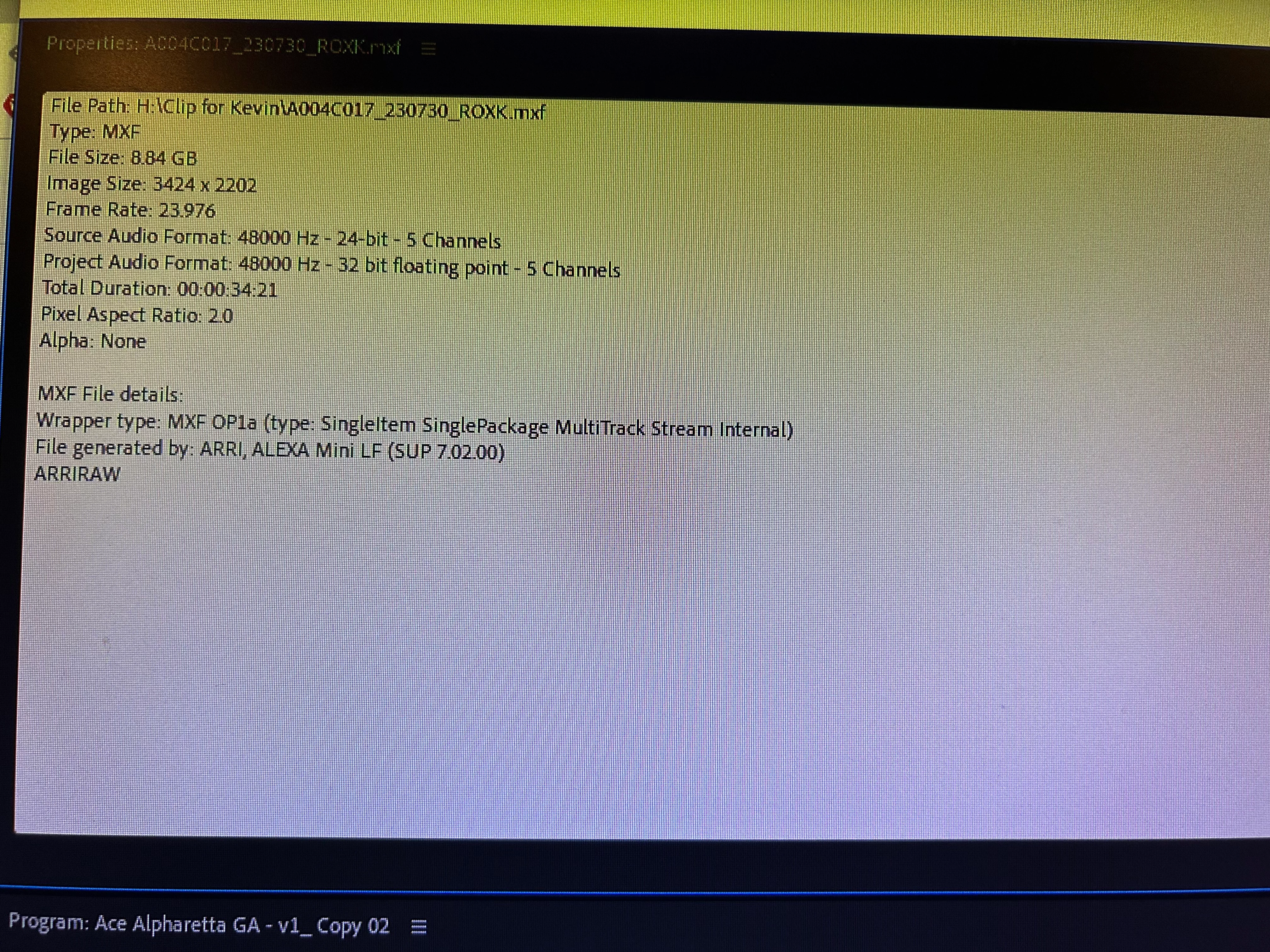
I am currently in post production on a short film that was shot on the Alexa Mini LF and shot on Anamorphic lenses. I imported all the footage in and since the DP had set the footage to be stretched so no desqueezing was needed. Working with the footage has been fine in Premiere Pro. However, when I go to export a screenshot from the timeline, the image is squeezed and not in the widescreen image (image has been attached as well as clip tech specs). What is the workaround for this and why does this continue to happen?


Thank you in advance.
12 replies

Fergus H
Community Manager
Community Manager
August 22, 2023

@M Weinstein Thanks very much for reporting this and for getting on a call with me to discuss; it was very helpful! We have confirmed this is a bug, it has been logged, and our engineering team is now looking into it.


Note for others: Exporting video is fine - the lens squeeze factor set by the DP in camera is respected and the image is correctly desqueezed on the timeline and in the export. The issue that Matt discovered is that the Export Frame command in the Program Monitor window is not respecting the lens squeeze factor, so the exported frame is not desqueezed. 


Regards,

Fergus

Participant
January 9, 2024

Is this problem resolved by now?

Participant
January 9, 2024

I don't think so.


I'm on the latest version of premiere and still having this issue.

Fergus H
Community Manager
Community Manager
August 22, 2023

@M Weinstein I will send you a DM and email to get more information about the issue you're seeing. 


Regards,

Fergus