
Participant
June 18, 2023

Audio and video clock-out-of-sync at (Adobe Premiere Pro (Beta))

  • June 18, 2023
  • 6 replies
  • 2484 views

Hello, I've been using Premiere Pro (Beta) for about 1-2 weeks now but for past few days I've been getting error that the "audio and video clock-out-of-sync". The problem here is that, when It pops I tend to not have any audio files in the project atm. Once I add some sounds I don't see that error popping up.
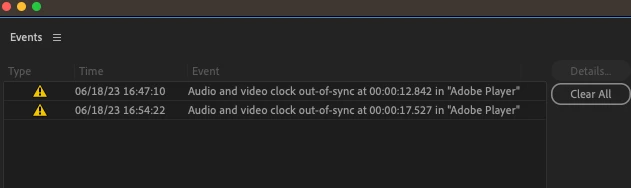


*I would also like to add that I'm using Scarlett Focusrite 2i2 but don't have special drivers installed for it becuase I recently got a mac and didn't bother installing them cause everything works fine (maybe that's the problem.).

6 replies

Participant
June 19, 2023

Thanks so much for the help, otherwise I wouldn't notice!

Community Manager
June 19, 2023

Ah, ok.  Set your sample rate to 48k at the highest.  At 192k, you machine is working overtime to try and push all the data and it is causing tiny little audio dropouts.  There is no practical reason to run the hardware at such a high sample rate, 48k is more than enough.

Participant
June 19, 2023

Community Manager
June 19, 2023

Can you post screen shots of you Audio Hardware Preferences and your Playback Preferences so we can see how you have your system configured?

Participant
June 18, 2023

I'm new, thanks! Next time I'll report something that way^^

Ann Bens
Community Expert
Community Expert
June 18, 2023

Moved to beta forum