Participant
August 9, 2023

Can not open project file from previous beta

  • August 9, 2023
  • 22 replies
  • 1810 views
  • Issue - Can not open project file from previous beta
  • Adobe Premiere Pro version number: 24.0.0 BETA (Build 23)
  • Operating system - Windows 11 22h2 10.0.22621.1992 (2022 Update)
  • System Info: CPU, GPU, RAM, HD:
    • CPU  AMD Ryzen 5 5500

    • GPU and Driver Version

                     Gigabyte RTX 3060 Eagle OC 12G Rev 2.0 LHR (GV-N3060EAGLE OC-12GD)

                      NVIDIA Studio Driver 536.67

    • RAM  32GB

    • Hard Drive   KINGSTON SKC3000S1024G  nvme SSD

  • Video format: HEVC 8bit 4:2:2
  • Expected result File opended.
  • Actual result 

22 replies

Known Participant
August 9, 2023

no, 😞 all you can do is downgrade your project with this : http://downgrader.elements.tv/

then install 23.6 and continue working until they fix it..


still awaiting for the 24.x.x.24 version to be posted, nothing on CC yet

Inspiring
August 9, 2023

Is there any way to roll back? I am not seeing options in the CC, nor an option to uninstall the BETA. 

Stan Jones
Community Expert
Community Expert
August 9, 2023

It will appear in the Cloud Desktop updates. It is not yet available as of a few minutes ago.


Stan


randallh18466272
Participant
August 9, 2023

How can I get this version
Pr Beta 24.0x24

Christian E.
Adobe Employee
Adobe Employee
August 9, 2023

A problem was discovered with the project files saved by Pr Beta 24.0x17 through 24.0x22. An attempt to fix this in 24.0x23 caused a crash when opening the projects. There is a further fix in Pr Beta 24.0x24 and these projects should now open without a crash. Please reply on the thread if you continue to see issues with these projects.

rogersherer
Participant
August 9, 2023

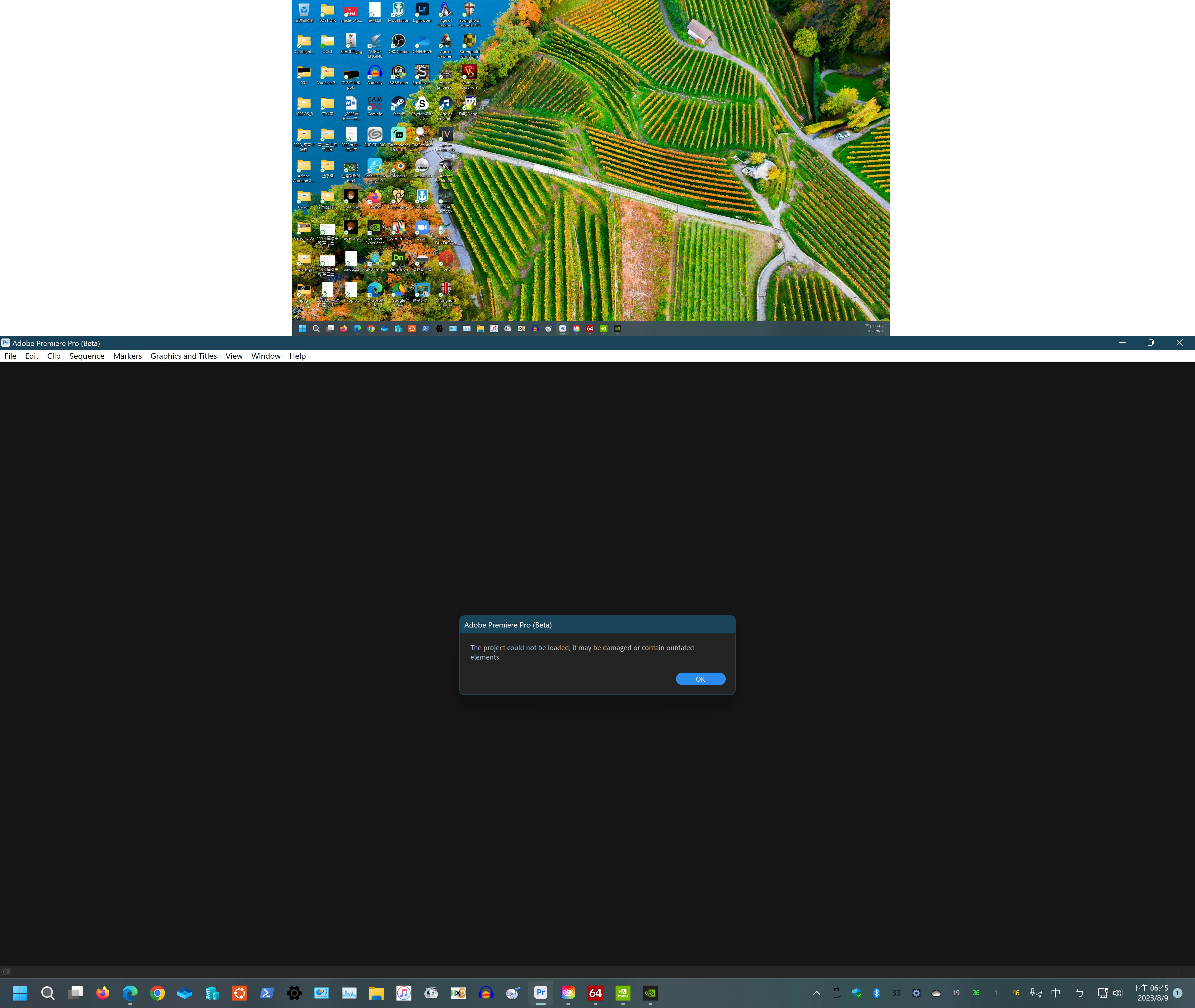
After I installed Premiere Beta version 24 this morning I can no longer open any of my previous beta projects.  Any.  I keep getting an error mesage stating:

The project cannot be loaded, it may be damaged or contain out dated elements.

Then the program will not continue.

I tried reinstalling the Premiere Beta 23.6 which I had previously used and as I tried to open the project, I received another error message that the file had been saved by a newer version of Premiere Beta and the file could not be opened.  I have over 10 sequences in this file and do not want to loose it.

Help.  I am using a PC.  


Stan Jones
Community Expert
Community Expert
August 9, 2023

See posts in the Beta forum. This appears to be an issue in Build 23.


Stan


Participant
August 9, 2023

Thanks !

I actually don't know the previous version's number.

I just saved my file yesterday, and pr beta just automatically updated today, then it occurred.

I tried to update windows and gpu driver , but it just not working .

Thanks God, i have a half finished file that created from non-beta pr.

Now, i have to do my work again.

Stan Jones
Community Expert
Community Expert
August 9, 2023

See my post here: I thought at first it was the Project File version change from 41 (Beta 23.6) to 42 (Beta 24.0.0). But I get the regular warning when opening a Beta 23.6.0.56 project in Beta 24.0.0.23. So I suspect either a random bug or that there is in fact something "outdated" that was removed....


Others report getting this damaged message in a project created in Beta 24.0.0.22 in Build 23.


See this post:

https://community.adobe.com/t5/premiere-pro-beta-bugs/project-could-not-be-loaded-it-may-be-damaged-or-contain-outdated-elements-v24-0-0-build-23/idc-p/13996551#M934


Stan


Participant
August 9, 2023

Thanks !

Ann Bens
Community Expert
Community Expert
August 9, 2023

Moved to Beta forum.

I can confirm this behavior.