



Released
Direct Manipulation re-enables itself when selecting linked videos
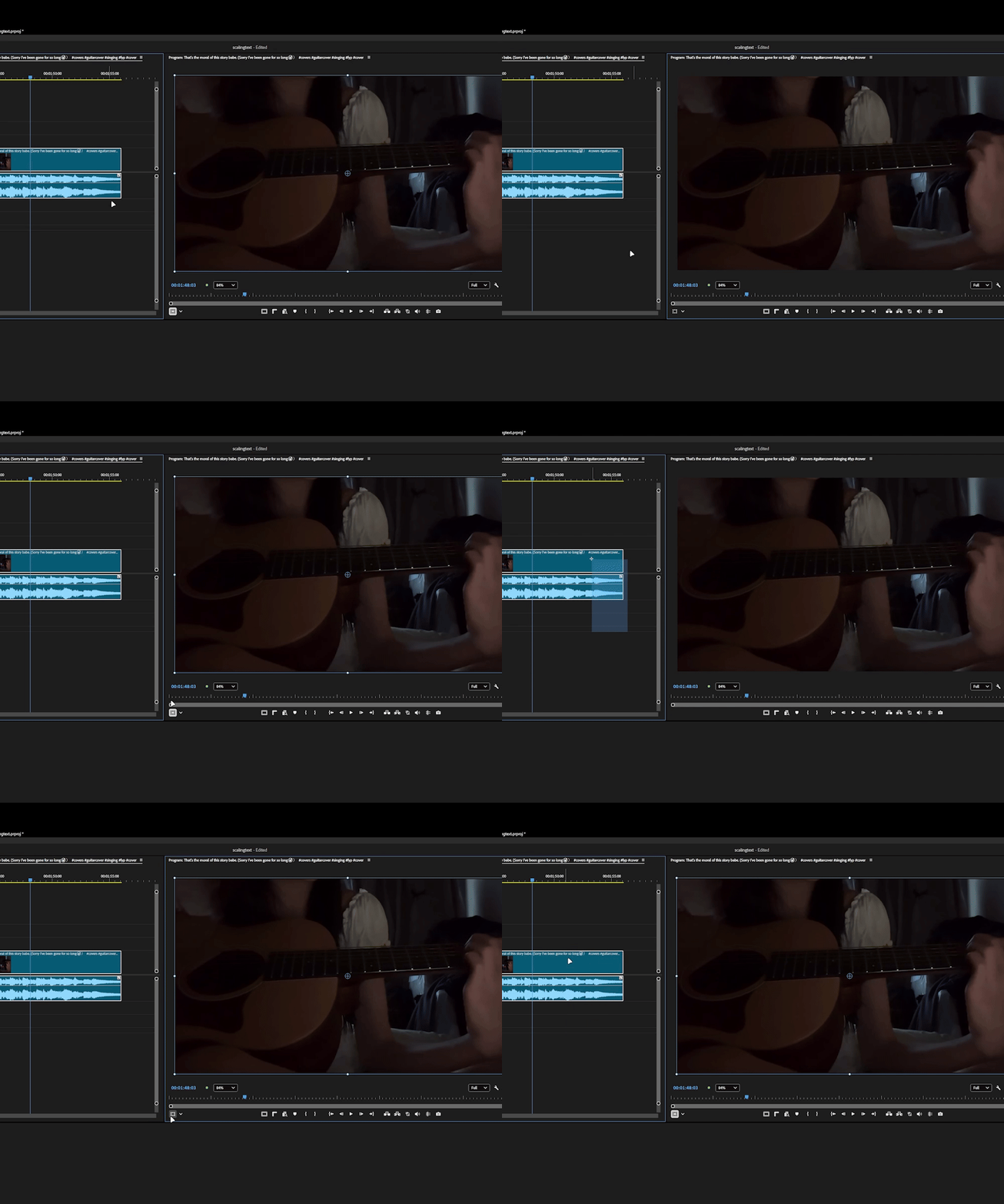
- When Direct Manipulation is manually disabled, the setting does not persist when selecting clips that contain linked audio and video. reselecting a linked A/V clip or selecting a different A/V clip, Direct Manipulation re-enables itself without user input.
- This behavior appears to be specific to linked audio/video clips. I cannot reproduce it with unlinked video-only clips or still images, where Direct Manipulation remains disabled once you disable them while selected as expected.
- Import a video file that has audio linked.
- Add the clip to a sequence as a linked audio/video clip.
- Enable Direct Manipulation.
- Disable Direct Manipulation.
- Reselect the linked audio/video clip. (or any other linked video)
Expected Result:
Direct Manipulation remains disabled until it is manually re-enabled by the user.
Actual Result:
Direct Manipulation re-enables itself after reselecting the linked video or any other linked video on the timeline.
Additional Testing:
- Unlinked video-only clips: Cannot reproduce.
- Still images: Cannot reproduce.
- The issue appears to occur only with clips that have linked audio and video.
System info
Application: Premiere Pro (Beta) v26.5.0.27
OS: Windows v10.0.26200, RAM: 31.82 GB GB, CPUs (logical): 24
 AdChoices