


Open for Voting
Dramatically updated color management: Relinking footage resets input tone mapping to default
I just discovered an issue with the new color management pipeline.
When footage is offline for some reason - either manually or the files have been moved to a different location - and Premiere Pro relinks them, the input tone mapping is reset to the default value.
This happens on Premiere Pro Beta 25.2.0.74.
I just noticed this because I moved this project and I noticed that every grading was gone. After some tinkering I discovered this was related to the tonemapping and than things clicked into place.
See example here:
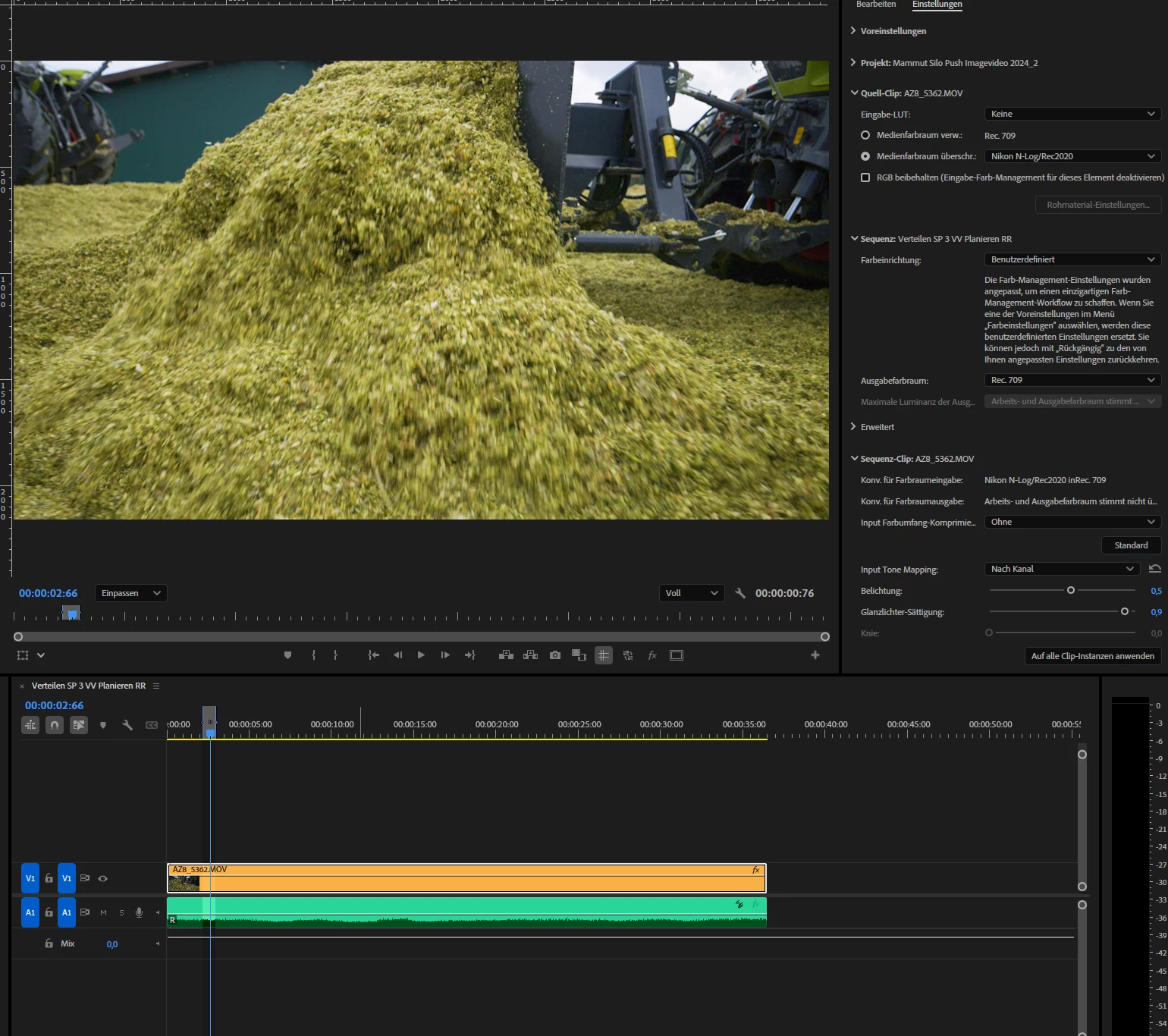
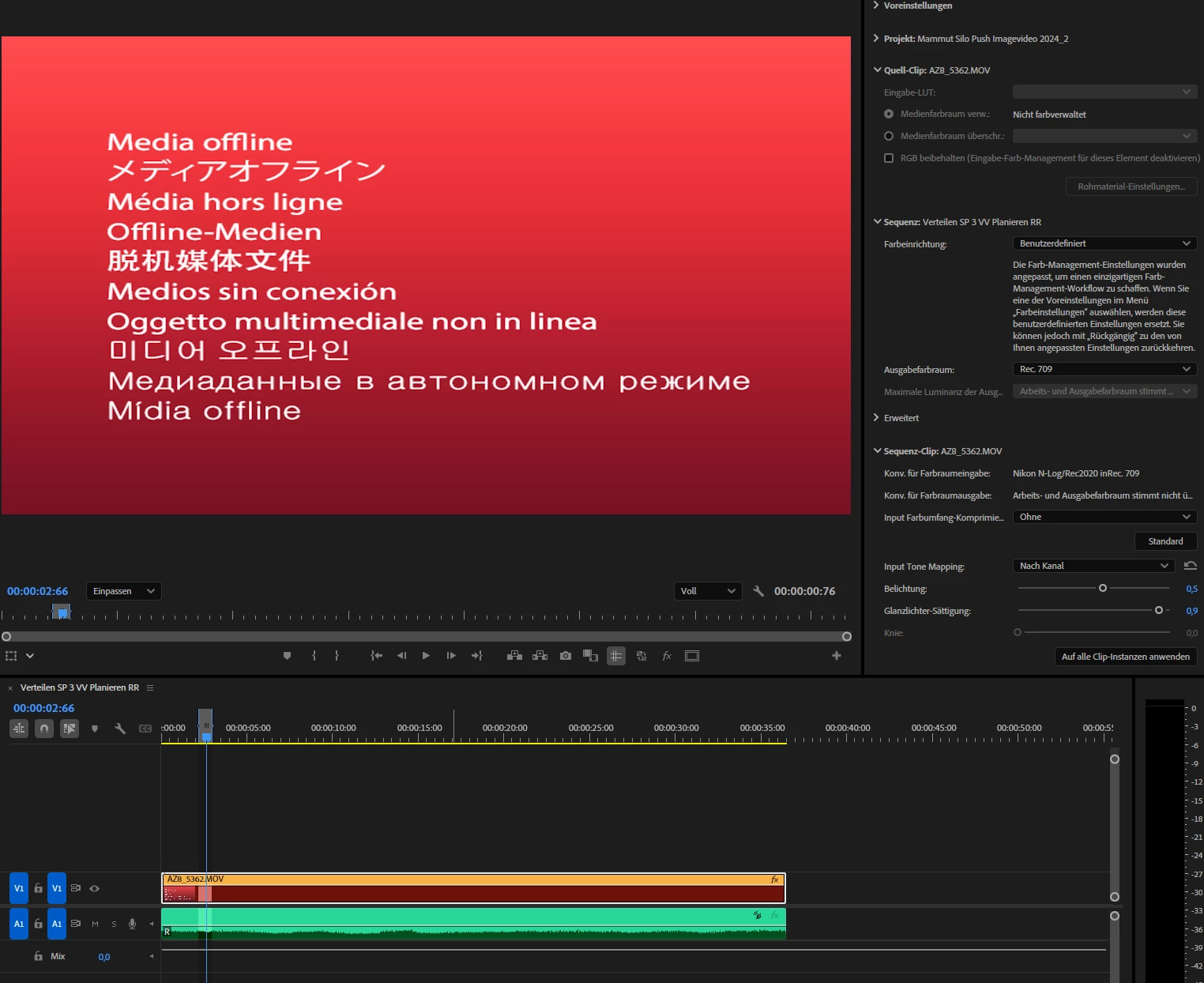
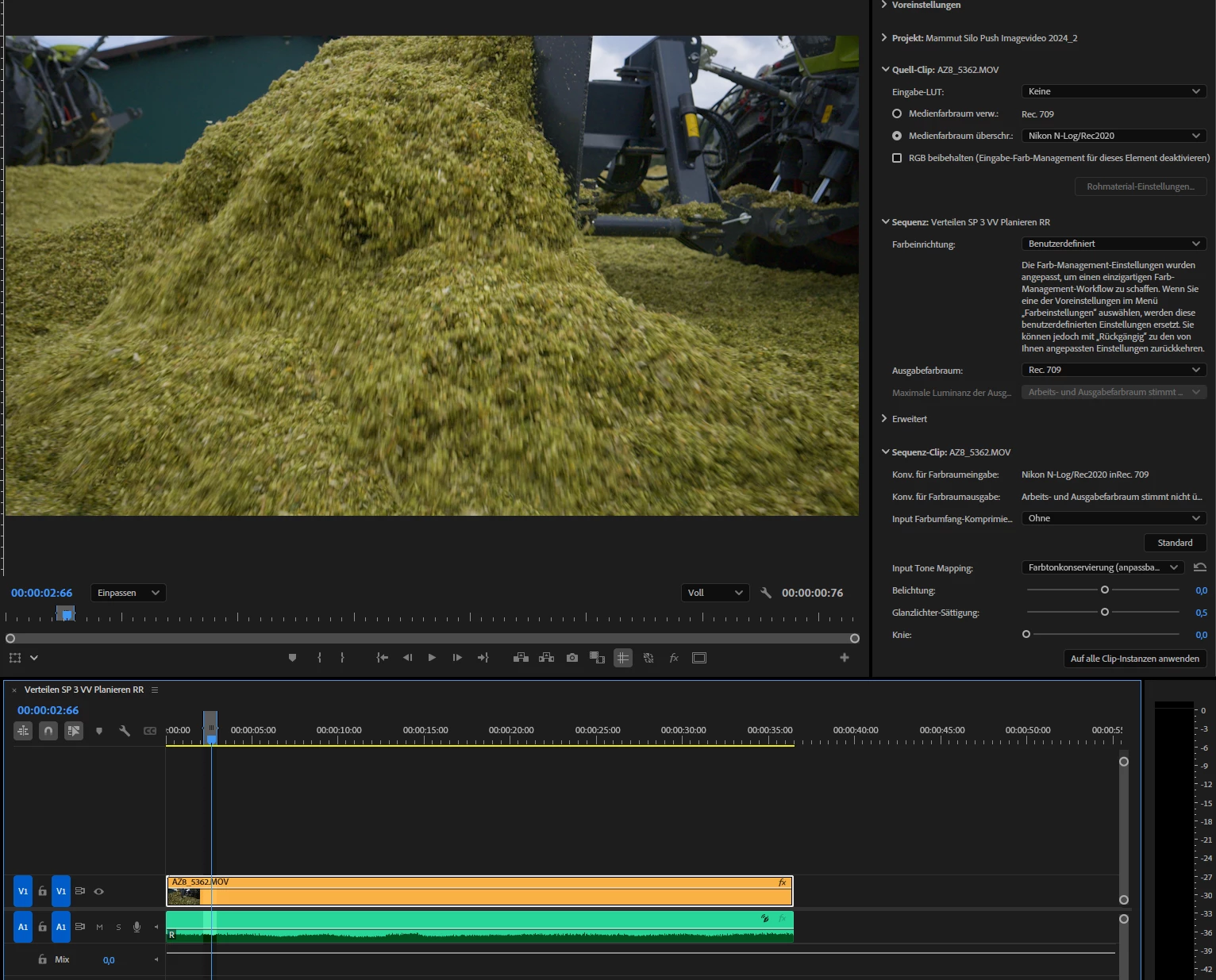
Basically the dropdown-menu and 3 sliders are not preserved. Is this on purpose or an oversight?
 AdChoices