



Film Impact Effects causing position offset at 1/2, 1/4 & 1/8 preview resolutions (identified the root cause)
There is a known issue in Premiere that elements change positions when applied any film-impact effect and scaled above 100. I realized an information that may help the team identify the real issue. This bug occurs on every material if the material’s resolution is lower than the sequence’s resolution. Therefore, it can even be reproduced without external footage using only Premiere elements!
For Example:
- Create a 2160p (3840x2160) sequence.
- Create either Color Matte or Bars and Tone but create them in 1080p resolution. (or in any resolution that is lower than the sequence’s resolution.)
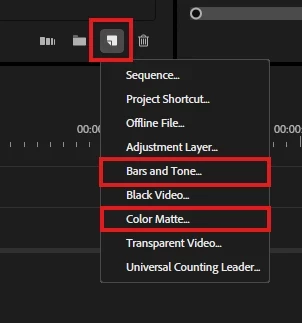
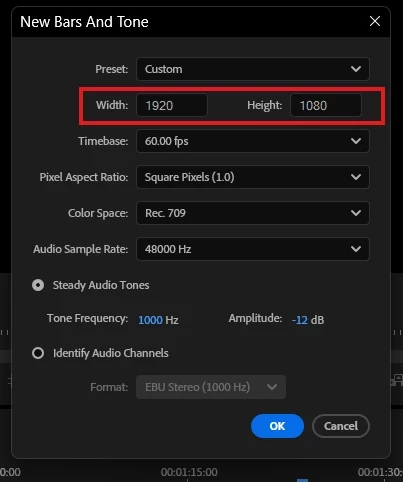
- Scale the element above 100+ and add a film-impact effect on it (wonder glow in my case.)
- Preview the footage in different preview resolutions. (1/2, 1/4, 1/8 etc.)
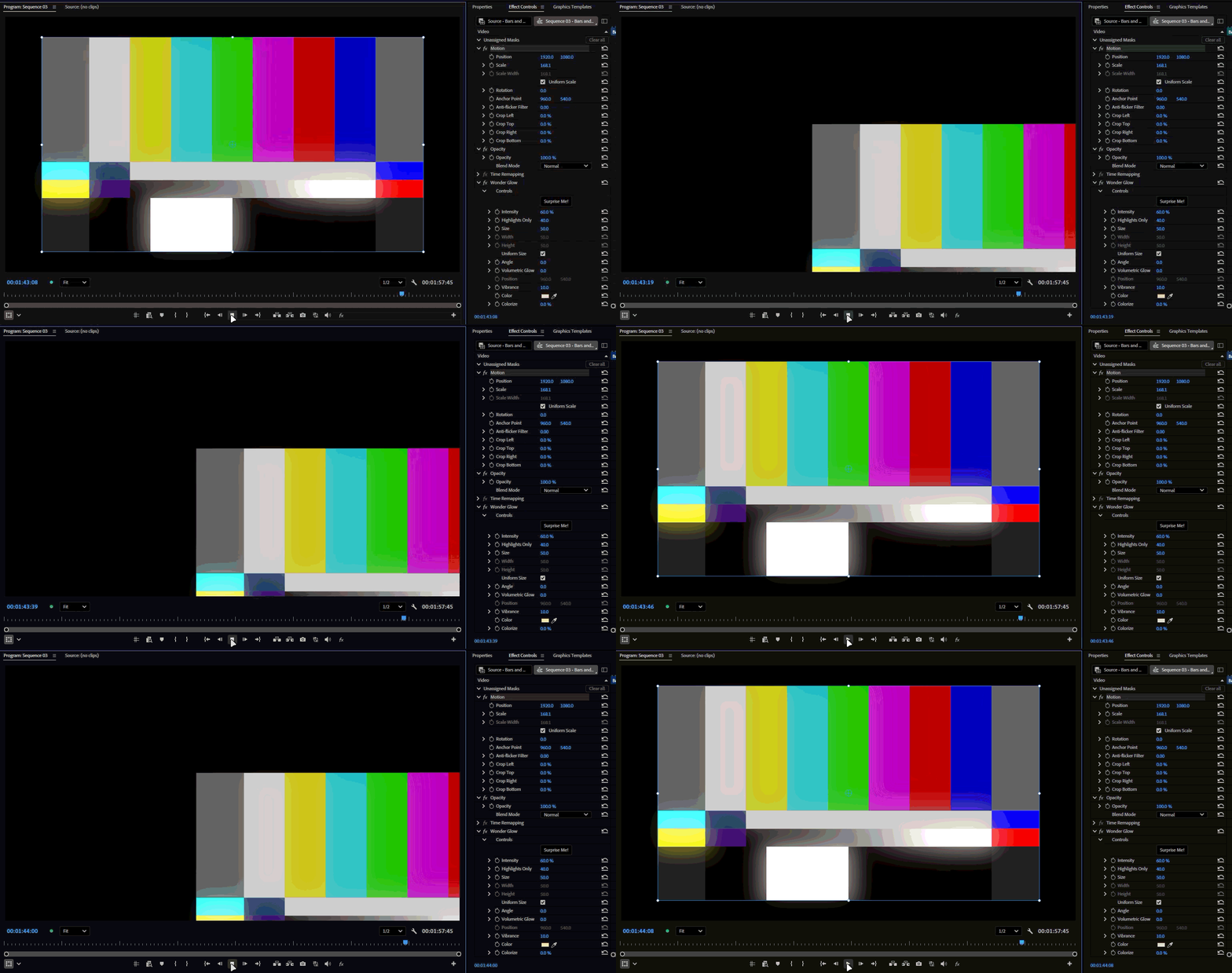
I also realized that when moving the playhead, Direct Manipulation overlay stays correctly in it’s position and does not follow the offsetted media. The same bug does not occur if we create the element at higher or the same resolution (3840x2160) as the sequence. It only occurs with elements that are lower resolution than the sequence. I hope it helps!
System info
Application: Premiere Pro v26.5 b74
OS: Windows v10.0.26200, RAM: 31.82 GB GB, CPUs (logical): 24
GPU: Rtx 3060 Ti Nvidia Studio Driver ver. 610.62
 AdChoices