Participating Frequently
August 13, 2024

GPU Render Error with Warp-Stabilizer when Exporting

  • August 13, 2024
  • 3 replies
  • 989 views

So,


Somehow I think this issue just started to occur within the last week. 

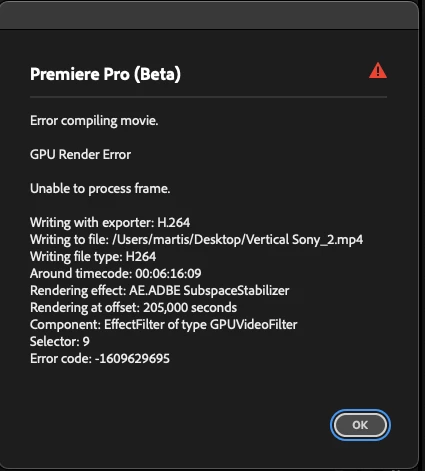
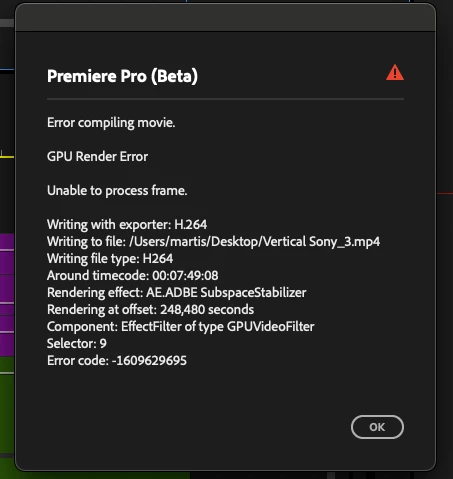
It shows me this Error, when I export clips.

I could already rule out, through trial and error, that this issue is only happening with the "warp stabilizer" effekt on. ´Steps to reproduce:
    1. .. . apply warp stabilizer effect on clip

2. set the best setting 
- smooth motion
- 25%

- Suspect Warp

- Stabilize, crop,Auto-scale

3. exporting

4. wait to see the error in the middle


I am wondering, if this error will only occur, when specific parameters are set in warp stabilizer.

What could be the source, especially if the effect does not cause any complications in about 80ish % of the time.

For one other clip in this timeline, I had the issue, cleared the effect and reapplied it from the effects window, re-analyzed and it worked. Most others just work directly. But this particular is difficult.


Thanks in advance!


System info
    Application: Premiere Pro (Beta) v25.0.0.18
    OS: macOS v15.0.0, RAM: 36,00 GB GB, CPUs (logical): 14

    3 replies

    Participating Frequently
    August 13, 2024

    It worked!


    But I tried it once before with this clips, nothing changed haha

    THANKS! 

    Good to know that this solution is working, if one re-tries it again and again until it works.


    Participating Frequently
    August 13, 2024

    I´ve cut the last 3 seconds - which I think the stabilizer had to do the most work - and it worked. 

    But I want to keep the last 3 seconds..


    The best outcome:

    knowing beforehand, which moments of clips will cause problems, so I dont have to waste my time doing the trial and error... or even better:
    preventing this error in the first place and being able to use all clips.


    PS: my footage is not that shaky, I know it has to have at least a littl stability

    Ann Bens
    Community Expert
    Community Expert
    August 13, 2024

    Delete clip from timeline, add and apply effect again.

    See how that goes.