
Group-level LUT changes the apparent anchor point for Transform scaling and rotation
In Adobe Premiere (Beta) 27.1.0, Build 53, applying a LUT at the Group level in Color Mode makes my clip appear to scale and rotate around a point near the upper-left corner. Both clip-level Transform effects still display the center Anchor Point of 1920, 1080. Moving the same LUT to Sequence restores the intended framing.
How I reproduced it
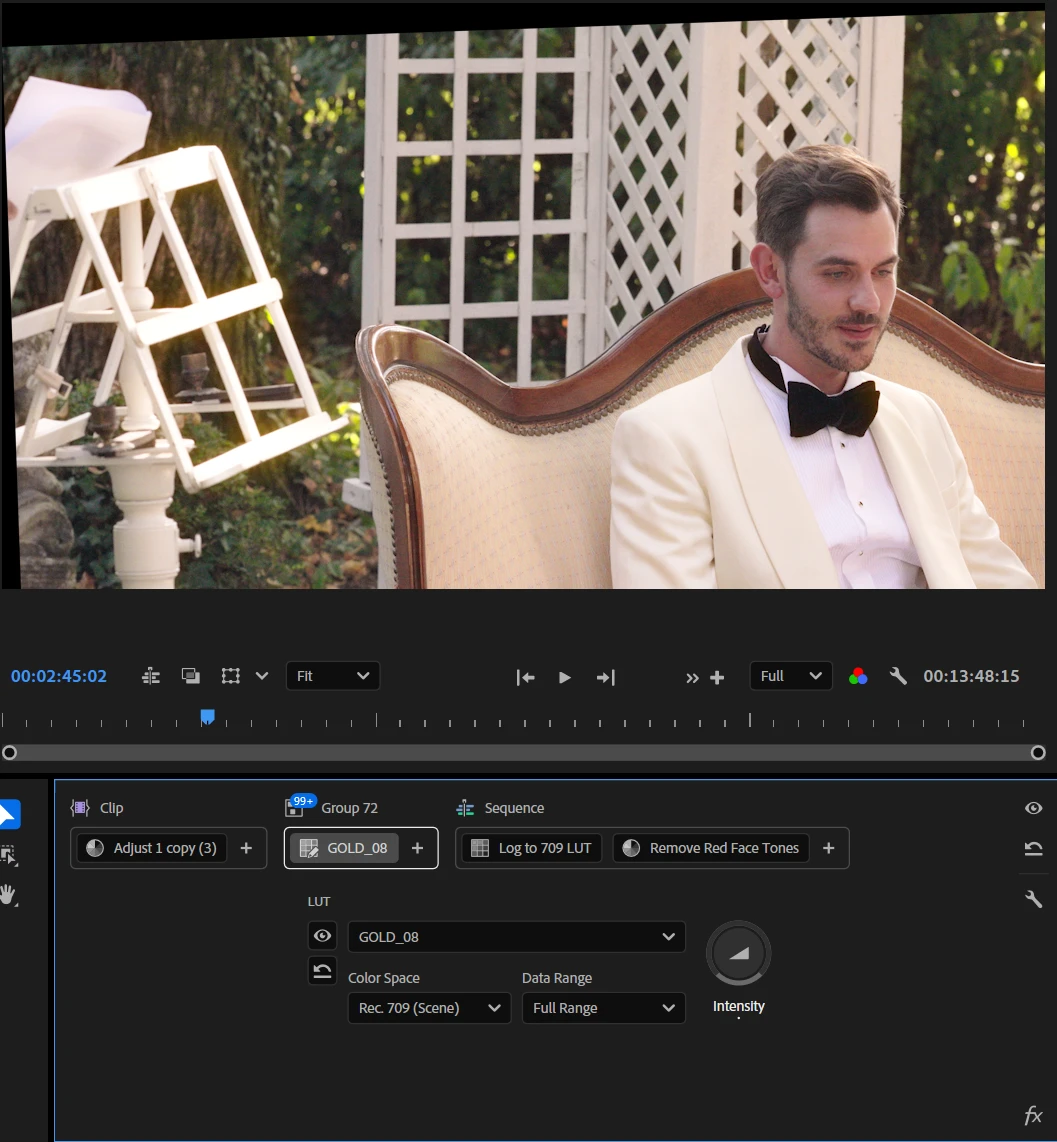
I parked the playhead at 00:02:45:02 on a clip with two stacked Transform effects. With GOLD_08 on Group 72 and Log to 709 LUT on Sequence, the picture shifts down and to the right.
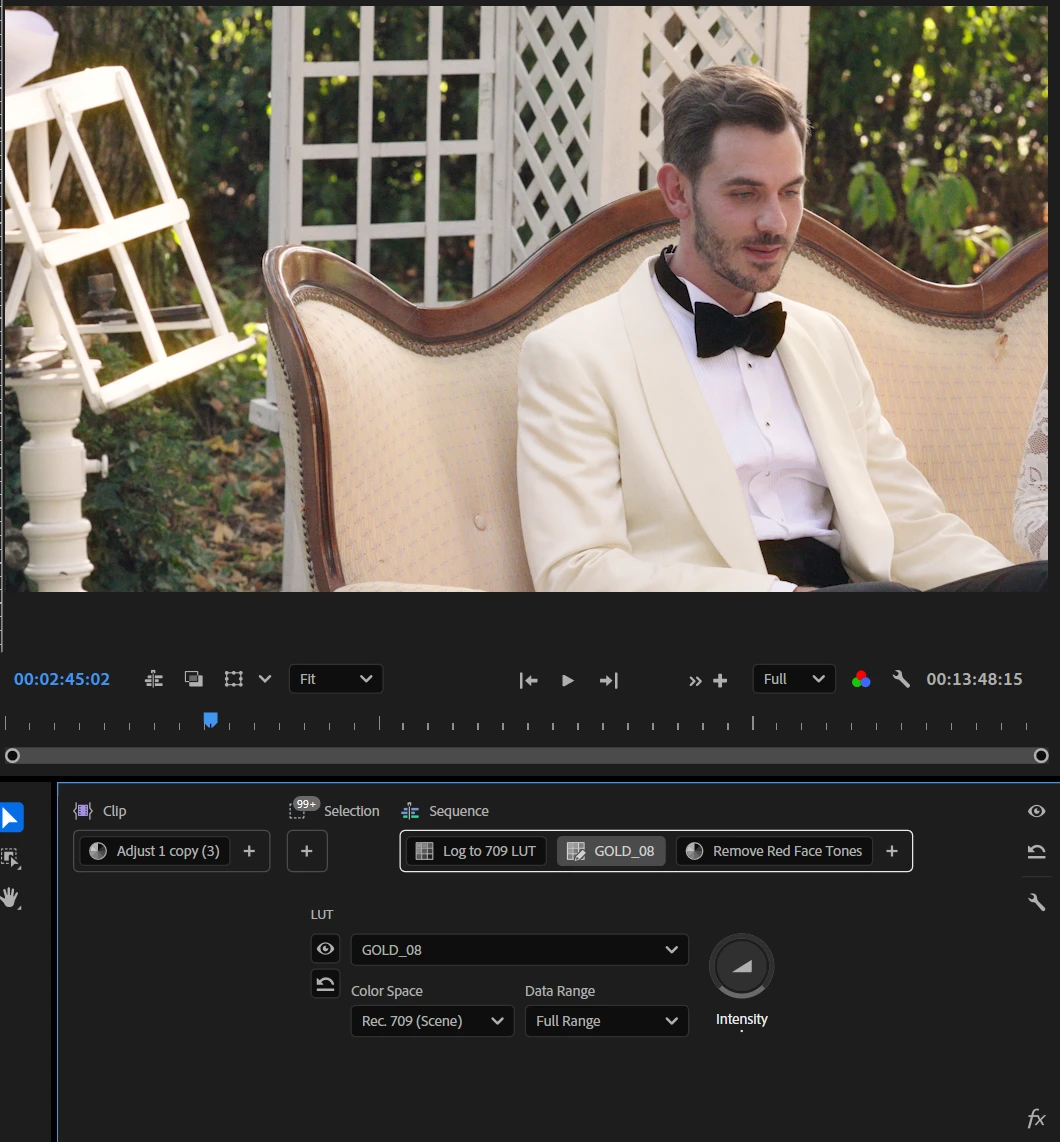
At the same frame, I moved GOLD_08 to Sequence, immediately after Log to 709 LUT. The shot returned to its intended framing without any edits to either Transform effect.
What Effect Controls shows
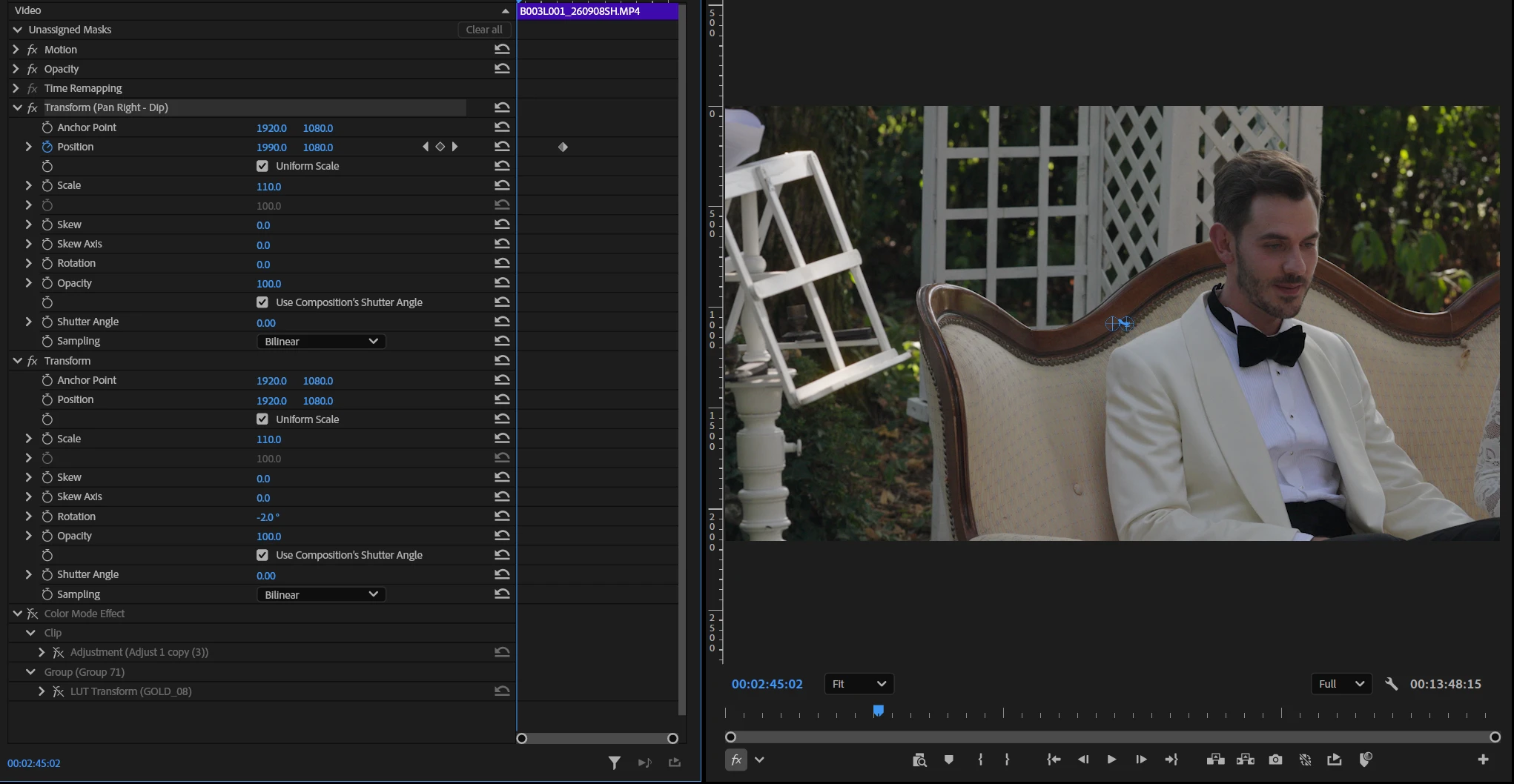
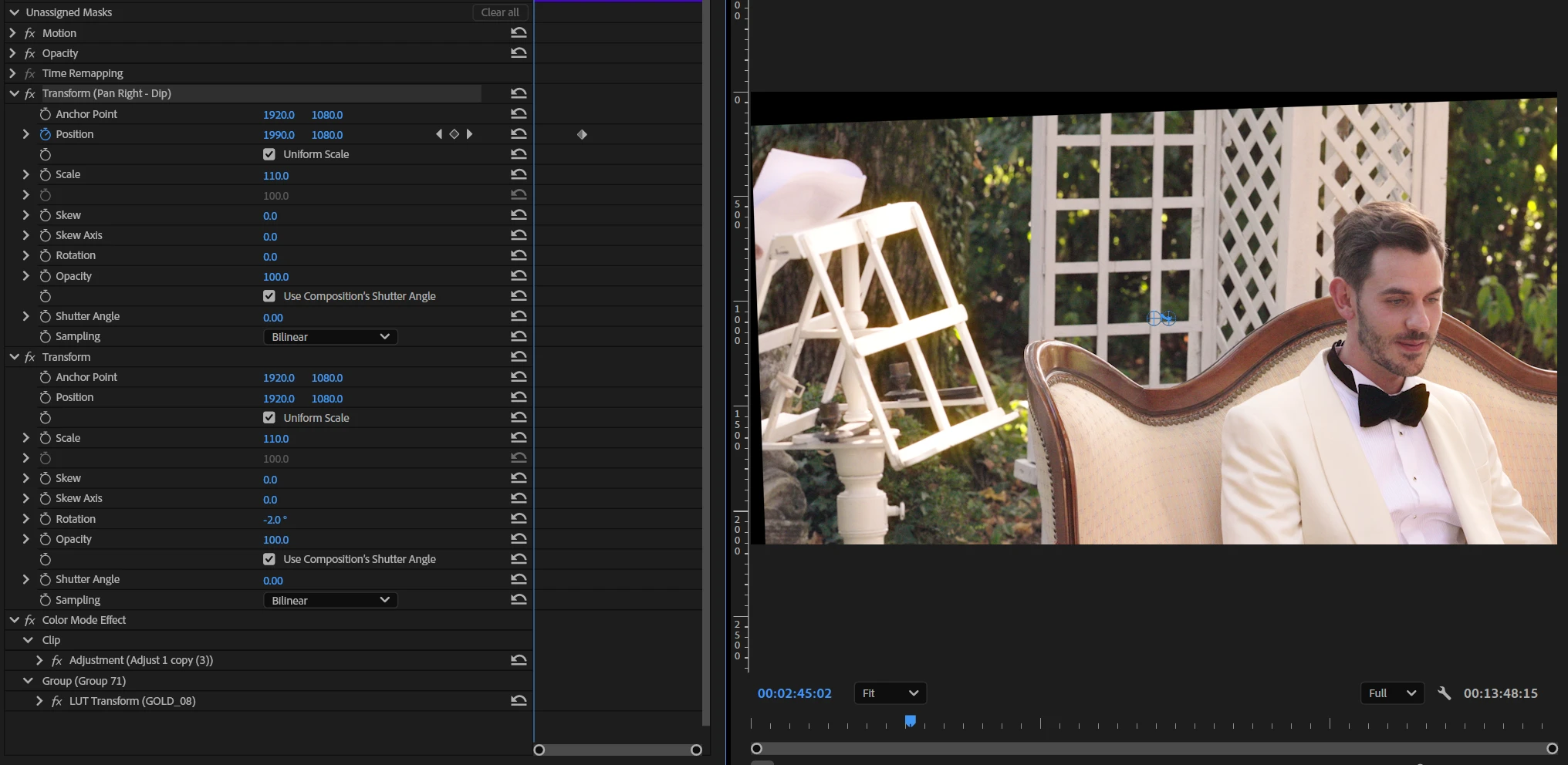
The first Transform creates a keyframed pan. At this frame, its Position is 1990, 1080, Scale is 110%, and Rotation is 0°. The second Transform straightens the shot with Position at 1920, 1080, Scale at 110%, and Rotation at −2°. Both Anchor Points read 1920, 1080.
With GOLD_08 assigned to Group, I bypassed the Color Mode Effect in Effect Controls. The shot has the intended framing.
When I enable the Color Mode Effect again, the picture shifts. The displayed Anchor Point, Position, Scale, and Rotation values match the previous screenshot exactly.
Expected behavior
The clip should scale and rotate around the Anchor Point specified in each Transform effect regardless of where I apply the LUT in Color Mode.
I’ve also observed the same behavior with the Log to 709 LUT itself at Group level. These screenshots document the GOLD_08 case in the Program Monitor. Export behavior is unverified.
 AdChoices