


Participating Frequently
May 23, 2026

Inverse Tone Mapping not working on text.

  • May 23, 2026
  • 2 replies
  • 48 views

"Apply Inverse Tone Mapping” was added with the beta release of color mode, and it solved my previous issues when adding text to a Wide Gamut project, in the last two updates from this week, this stopped working, tried it on older  projects, and making a new one with the same behaviour on either instance. 
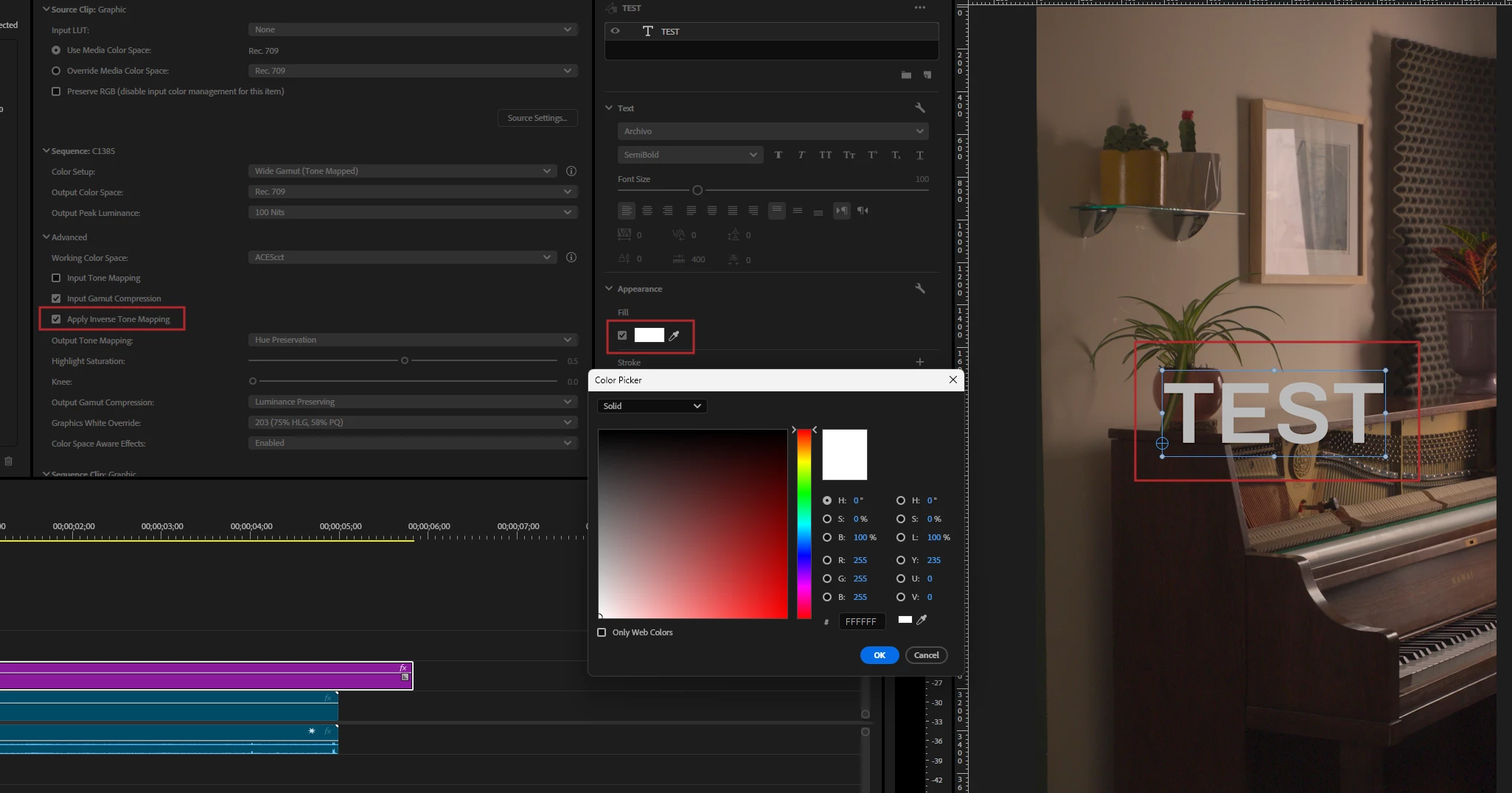
 

Fully white text looks gray. It's worse when trying to use a specific color. 

2 replies

Adobe Employee
May 25, 2026

@gustavomoralesbr  This is a known regression introduced in 26.5.0 build 8. The fix is currently in progress and is expected to be available soon in an upcoming beta build. I’ll share the exact build details once the fix is merged.

Participating Frequently
May 25, 2026

Great, thank you!

Shebbe
Community Expert
Community Expert
May 24, 2026

It’s best to not use Wide Gamut workflows yet. Currently none of the DRTs invert accurately. The Color Picker is also lacks user accessible color management and is limited to 8bit integer input values.

Participating Frequently
May 25, 2026

Then why is the option even available