Participating Frequently
March 24, 2025

keyframe situation

  • March 24, 2025
  • 7 replies
  • 474 views


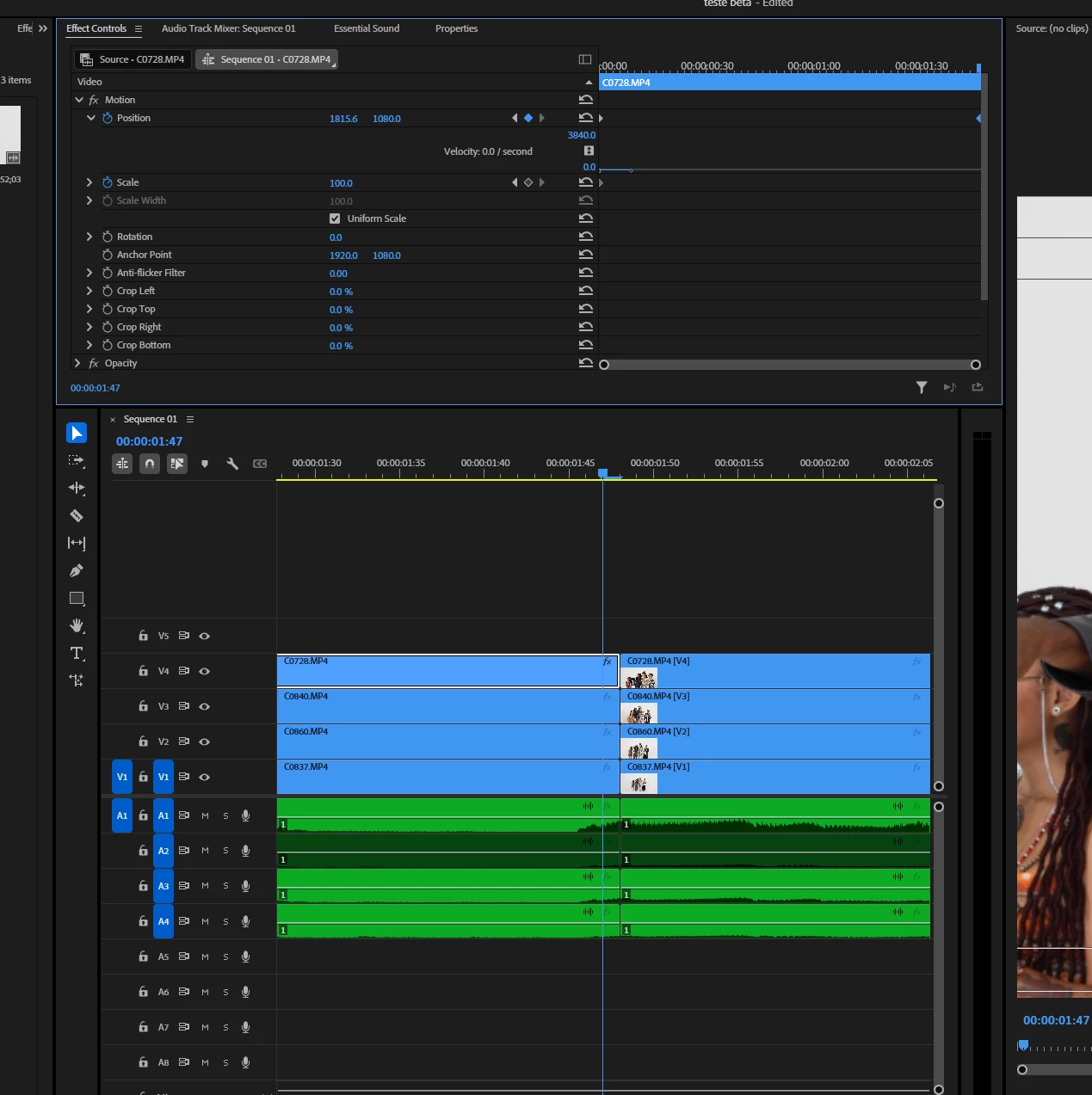
Steps to reproduce:

1. create a key frame before the last one

2. create a key frame on the last key frame

3. try to move the graph of the last keyframe


Result: cannot move the graph of the last keyframe to animate velocity

Expected: something like the 2nd screenshot
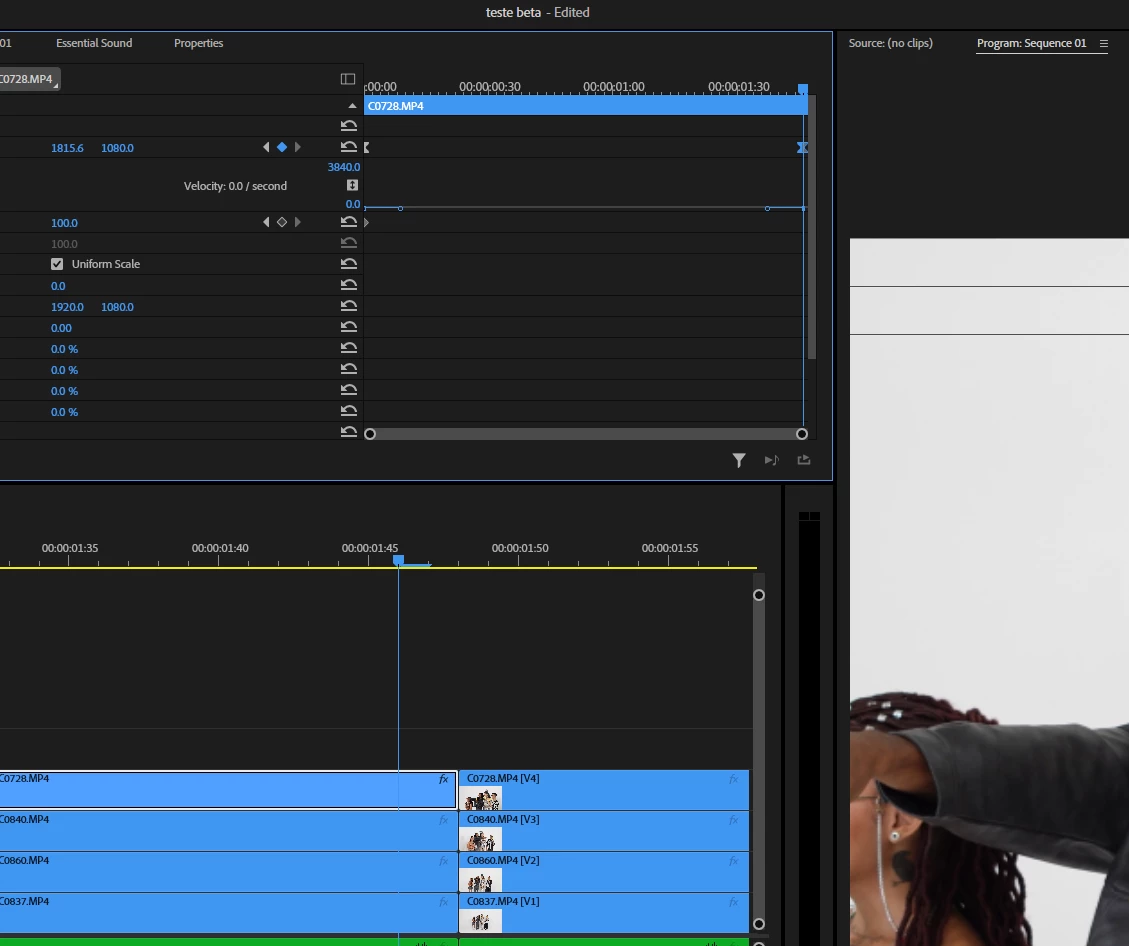
 

System info Application: Premiere Pro (Beta) v25.3.0.27 OS: Windows v10.0.19045, RAM: 31.93 GB GB, CPUs (logical): 16


7 replies

Participating Frequently
April 9, 2025

Update: The bug was also present on the newest released version, but apparently got corrected in the newer 25.2.1 so I believe it should be also gone from the Beta, thanks y'all

MyerPj
Community Expert
Community Expert
March 26, 2025

Not on my 25.1 with and w/out Pin to Clip - Win11 23H2


Ann Bens
Community Expert
Community Expert
March 25, 2025

Its a bug.

Handle shows in 25,1

MyerPj
Community Expert
Community Expert
March 25, 2025

Per Ann, 2 things are needed. Uncheck Pin to Clip, and then widen the view so that the end keyframe is not on the right-edge of the effects control panel. So, it may have something to do with being on the edge of the visiable area, rather than a Pin to Clip issue.


Participating Frequently
March 25, 2025

@MyerPj Appreciate the reply! Also, @Ann Bens can you explain what is Pin to Clip?

Ann Bens
Community Expert
Community Expert
March 25, 2025

I see this too.

When unchecking Pin to Clip the handle is back.

MyerPj
Community Expert
Community Expert
March 25, 2025

Yes, v25.3.0 b27, Win11 23H2, I see the same thing. Move the end keyframe in a frame, you get node handles, move it to the last frame, the node handles go away.