


Markers visually misaligned in Windows with DPI Scaling enabled
Beta build 47
I'm sadly on a Windows 11 machine that has a smaller monitor and I need DPI scaling on for me to see what I'm doing. It's currently set to 200%.
This seems to be an issue in the current stable release, too, but I've noticed it in the BETA and figured staff might be more active here?
The timeline marker and CTI are on the same frame, but they're offset by a pixel. Not too bad, and I'm sort of used to this slight misalignment.
The CLIP marker though, that's off by two pixels when fully zoomed in. Makes me worried it's misaligned in time, but it's not. It seems to just be a display issue. Likely exaserbated by DPI scaling set to 200%.
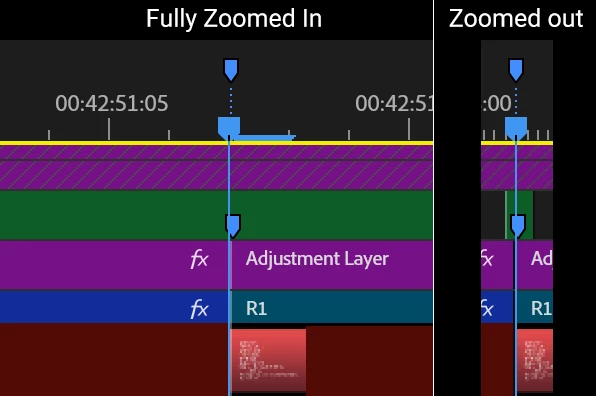
Note: I have not enabled Audio Time Units in years, so I'm pretty certain that everything is truly properly aligned in time, and what I'm seeing here is just a display issue.
 AdChoices