

Morph Cut never renders
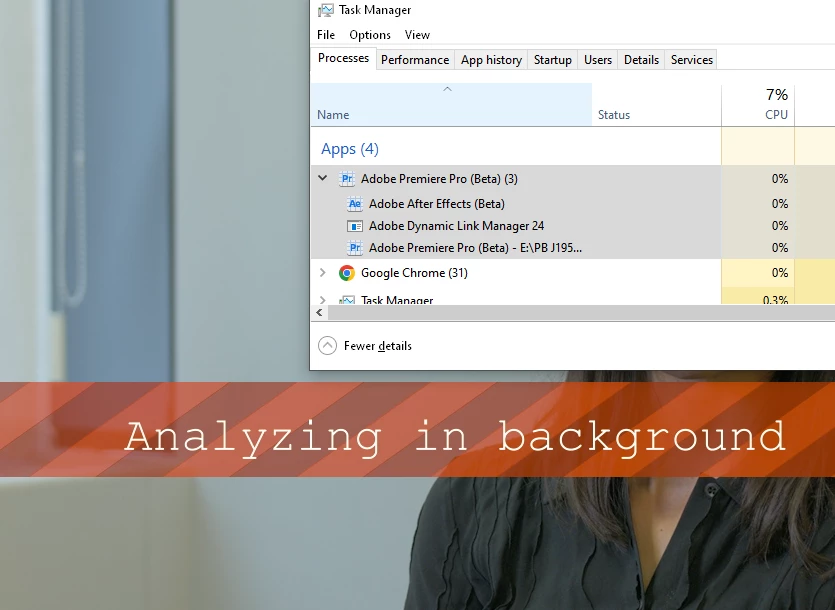
I've been editing a sequence for a few days, and have been using morph cuts with good (but slow to render) results. Today, in both PPro public release (latest version) and beta (24.2.0x45) versions, PPro just flat out refuses to render them. No error messages or anything - it just sits there showing the "Analyzing in background" banner indefinitely. Which is really annoying because I need to cut out an awful lot of umms and errrs today, and the person in the interview does not move much, she has clearly defined features, the background is static, it's a locked-off camera, and there are no moving hands or anything similar in the shot - perfect for morph cuts. The footage is 1920x1080 25fps, in a 1920x1080 25fps timeline. My PC has a 16-core AMD Ryzen 9 5950X CPU, 128GB RAM and an Nvidia RTX3090 24GB VRAM GPU, so a little morph like this should process in no time at all.
There seem to be no workarounds. I will try restarting my PC, and maybe installing an older version of PPro to see if that helps. Not that I really have time to faff around doing that kind of thing.
UPDATE: I installed PPro 24.0.3, restarted, and Morph Cut still does not work. I tried allowing PPro to render my existing morph cuts (nothing happened), and I also tried adding new morph cuts (nothing happened). I've also (today) updated my Nvidia graphics drivers, restarted...no improvement.
🤬
This kinda sums up my frustration: https://www.youtube.com/watch?v=qFRKqaCyRfw


 AdChoices