
Motion Graphics Template Import Error - 24.1.0 BETA (Build 25) + Slow Timeline Scrubbing
I updated Premiere Pro Beta earlier today, and it broke all my motion graphics. They show up as if the file is missing. Meanwhile, I can find them in the Essential Graphics Browse list, but when I attempt to add one onto my timeline, I get the below error. This worked perfectly fine last night.
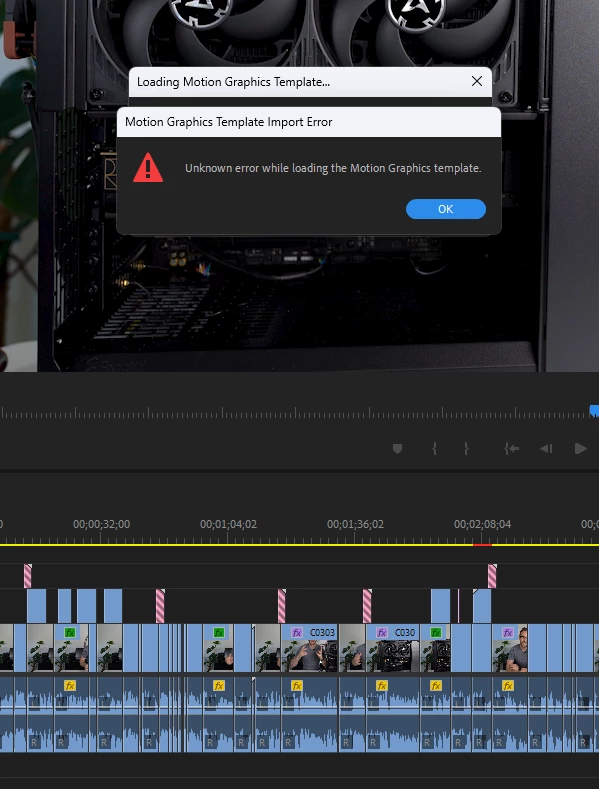
I have deleted all of the motion graphics out of the C:\Users\(username)\AppData\Roaming\Adobe\Common\Motion Graphics Templates directory and re-added them without any success.
Any recommendations? I've also noticed that my timeline is CRAZY slow. I have a Ryzen 7950X with a 4070 Ti, and I can hardly scrub the timeline. I have to wait 10-15 seconds, and then I can move it again. Today's update borked things.


 AdChoices