


Object Mask Tool loses tracking consistency when footage is horizontally flipped
First of all, I want to acknowledge how phenomenal the new Object Mask Tool is in Premiere Pro Beta. This is genuinely one of the most exciting additions to the application, and the rotoscoping performance is impressive even in its current beta state. I’m very excited to see it move into the full, stable release.
That said, I’ve encountered a reproducible issue involving flipped footage.
Issue Description:
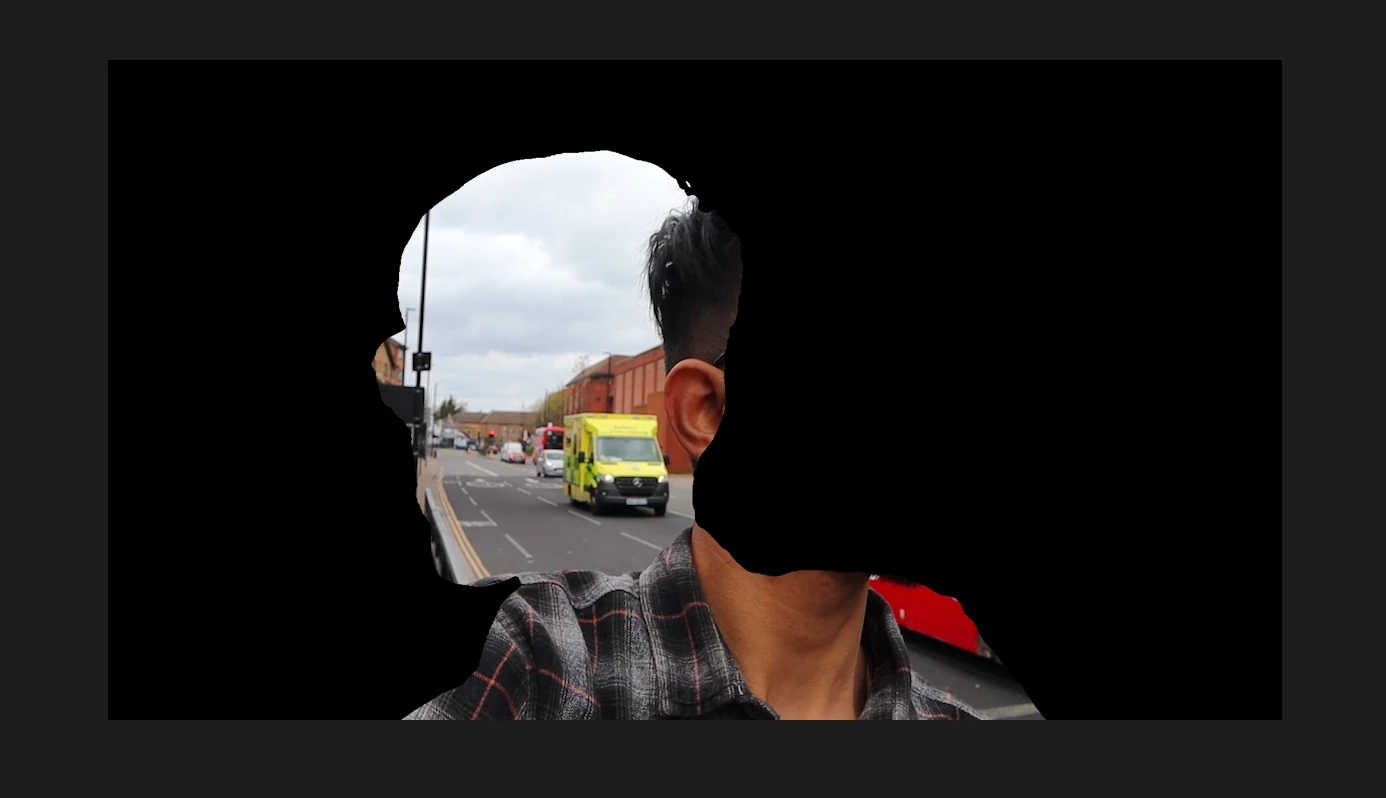
My workflow often requires me to flip clips horizontally (Mirror effect or Horizontal Flip), depending on how the footage was captured. When applying the Object Mask Tool to a flipped clip, the mask:
Does not stick accurately to the flipped subject
Tracks the original unflipped orientation,
Or drifts away from the intended object during motion
- Even if i flip it first and then track it, it still remains on the original place.
It appears that the tracking engine may be reading the pre-flip data rather than the transformed output, causing inconsistency.
Steps to Reproduce:
Import any clip with a moving object
Apply Horizontal Flip (or equivalent)
Select the Object Mask Tool in Premiere Pro Beta
Begin tracking
Observe that the mask does not follow the horizontally flipped motion correctly
Expected Behavior:
The mask should track after transformation is applied — meaning it should correctly follow the flipped subject as it appears in the viewport.
Actual Behavior:
The tracking seems to reference the original, unflipped motion, causing drift and incorrect mask positioning.
Notes:
If this is a limitation of the current beta implementation, that’s understandable — just wanted to flag it. If it can be improved or fixed before release, it would significantly help workflows that rely on flipping footage.
System Info:
System info
Application: Premiere Pro (Beta) v26.1.0.8
OS: macOS v26.1.0, RAM: 8.00 GB GB, CPUs (logical): 8
 AdChoices