


Participant
December 14, 2025

P: Transcribe Tool Not Working

  • December 14, 2025
  • 50 replies
  • 3719 views

Transcribing is currently not working on Beta. Just stops and doesn't give any error codes or anything
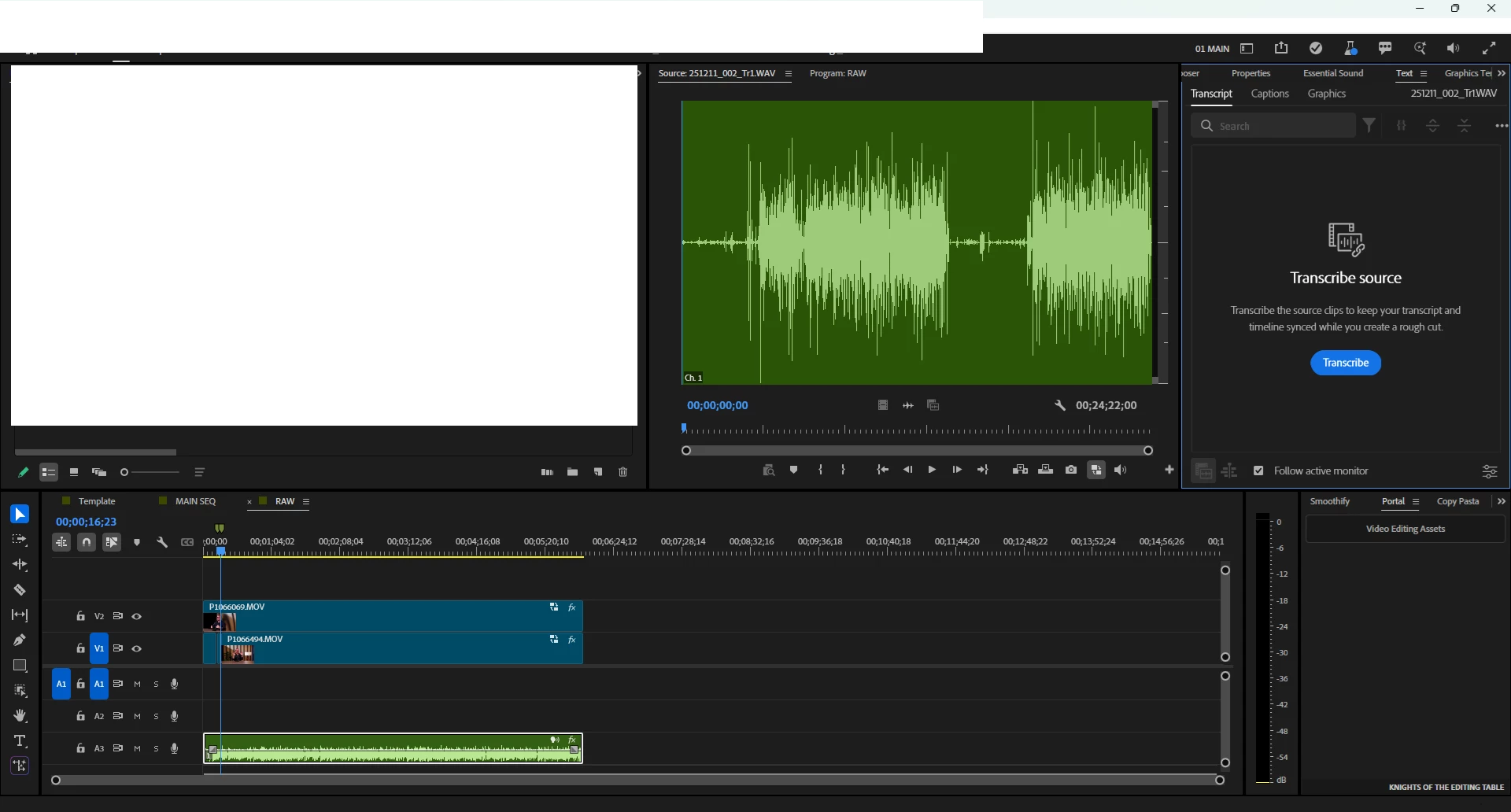
  image.png
 
System info
    Application: Premiere Pro (Beta) v26.1.0.12
    OS: Windows v10.0.26200, RAM: 63.93 GB GB, CPUs (logical): 16

    50 replies

    Participating Frequently
    December 18, 2025

    @danial_2277 

    downgrade die Premiere Version. Ist gerade ein Bug in der neuesten Version

    Stan Jones
    Community Expert
    Community Expert
    December 18, 2025

    Transcription is working again in a build out today: 26.1.1.3.


    I'm Win 11. Tested right-click in Project Panel, and clicking transcribe when a new clip was added to a sequence.


    Stan


    December 17, 2025

    When I try to transcribe source audio the transcription loads for a few seconds, and then resets. I've tried clearing the media cache. It seems to work or not work randombly on a clip by clip basis.

    December 17, 2025
    • Issue – Just updated to Premiere Beta 26.1.0 and transcription is not working. 
    • Steps to reproduce – I have tried transcribing multiple clips (.mov, .mp4) from within the text/transcript panel and within the project panel menu: clip actions -> transcribe. Attempting to generate a static transcript also fails.
    • Expected result – Transcript is generated from clip.
    • Actual result – The transcript panel opens but does not initiate the transcription process.
    • Screen recording – Attached
    • Adobe Premiere Pro version – Version 26.1.0 BETA StaticLib (Build 14)
    • Operating system – macOS Sequoia v15.6.1 (currently updating to Tahoe to see if that helps)
    December 17, 2025

    Pongo la transcripción estática, parece que arranca, pero luego para y nada sucede

    Participant
    December 17, 2025

    Next couple of days?!
    What's the update on this — it's holding up production.

    Also, this is the first time I've really regretted going with the Beta, dang.

    December 17, 2025

    Egal ob ich ein neues Projekt eröffne, die Cache Leere, primiere neu Installiere, es werden einfach keine Untertitel automatisch erstellt.


    Hilfe

    December 17, 2025

    Não consigo transcrever, a 3 dias não funciona

    Stan Jones
    Community Expert
    Community Expert
    December 17, 2025

    All,


    At various points, I have posted cautions about using the Beta version for production work. One recommendation is to wait to update the Beta until you have a chance to see if users post about bugs. 


    When a bug like this happens, I generally just wait until it is fixed. It is almost always with a few builds/days. I understand how that can be an issue for a user who is using the Beta for deadline work. But that is the nature of the Beta version.


    Workaround 1: Open the file in release 25.x or any other. Do not add it to a sequence. In the Project panel, right-click and Transcribe. Open the file in the Source Monitor and switch to the Text panel/transcript tab. 3 dot menu -> Export -> Transcript. For import to the Beta version, you can use either .json or .prtranscript. Switch back to the Beta version, open the file in the Source monitor, switch to the Text panel/transcript tab, 3 dot menu -> Import -> Transcript - pick either json or transcript depending on which one you exported.


    Workaround 2: If there is a .prmi when the clip is imported (e.g. from a project in Release version 25.6.3), the transcript is added, and I could create captions from that.


    Stan


    Participant
    December 17, 2025

    Thats unfortunate that it will takes DAYS to fix an issue, when it should really take "hours." Considering that we all pay an arm and a leg MONTHLY.