


Premiere AI Assistant shows weekly limit and does not reset at midnight GMT
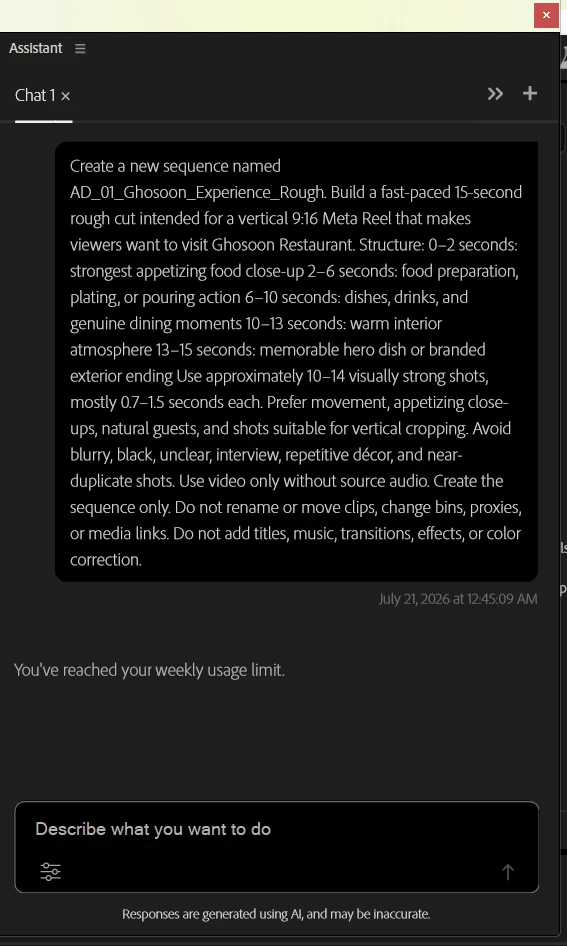
Premiere Pro Beta AI Assistant is displaying a message saying that I have reached my weekly limit.
Adobe’s official Premiere AI Assistant FAQ states that users receive complimentary daily credits and that the credits refresh automatically at midnight GMT. Adobe Customer Support also confirmed to me that I should ignore the word “weekly” and that access would return after midnight GMT.
However, I tested the Assistant again after midnight GMT, and it still displays “weekly limit reached” and refuses every prompt.
Steps to reproduce
- Open Premiere Pro Beta.
- Open a project containing approximately 233 video clips.
- Use the AI Assistant to organize the clips into bins and rename them based on their content.
- Continue using the Assistant until the quota message appears.
- Wait until after midnight GMT.
- Close and reopen Premiere Pro Beta.
- Open the same project and send a new, simple prompt.
Expected result
The complimentary daily credits should refresh after midnight GMT, as stated in Adobe’s official documentation and confirmed by Adobe Customer Support.
Actual result
The Assistant remains unavailable and continues displaying:
“Weekly limit reached.”
The restriction did not reset after midnight GMT.
Additional information
- Creative Cloud subscription: Paid Creative Cloud subscription
- Premiere Pro Beta
- Operating system: Windows 11 (up to date)
Adobe Customer Support initially confirmed that the quota was daily and would reset after midnight GMT. When it did not reset, support advised that beta-version issues must be reported in the Premiere Beta Community.
Please clarify:
- Is a weekly quota currently being tested for some accounts?
- Is “weekly limit reached” an incorrect display message?
- Did the daily quota fail to reset on my account?
- What is the actual quota and reset schedule?
- Can the Premiere AI Assistant team inspect or reset the entitlement associated with my Adobe account?
I am attaching the weekly-limit screenshot
 AdChoices