

pixellingo
Community Expert
Community Expert
September 24, 2023

Small Issue Editing Captions
  • September 24, 2023
  • 1 reply
  • 260 views

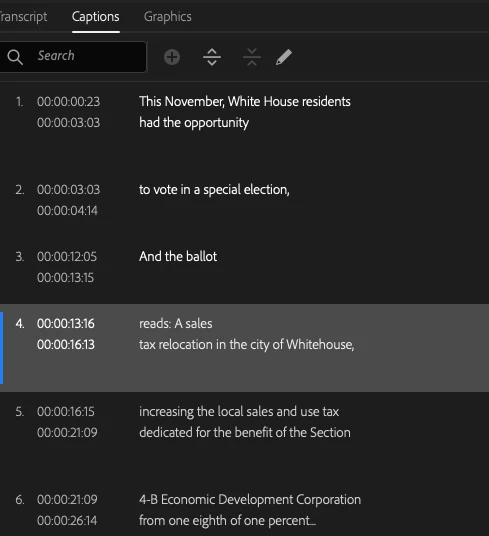
I ran into an odd little issue while editing subtitles in the Captions panel. Before generating captions from the transcription was not a problem - no issues. But, once I generated captions and needed to make further edits, it would not let me double-click to edit.


By the way, I LOVE the AI audio enhancements (from Adobe Podcast) baked into the pie.

    1 reply

    Stan Jones
    Community Expert
    Community Expert
    September 25, 2023

    I think you are seeing a bug has been reported. See the staff response here:

    https://community.adobe.com/t5/premiere-pro-beta-bugs/can-t-change-text-in-caption-window-bugs-out-e...


    The only workaround for now is to edit in the Program Monitor.


    Sometimes you can double click, but it will immediately close. Sometimes you can get into the edit in the Text panel, but adding any character, even a space, save and closes.


    When adding a Beta version bug or comment, it is helpful to always report the Build you are using. I first tested for this bug in 24.1.0 Build 26, and just confirmed it is still in Build 29.


    Stan