


Something odd. When extending a PNG graphic above video, timeline preview quits showing live update
I'm always finding odd things, it seems.
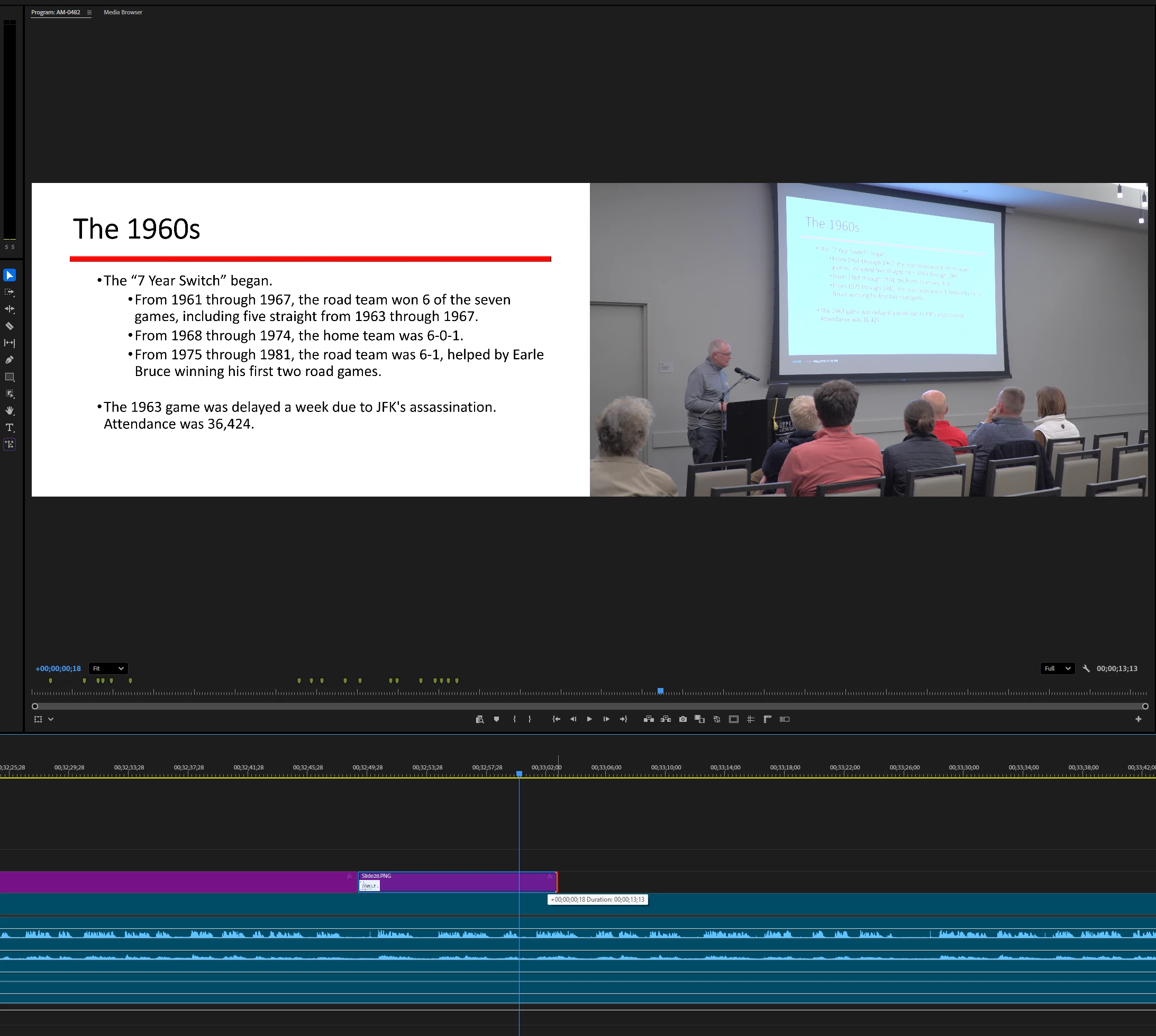
I have an hour long lecture and I've converted the PowerPoint slides to PNG, and I'm trying to place them where the presenter changes slides. It was going very smoothly:
1. Position the playhead where the presenter switches slides
2. Drop the PNG so it starts at that point
3. Drag the tail of the PNG and observe split screen with graphic on left and video on right. When dragging the graphic, the video progresses and I can look for the next slide change (without having to play at realtime).
4. Stop dragging when the next slide changes happens, and the file is placed perfectly.
5. Put the next slide after the previous and repeat.
All of a sudden, after around 30 of these, the video no longer updates as the tail of the graphic is dragged. The split screen shows, but the video is frozen.
What do you think?
System info
Application: Premiere Pro (Beta) v26.0.0.16
OS: Windows v10.0.26200, RAM: 63.79 GB GB, CPUs (logical): 16
 AdChoices