


Open for Voting
Title: Sony X-OCN (Burano) looks flatter in Beta than in Premiere 2026 with identical color management settings
Hi,
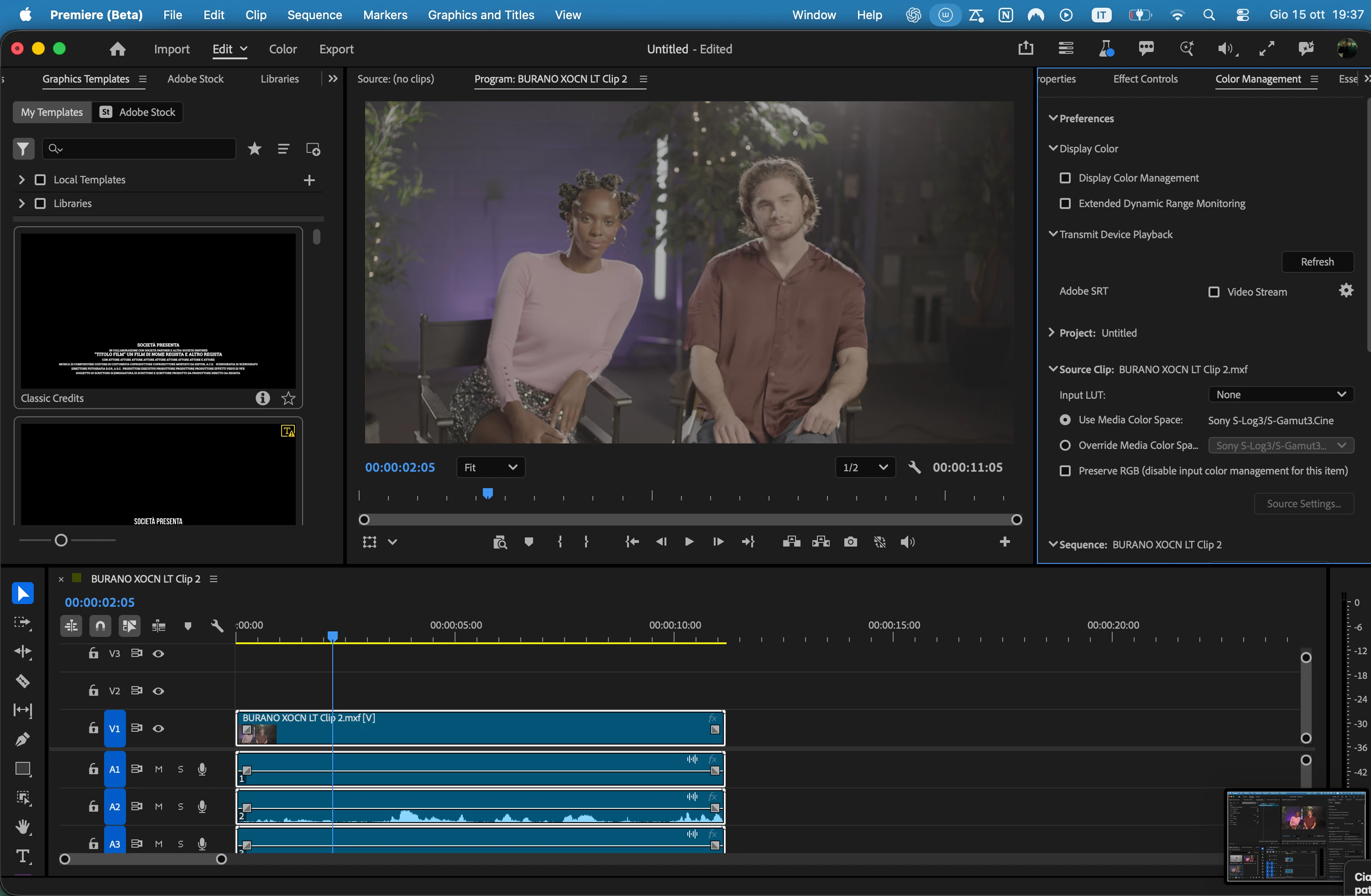
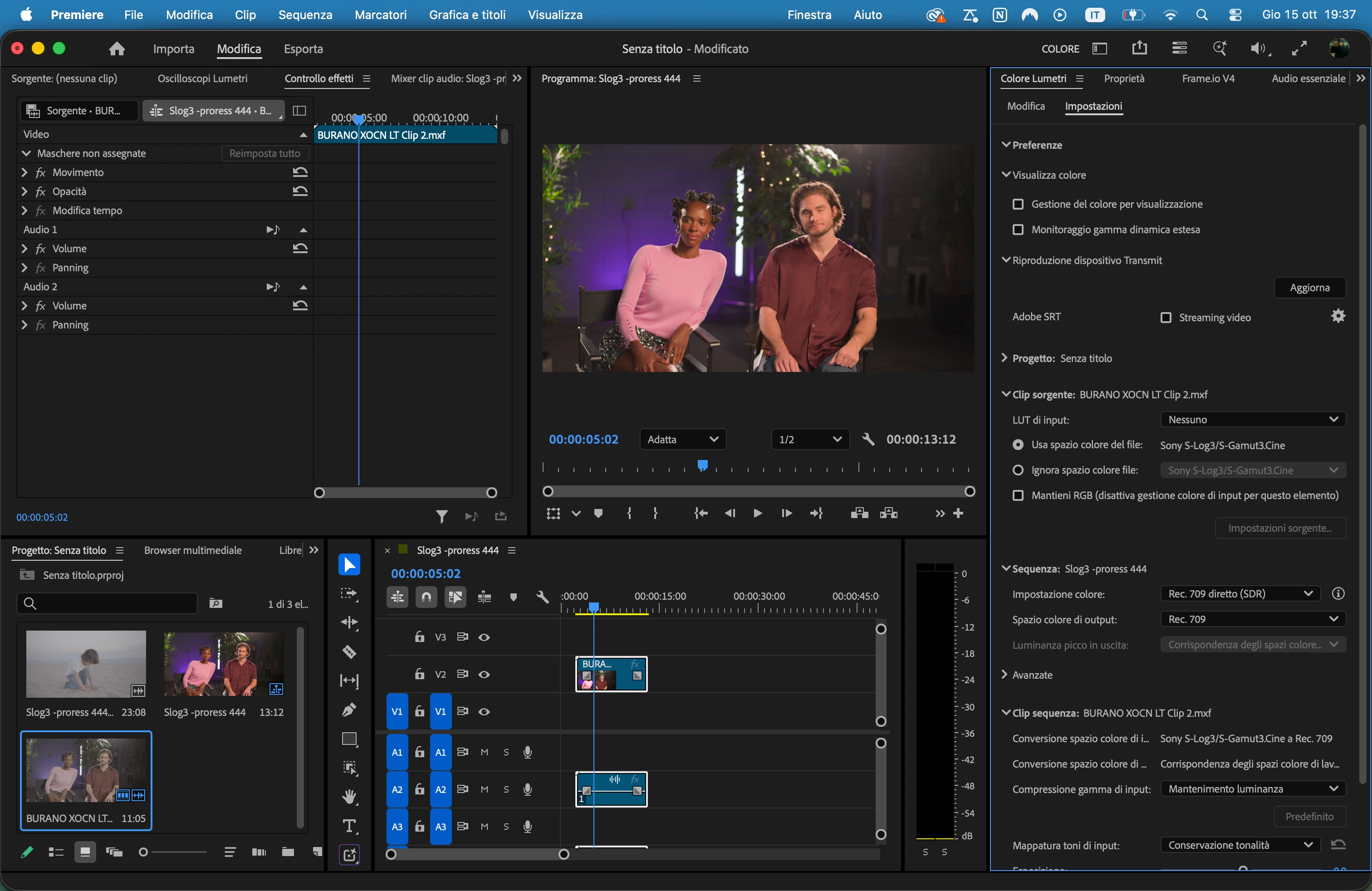
The same Sony Burano X-OCN LT clip (.mxf, S-Log3 / S-Gamut3.Cine) looks noticeably flatter in Premiere (Beta) than in Premiere Pro 2026: lifted blacks, lower contrast and less saturation. All the color management settings are identical in both versions.
Versions
- Premiere Pro 2026:
- Premiere (Beta)
- macOS
Settings (identical in both)
- Color Manage Auto Detected Log and Raw Media: ON
- Source Clip: Use Media Color Space → Sony S-Log3/S-Gamut3.Cine
- Input LUT: None, Preserve RGB: OFF
- Sequence Color Setup: Direct Rec. 709 (SDR), Output: Rec. 709
- Sequence Clip: S-Log3/S-Gamut3.Cine → Rec. 709, Luminance Preserving gamut compression, Hue Preservation tone mapping, Highlight Saturation 0.5
- Display Color Management: OFF in both
- No effects applied, Source Settings unavailable (greyed out) in both
Steps to reproduce
- Create a new project in both versions.
- Import the same X-OCN LT clip.
- Create a sequence from the clip.
- Compare the Program Monitor.
Expected: same result as Premiere Pro 2026.
Actual: the Beta image looks flatter and less saturated.
Screenshots of both versions are attached. Is this a known change in how the Beta handles X-OCN, or a bug?
Thanks!
 AdChoices