
Inspiring
April 22, 2026

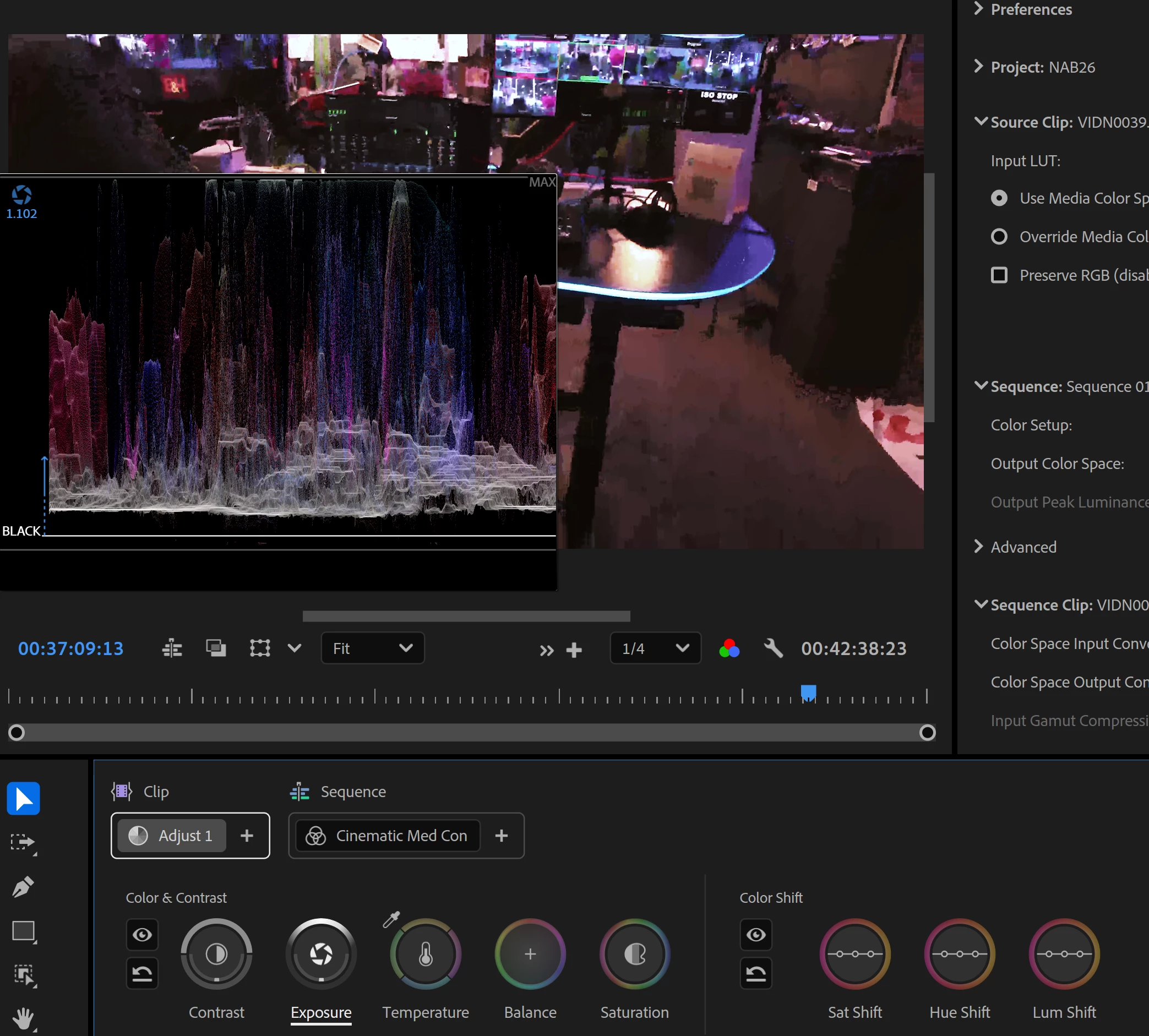
Why do the scopes pop up in front of the video we need to view?

  • April 22, 2026
  • 2 replies
  • 12 views

It’s a little difficult to color correct something if the scopes are covering the thing you’re trying to color correct. Why is it not popping up on the right of this workspace? I’m guessing there’s a setting to move it, but it really shouldn’t be covering up the shot. 


    2 replies

    Adobe Employee
    April 22, 2026

    If you click on the wrench icon in the right side of Color Controls, you can set the HUD options to Freeform. This will allow you to place the color control HUDs wherever you please. Right now, yours are anchored to the program monitor.

    Ann Bens
    Community Expert
    Community Expert
    April 22, 2026

    Looks like your screen is too small to handle the Color Mode properly.

    How big is your screen in inches.