


Participant
February 26, 2026

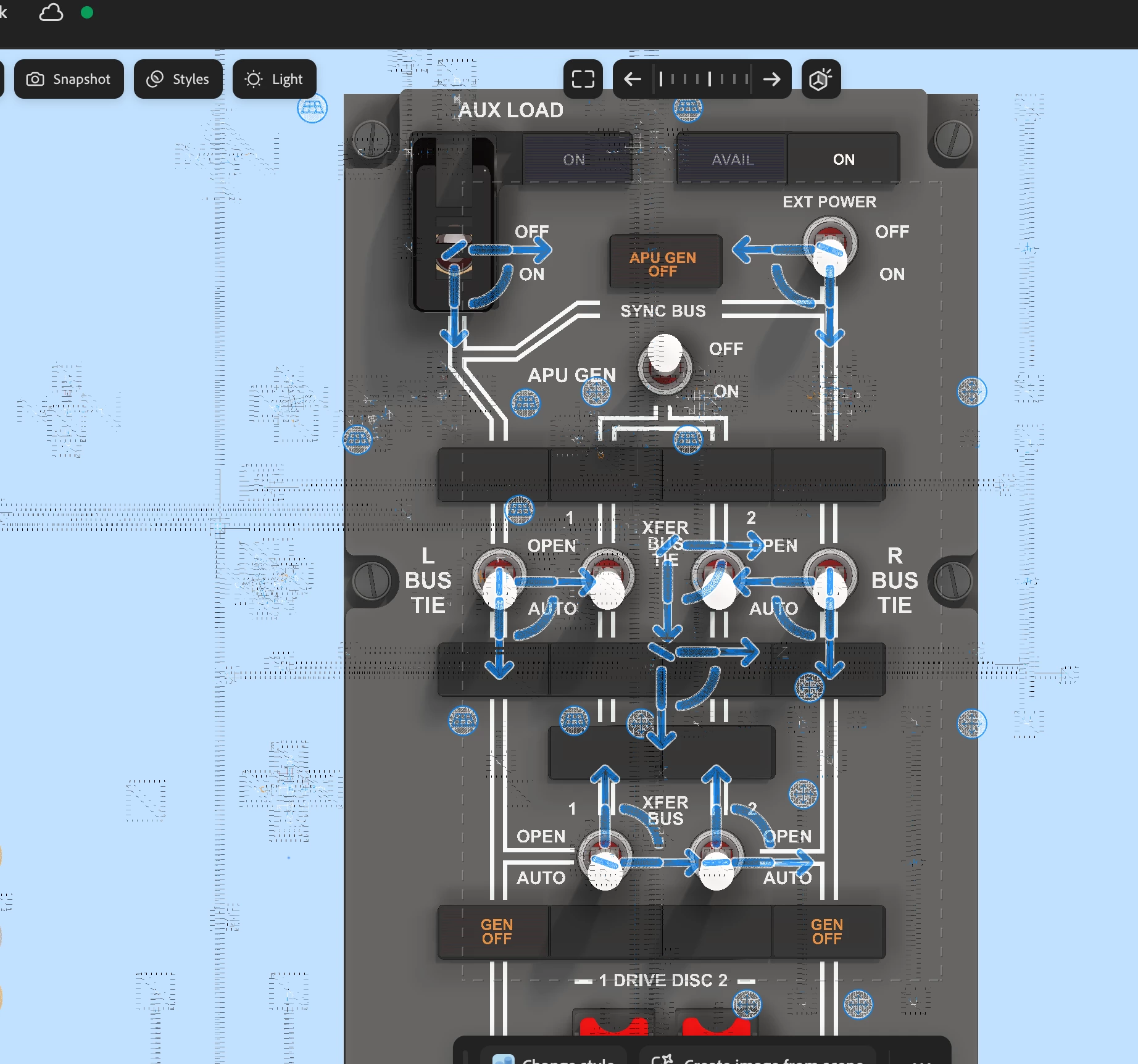
Ghosting artifacts when working in Project Neo

  • February 26, 2026
  • 2 replies
  • 58 views

When using Project Neo, when the curser is passed over an asset the XY positioning is then ghosted across that asset - likewise, if grabbing the XY handles, this is also then ghosted.  This renders PN pretty much unusable.  Have tried this in both Safari and Also Chrome, the issue is present in both.  refreshing the browser clears the issue, however this is again present once the curser passes onto the work pane again.  Likewise clearing the Cache makes no difference.
 

    2 replies

    Anubhav M
    Community Manager
    Community Manager
    March 30, 2026

    Hello ​@Kris29444775832s ​@Andrew Barns 


    I’m sorry to hear about your experience. I tried to replicate this on my end but could not. Would you mind sharing more details so we can investigate this further with the product team?

    1) The exact version of the OS/Browser
    2) Your system specs (CPU/GPU/Memory)
    3) Does this happen with specific projects or new ones as well
    4) Is there any specific workflow to replicate this problem
    5) A brief screen recording of the issue

    Looking forward to hearing from you.
    Anubhav

    Andrew Barns
    Participant
    March 30, 2026

    Hey!

    1. Chrome Version 146.0.7680.166
    2. System Specs:
      1. CPU: Intel Core i9-9980HK
      2. Dedicated GPU: AMD Radeon Pro 5500M Integrated GPU: Intel UHD Graphics 630
      3. Memory (RAM): 32 GB DDR4
    3. Happens on all projects (including new)
    4. No, just happens from the beginning
    5. Attached

    Thanks for looking into this!

    Anubhav M
    Community Manager
    Community Manager
    April 6, 2026

    Hello ​@Andrew Barns 


    Thanks for sharing the details. Could you also share the system information so I can help with this scenario?
     
    - You can generate it from the Apple icon > About This Mac > System Report > Save to the desktop.

    Kindly upload the files to Google Drive/Dropbox/etc. and share a public link here or via DM so that we can investigate this further.
     
    Looking forward to hearing from you.
    Anubhav

    Andrew Barns
    Participant
    March 20, 2026

    Having exactly the same issue on Chrome and Safari. Have tried enabling GPU acceleration as some sites have suggested but to no avail.