



Henry1200
Participant
August 31, 2026

Problems related to screen display (Photoshop for Android)

  • August 31, 2026
  • 1 reply
  • 11 views

Problem 1:

The Adobe Photoshop Mobile interface is not rendering correctly; in edit mode, the bottom buttons extend beyond the screen, and on the main screen, there is a very strange gap in the navigation bar.
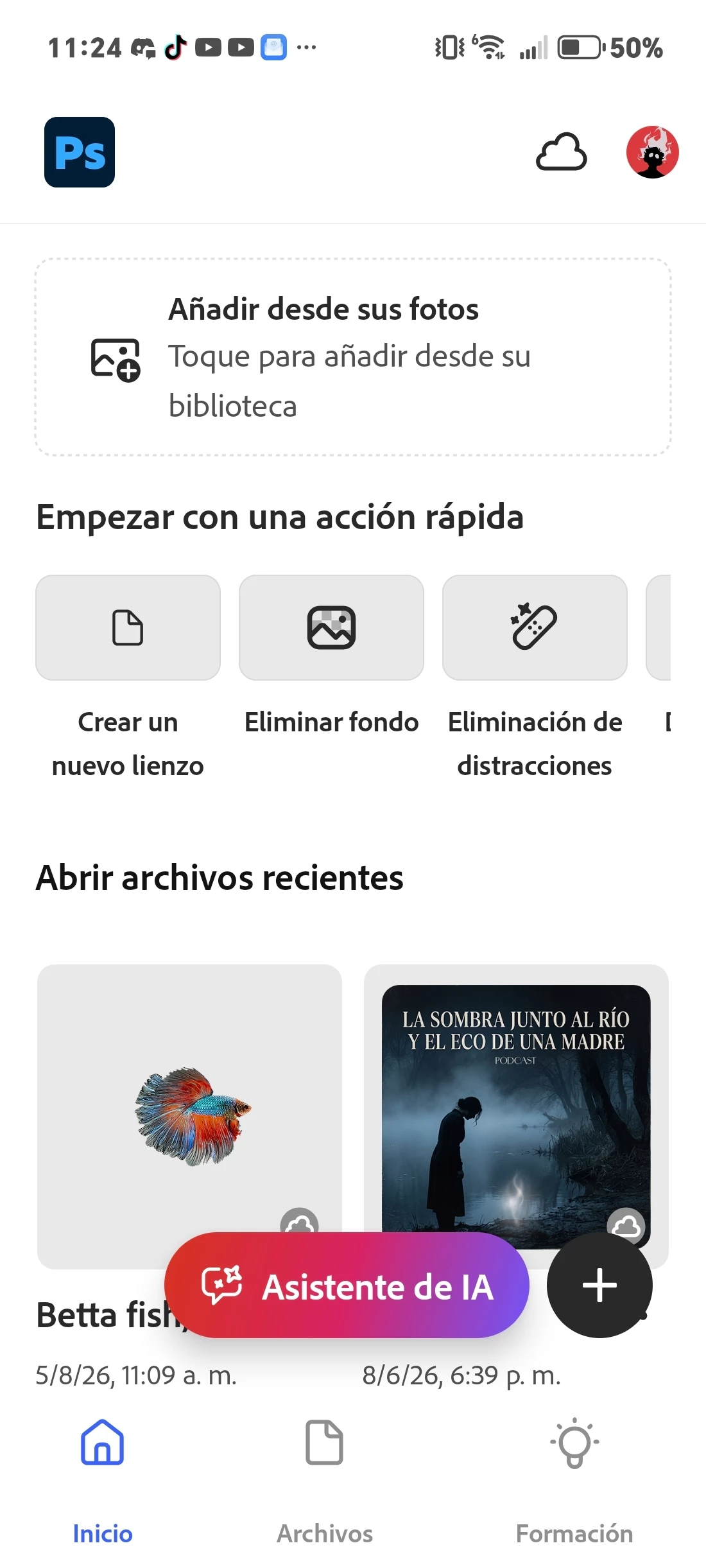
Problem 2

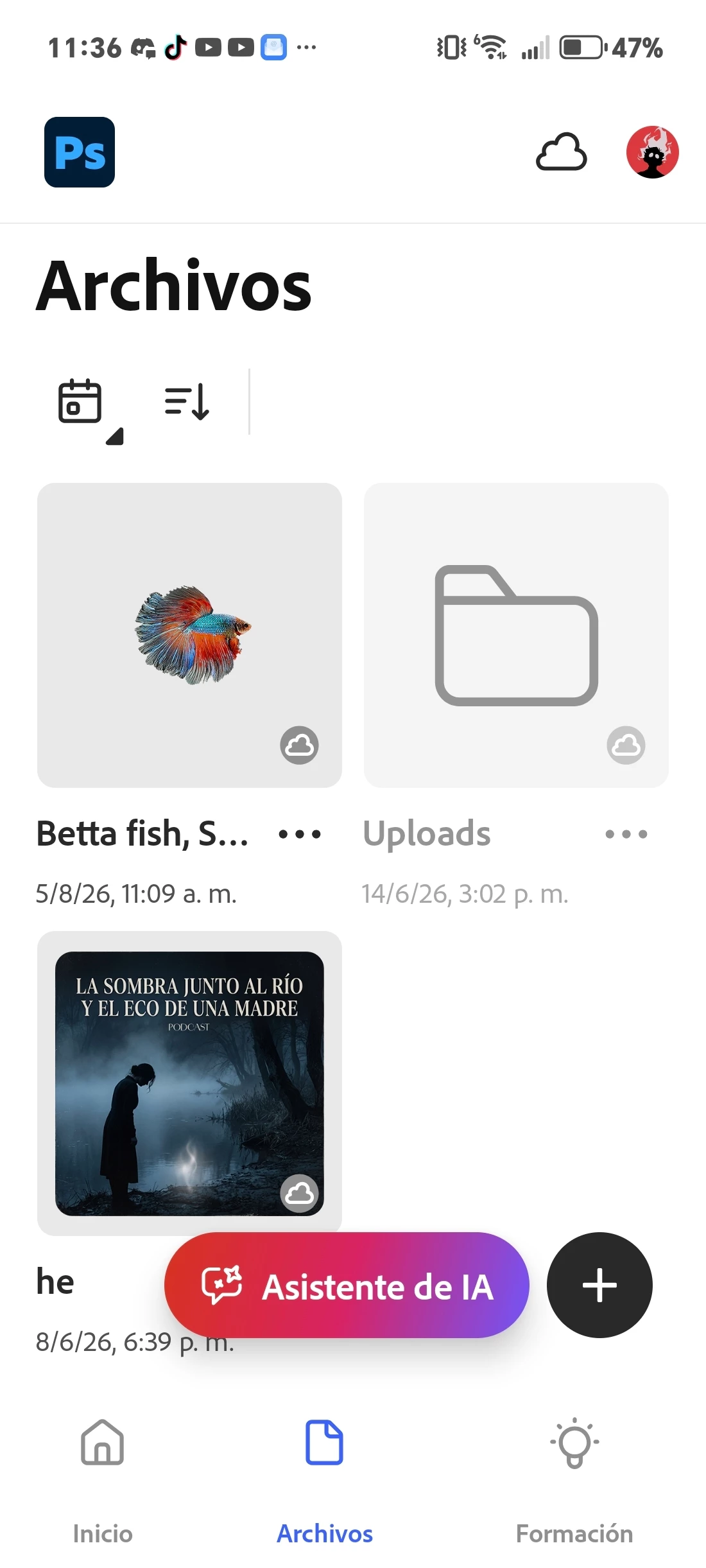
The wizard and creation buttons obstruct the file management buttons; they do not hide when swiping down This occurs both on the home screen and in the files section.
 

1 reply

Claire H.
Community Manager
Community Manager
August 31, 2026

Hi ​@Henry1200 , Thanks for reaching out and welcome to the Photoshop Mobile Community Forum. Let's try a few things and see if it fixes these UI issues.

  1. Restart the Application: Close the Photoshop Mobile app completely and restart it.

  2. Clear Cache:

    • Go to the device's Settings.

    • Tap on Apps or Application Manager.

    • Find and select Adobe Photoshop.

    • Tap on Storage and then select Clear Cache. This may help resolve display issues.

  3. Adjust Display Settings:

    • Check the device's display settings to ensure that the screen resolution and display size are set to recommended levels.

  4. Reinstall the App: If the problem persists, uninstall the Adobe Photoshop Mobile app and then reinstall it from the Google Play Store.

If none of these steps work for you, could you send us the version of the app you're using, your OS details, and a screen recording? Thanks! ^CH