
Unable to display emojis in text elements. Emojis are replaced by an empty square character.
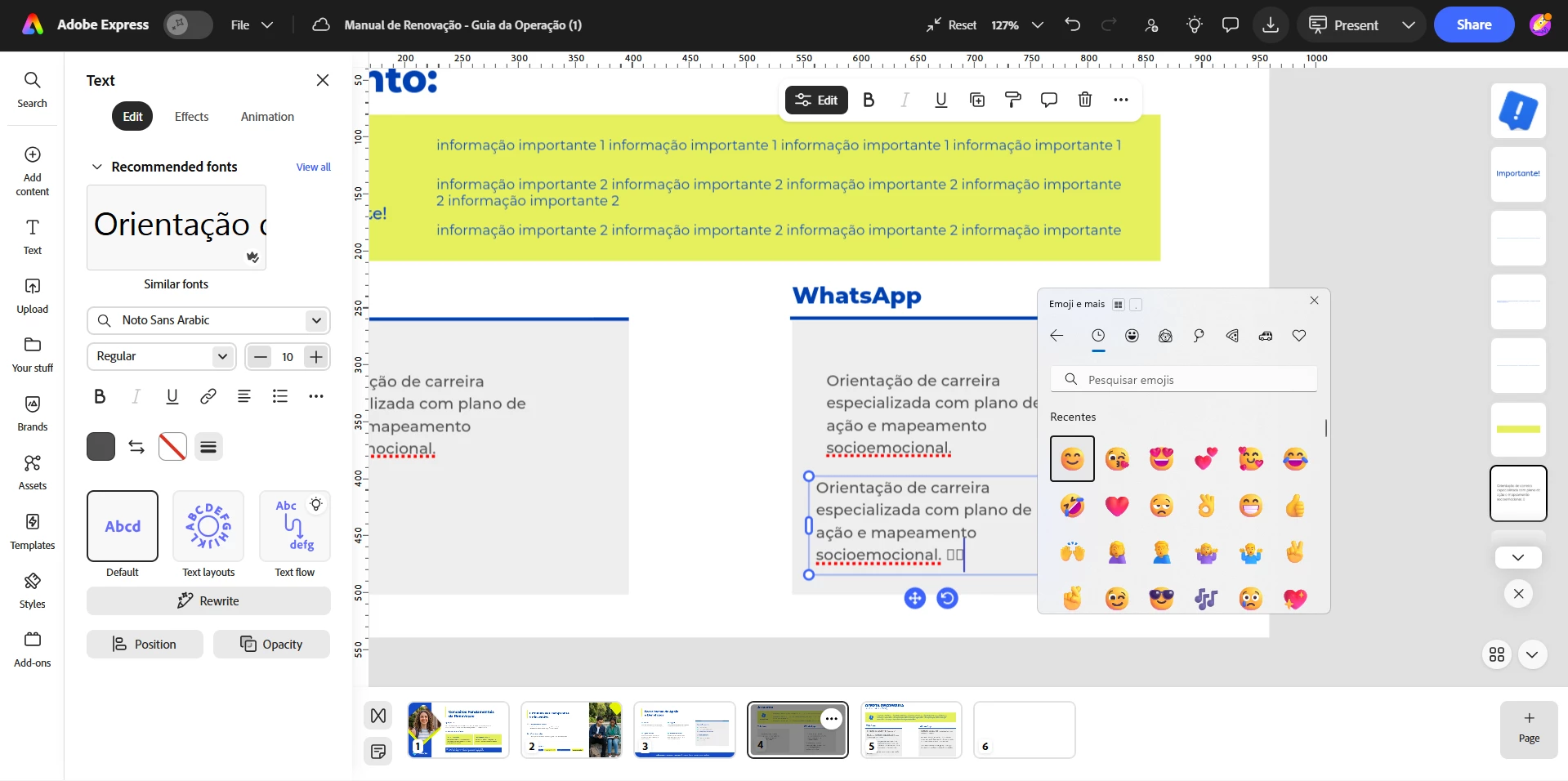
When creating a design and adding text, it is currently not possible to insert emojis directly into text elements. Instead of displaying the emoji correctly, Adobe Express shows an empty square (□) or unsupported character symbol.
This is a feature that is available in Canva and is very useful for social media content, marketing materials, and digital communications, where emojis are commonly used as part of the visual language.
It would be great if Adobe Express could support standard emoji characters within text boxes, allowing users to seamlessly integrate them into their designs.
 AdChoices