Participating Frequently
November 15, 2024
Under Review

Packed maps are not displaying correctly in the 3D view as intended

  • November 15, 2024
  • 6 replies
  • 410 views

Issue: Packed maps are not displaying correctly in the 3D view as intended.


Details:
In my case:

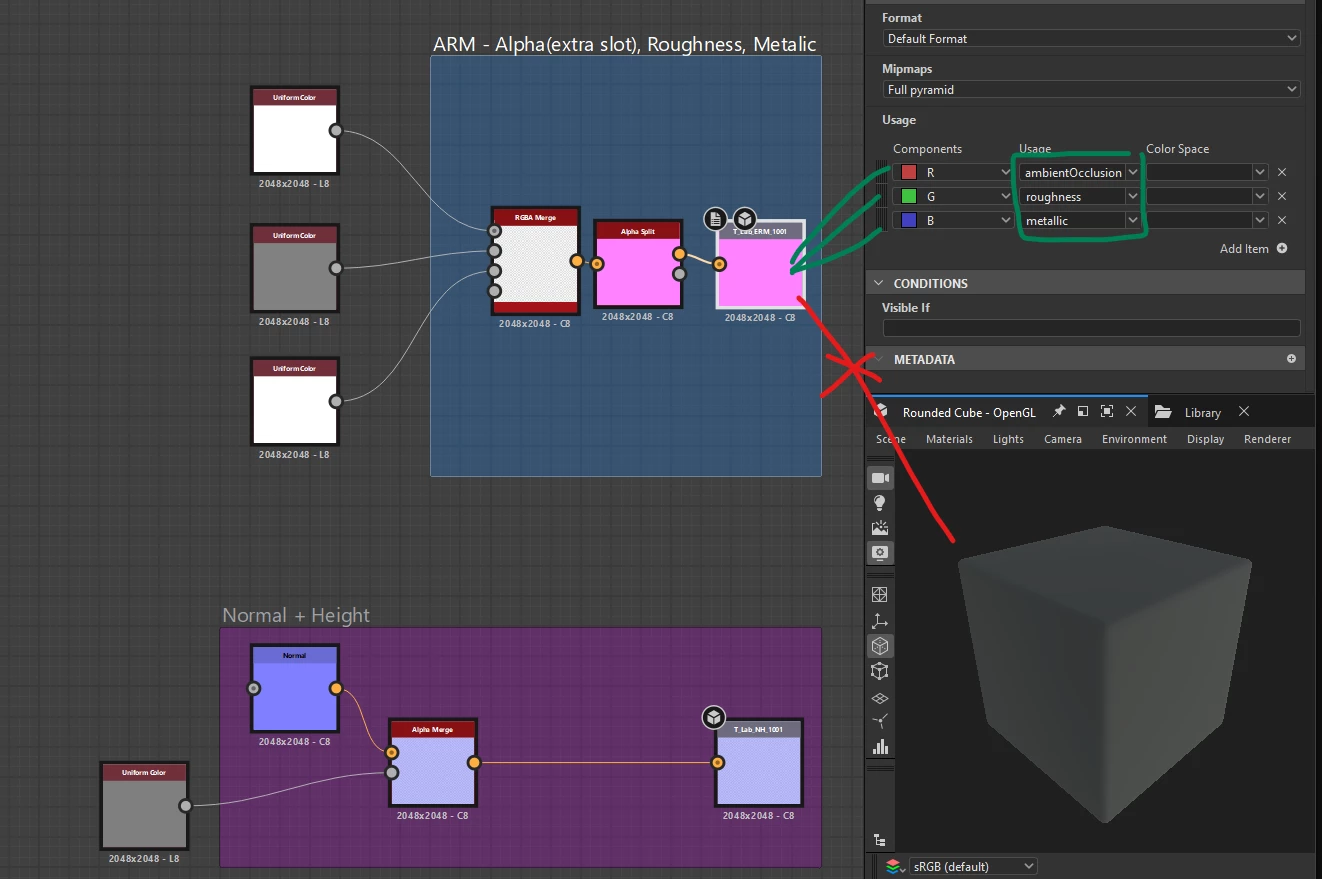
  • ORM Map: R = AO, G = Roughness, B = Metallic
  • Normal + Height Map: RGB = Normal, A = Height (or RG = Normal, B = Height)

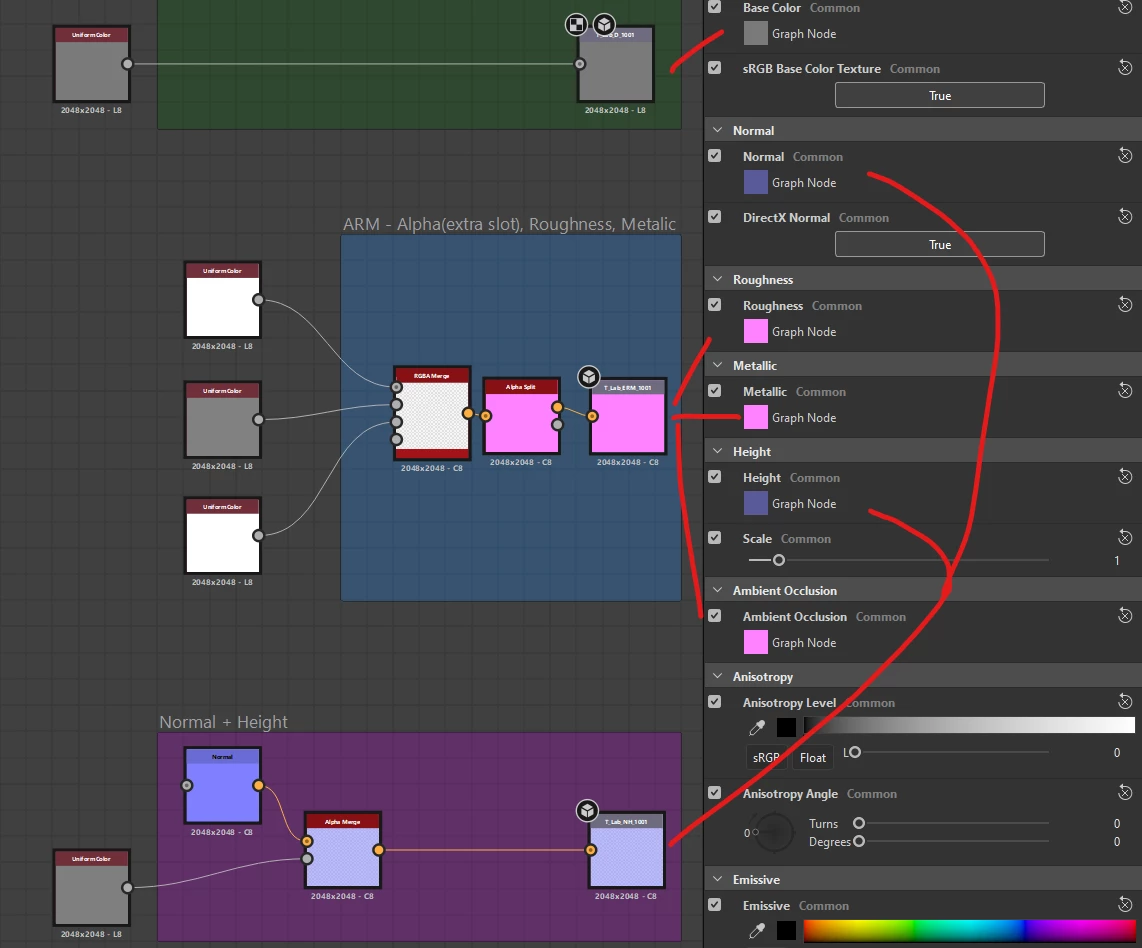
While the full texture is correctly applied to the corresponding material property, the specific channels (e.g., R, G, B, or A) defined in the Output node's "Usage" tags panel are not being used as configured. Instead, the entire texture appears to be applied indiscriminately.


Steps to Reproduce:

  1. Right-click in the node canvas and select "View Outputs in 3D View."
  2. Each output routes to the correct material parameter (e.g., AO, Roughness, Metallic), but the individual channels specified in the Output node's "Usage" tags panel are not isolated as expected.
  3. This can be observed in the accompanying screenshot.


Relevance: For game development, utilizing packed maps is a standard optimization technique to minimize texture memory usage. Accurate channel mapping from packed textures is crucial for this workflow to function as intended.


Images to support the above information below:


6 replies

Cyril Dellenbach
Community Manager
Community Manager
December 5, 2024

Hi @JeffSee,


Thank you for the message.


I've shared it with the rest of the team.


To be honest, this isn't one of our current priority, but a workaround would be to build your own custom Shader.


Best regards,


Cyril Dellenbach (Micro) | QA Support Artist | Adobe
davescm
Community Expert
Community Expert
December 3, 2024

Just for clarity, I do not work for Adobe. I am an Adobe software user, like you.

I have tagged your post as an idea rather than a bug.


Dave

JeffSeeAuthor
Participating Frequently
December 3, 2024

Thanks Dave,


I have been doing what you suggested for quite some time but it is not an optimal solution. Especially given that you provide the user this ability to set different outputs in the output nodes options. If you provide the end user the ability to specify multiple outputs with channel and data type selections, this should display as such in the 3D view and in the export dialog. There is just a lack of consistency from a UI/UX standpoint here that I would love to be taken into consideration for future releases of the software. Especially due to this being a common practice (packed maps) in both Games and Film now. Thank you for considering this a bug and feature request.

davescm
Community Expert
Community Expert
November 16, 2024

Add the usual single channel outputs and use those for the 3D view.

Then add the packed outputs as additional outputs in whatever format works for your 3D game software


When you export outputs you can choose which to export and turn off the unused single channel outputs in the export dialogue


Dave


davescm
Community Expert
Community Expert
November 16, 2024

I've edited the title for you

Dave

JeffSeeAuthor
Participating Frequently
November 15, 2024

How can I edit the subject to be, "Packed maps are not displaying correctly in the 3D view as intended"? The original subject is not as descriptive.