


P: Panorama Merge: Perspective projection should use the middle image as a reference
Summary
Panorama Merge with Perspective projection anchors the output projection plane on the first image in filmstrip sort order. The geometry of the merged panorama therefore changes when only the filenames change, with identical pixel data, EXIF and capture times.
Environment
Camera Raw 18.4.1, macOS 14.8.7, Sony SLT-A77, 3 frames shot right to left.
Steps to reproduce
- Select the 3 frames, Merge to Panorama, Perspective, Boundary Warp 0, Auto Crop off.
- Repeat twice, renaming the files so that the centre frame, then the left frame, sorts first.
Actual result
Three different output geometries.
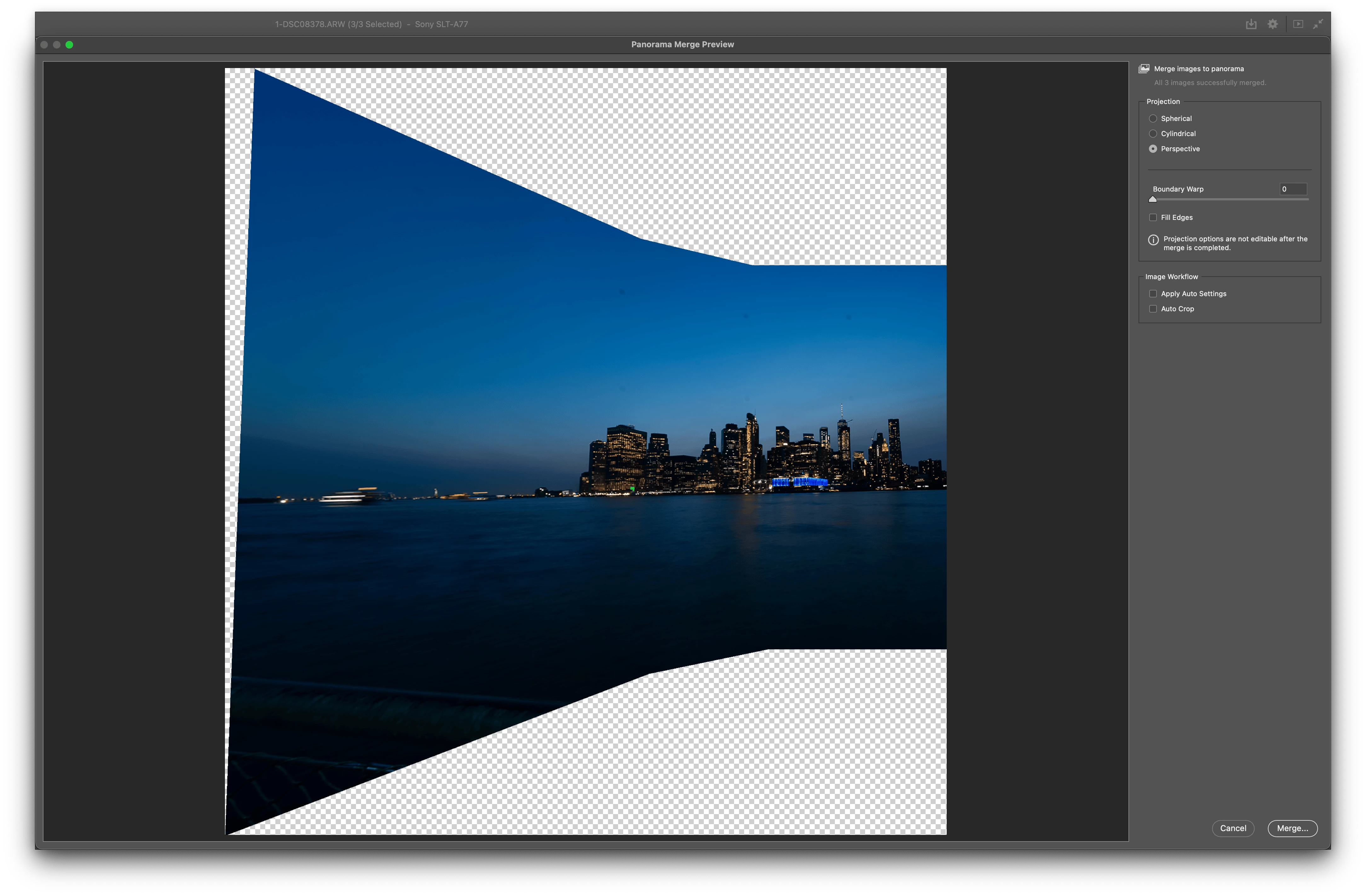
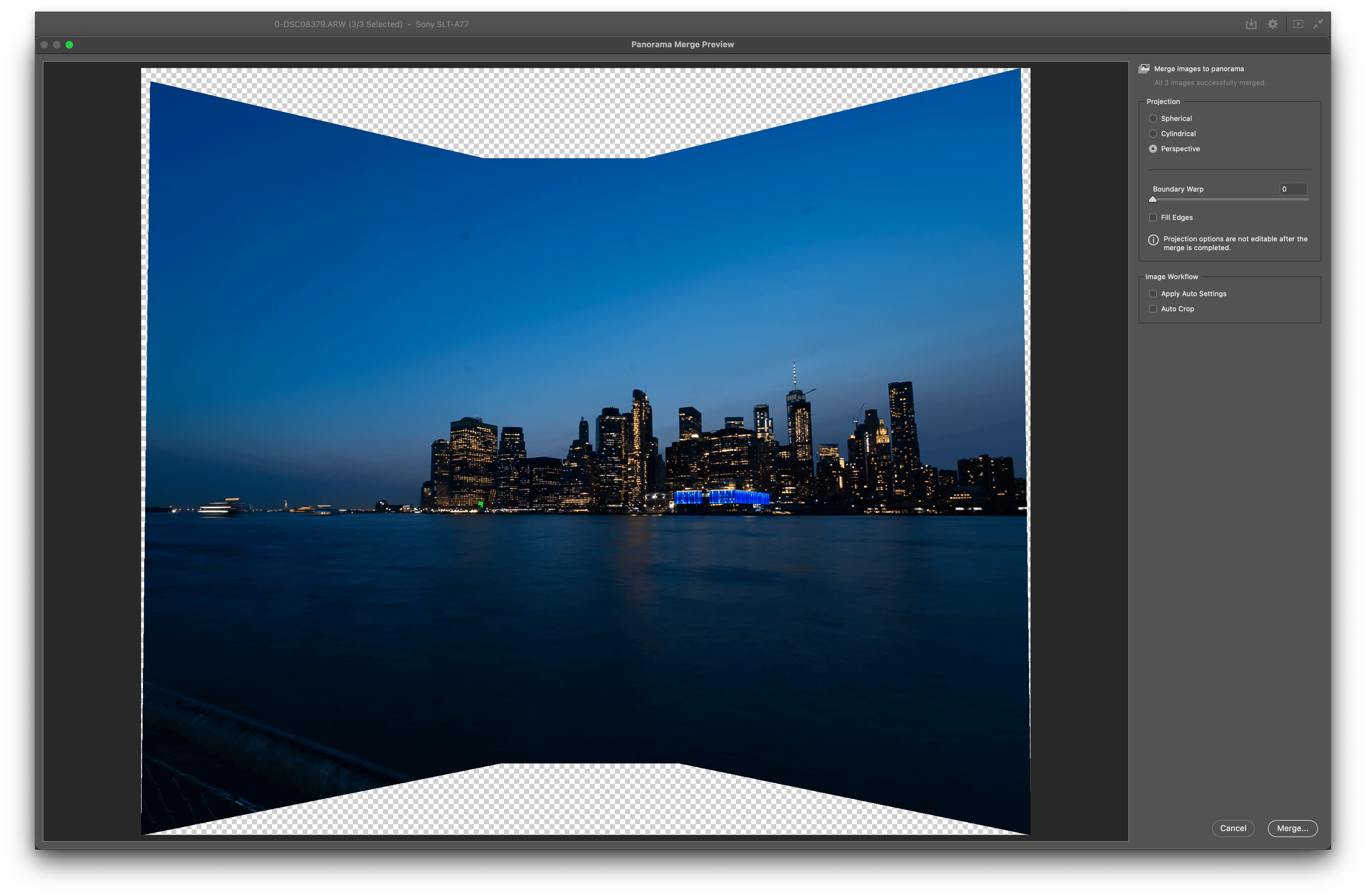
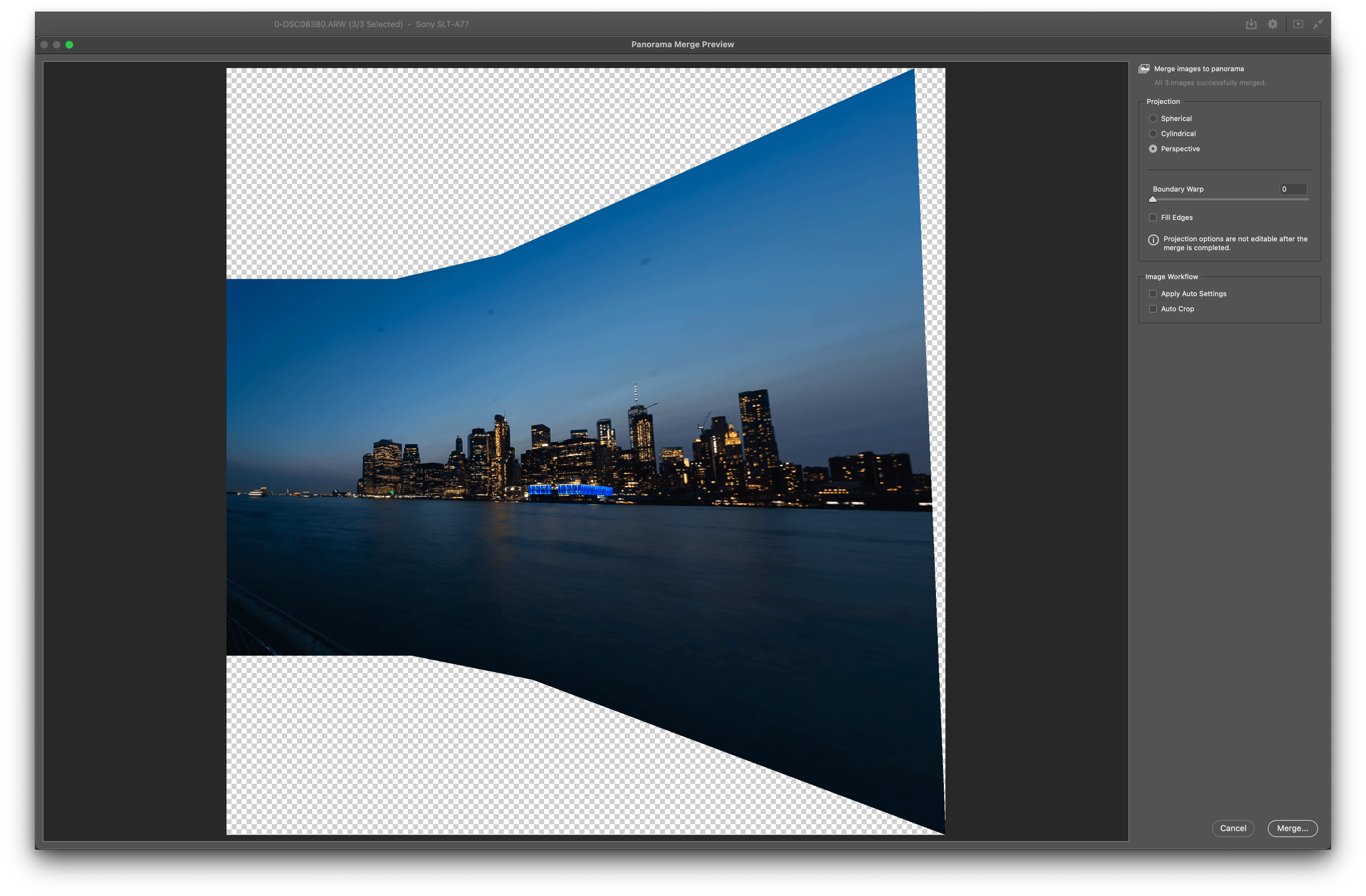
Cases 1 and 3 are exact mirror images of each other, indicating the output plane is aligned with the optical axis of whichever frame sorts first, with no re-centring applied.
Expected result
Output geometry depends only on image content, not on filenames.
Suggested fix
Derive the output plane orientation from the estimated camera rotations (for example their mean) rather than inheriting it from the first file. This is more general than selecting the middle image: it also handles an even number of frames, multi-row panoramas and irregular sweeps, where no single frame is the centre one. An optional manual reference selector would still be valuable when the user deliberately wants one frame rendered undistorted, as in architectural work, but it should not be required for the default case.
 AdChoices