



Cyril Dellenbach
Community Manager
Community Manager
March 4, 2024
Open for Voting

Decal Symmetry

  • March 4, 2024
  • 4 replies
  • 546 views

As decals (Warp projections) are Fill layers, they currently don’t support the symmetry feature. Adding symmetry to Fill layers would allow users to fully move/rotate/rescale a decal, and all changes would automatically influence the opposite side of the mesh.
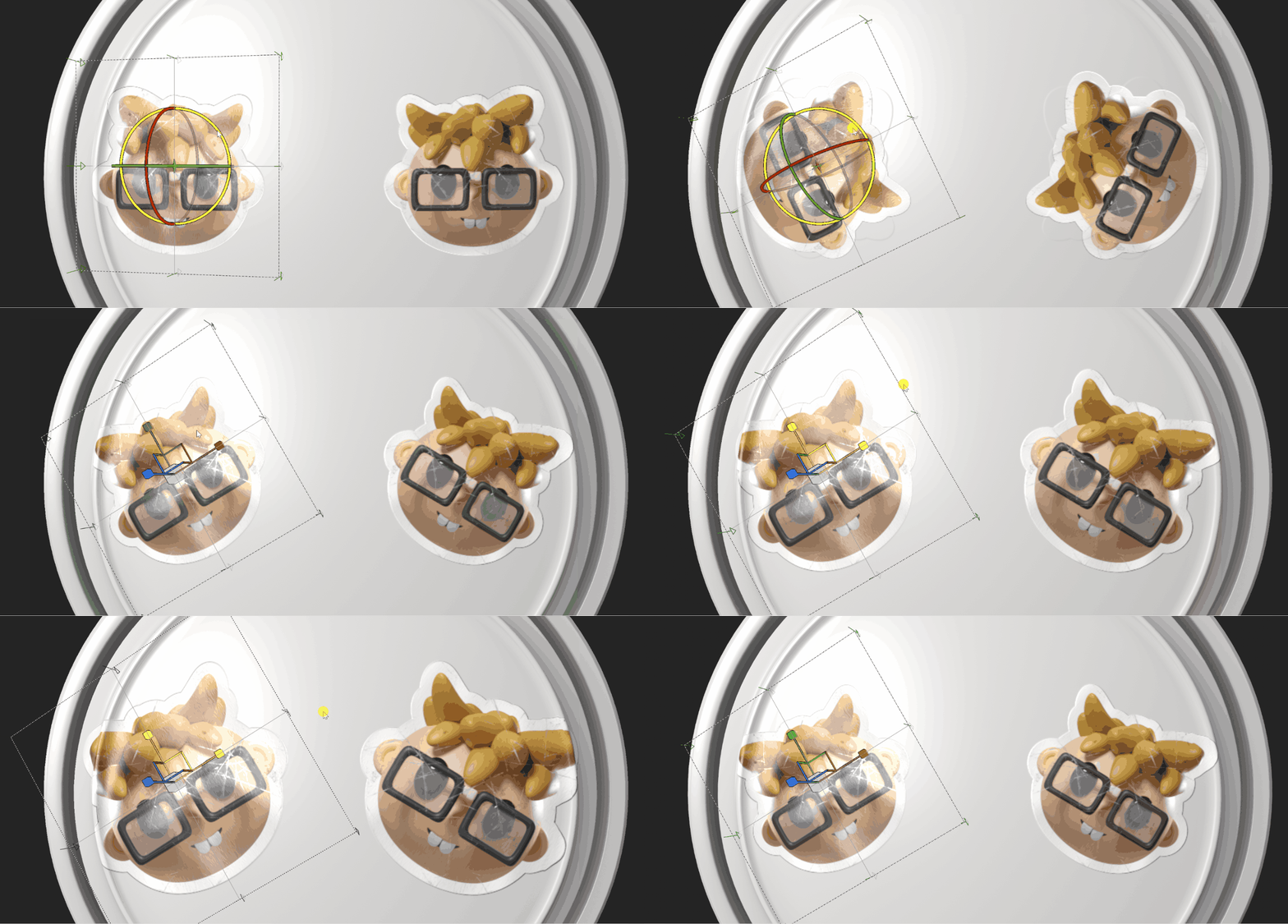


This thread has been created in regards to a future QOL (Quality OLife) release. We’re trying to prioritize users’ needs; therefore, your voice is very important!

Please write your feedback below and don’t forget to vote for your favorite suggestions!
All shared images are purely for visualization and not functional features.


4 replies

sacb0y
Known Participant
March 4, 2025

Not having this is making my current task take way longer than it should, using a ton of decals is hard. 

Participant
March 19, 2024

I understand, I'm just saying a more general solution would be preferable to me. Not having a world space symmetry filter has long been an issue for me, and adding that would, to my mind, solve both this issue -and others- at once.

Cyril Dellenbach
Community Manager
Community Manager
March 8, 2024

Just to be clear, the feature would work with Symmetry (not like the mirror filter), so it would work in WorldSpace. In theory (nothing has been develop already), it would behave similarly to how the Path tool works with Symmetry.


Regards,

Cyril Dellenbach (Micro) | QA Support Artist | Adobe
Participant
March 8, 2024

While a good feature in itself, it feels like half a solution. I often find myself in a situation where I need to mirror something over late into a project (design changes, etc), and to use the Mirror filter your UV's need to be fully symmetrical as it operates in UV space. A worldspace Mirror Filter seems like it'd solve both the issue for decals and any other situation that comes up.