



Loïc_Bramoullé
Known Participant
September 29, 2022
Open for Voting

How can we do daily CUSTOM SHORTCUTS backups ??..????

  • September 29, 2022
  • 2 replies
  • 228 views

Backuping the hotkeys / shortcuts in any software is a basic step to not turn insane every time in the year you reinstal the program (new PC, update, whatever reason.)
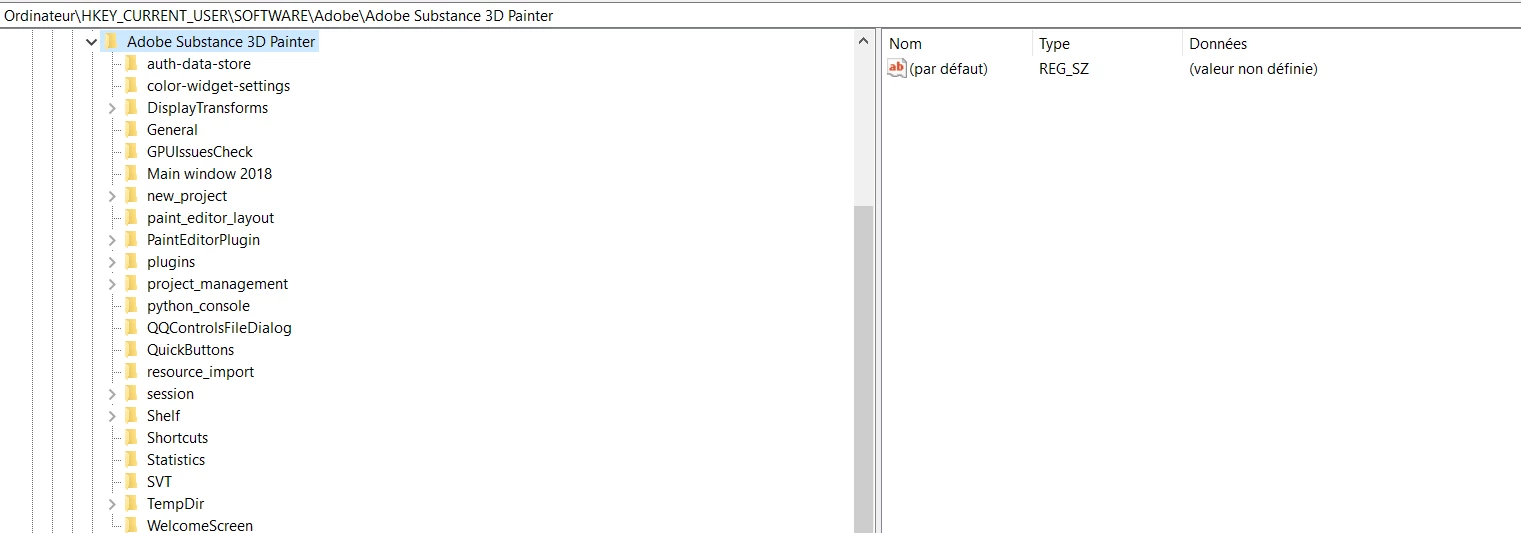
But I've scanned the whole web, no one seems to know how do this basic step. Substance stores it apparently in the Registry ??..??? why would we open the registry on a daily basis to backup our shortcuts everytime we tweak them ?... And once we open the registry, it's absoluely opaque how to extract the shortcuts from the substance folder key thingy, and after a while when you absolutely need to restore these shortcuts.. how do you that in the registry ?.. I don't get how people can use Substance painter if there's no way to simple backup shortcuts.. do they just accept to go insane every few months when all their workspace get's deleted and they realise they cannot work until they get it back ?....
Thanks for any help, with years of photoshop and 3dCoat I suffer from preference-loss related PTSD.

2 replies

Loïc_Bramoullé
Known Participant
September 30, 2022

Thanks a lot for clarifying. that's insane. Either all users accept to lose a good dose of sanity and money the day the program updates or reinstals on another machine, or people use the default absurd shortcuts... It's basically my first Painter day, I learned kinda everything, super intuitive, already delivered some work, but I already customized one or two dozen shortcuts. And now I'm terrorized to have the thing updating on its own and the next day I just can't use it anymore, and can't restore them manually by memory either... I suffered so much years ago from photoshop just destroying my workspace regularly at each update and offering no way to allow me to start working again before spending half a day fiddling in windows explorer and dropbox hunting for 20 different preference file types....

davescm
Community Expert
Community Expert
September 30, 2022

Hi

I've moved your post from 'Discussions' to 'Ideas' so that it can be voted on. I've also added my vote, as you are right in that the only, very awkward, ways are to :

a. Copy registry sections and be prepared to go in and re-edit the same. A recipe for breaking thing

or

b. Take screenshots and manually change if you have to reset. Time consuming and easy to mistype.


Dave