
Known Participant
Nov 24, 2023 3:39 PM UTC
Open for Voting

Rename the mask adjustments

Hi Adobe,


  It would be great if you could rename the various adjustment we add on masks. Like that example doesnt help me later: what did I do here?
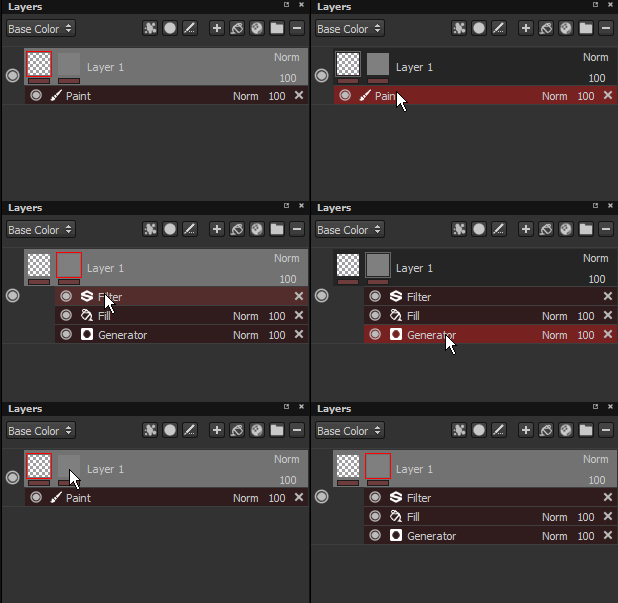


  I use to create a folder with a black black and use a fill layer in the mask to invert opacity channel (so my exported map of opacity work with Arnold Transmission)


  But seeing Fill as a name doesn't help me understand what I did on that layer when I revisit my work months or years later. 


  I always rename all my stuffs. Would be great to see that feature in the next update of Painter


  Thanks,

2 replies

Scote801Author
Known Participant
Dec 4, 2023 8:41 PM UTC

I see. Would be great to have the same for the other effects. I could use a name on the level.

Translate
Cyril Dellenbach
Community Manager
Community Manager
Dec 4, 2023 10:38 AM UTC

Hi @Scote801,


Thanks for the message.


In fact, some of the Effects under the mask can be renamed since the 3.2.0 released in 2017. Simply double click on a Fill or Paint Effect to change its name.


Best regards,


Translate
Cyril Dellenbach (Micro) | Product Manager | Substance Painter