Dave Rye
Known Participant
September 22, 2026
Open for Voting

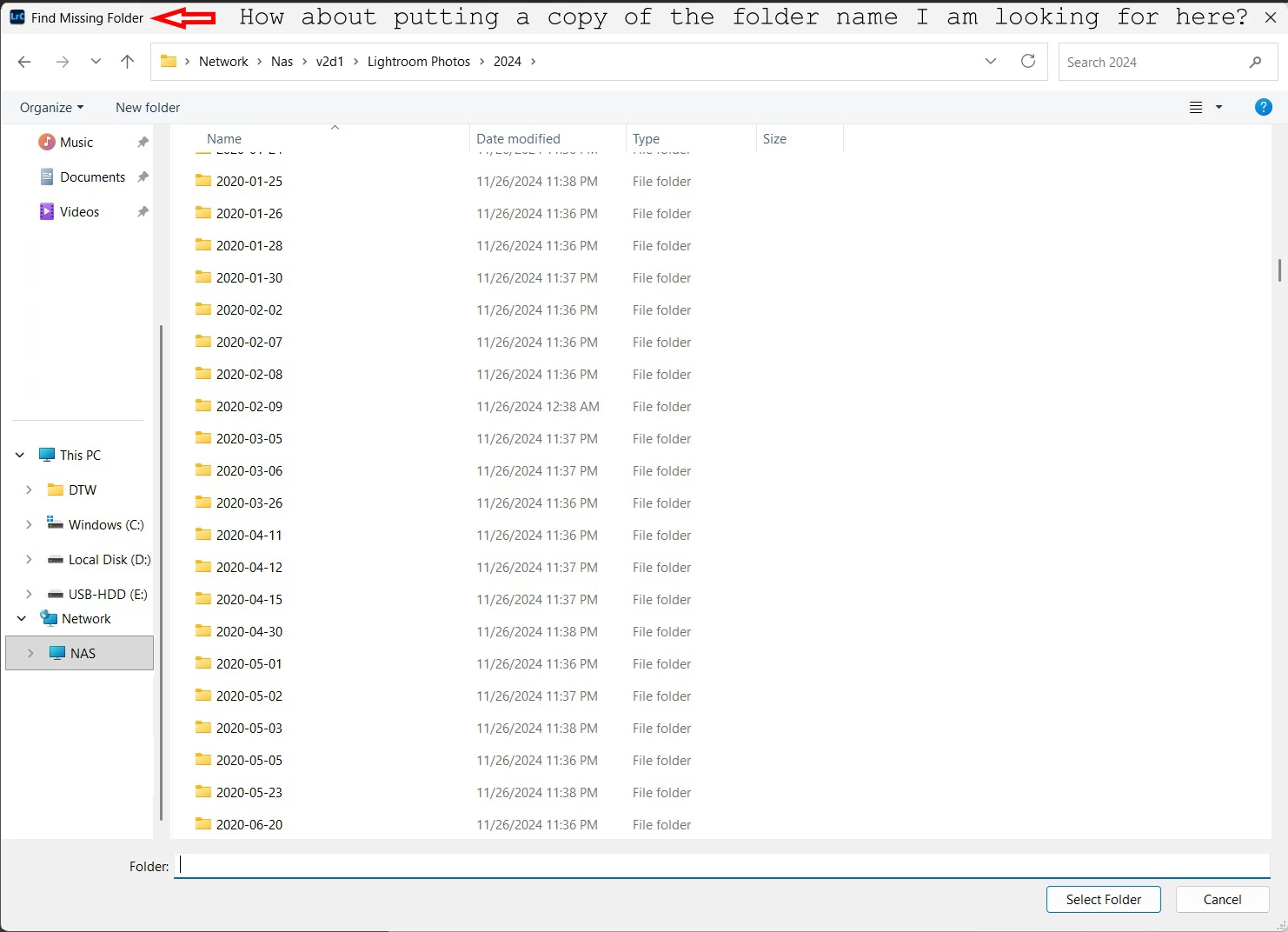
Add desired file/folder name to search dialog so it can be easier to compare to long list when browsing existing folders/photos.

  • September 22, 2026
  • 1 reply
  • 9 views

Something like this: 

To help me remember when searching to link something like this nightmare again 1 folder at a time.  :(

 

    1 reply

    Community Expert
    September 23, 2026

    Something is improvable in the wider workflow in my opinion, if you are even seeking to re-browse such a lot of missing individual folders one by one.

    I am not so sure a text search on folder name would help, since often we may be re-addressing to some different storage volume - not only within the same drive. So the desired scope of searching would be unknown to LrC.

    Do these image folders not sit within one or more parent folders on disk, held in common, or some sort of folder arrangement? If their interrelationship is currently not shown inside the Catalog, you can make it visible using “Show Parent Folder” on image folders which do show. When a parent folder is then re-browsed, all its affected subfolders follow along automatically. That is far the more efficient way to achieve this task: re-addressing an entire tree of folders and subfolders becomes a single operation.

    But the most efficient course is, of course: if the working context can avoid such “missing folders” situations arising in the first place!