


Participant
October 21, 2022
Open for Voting

P: Disable Tool Notification Bezel

  • October 21, 2022
  • 3 replies
  • 192 views

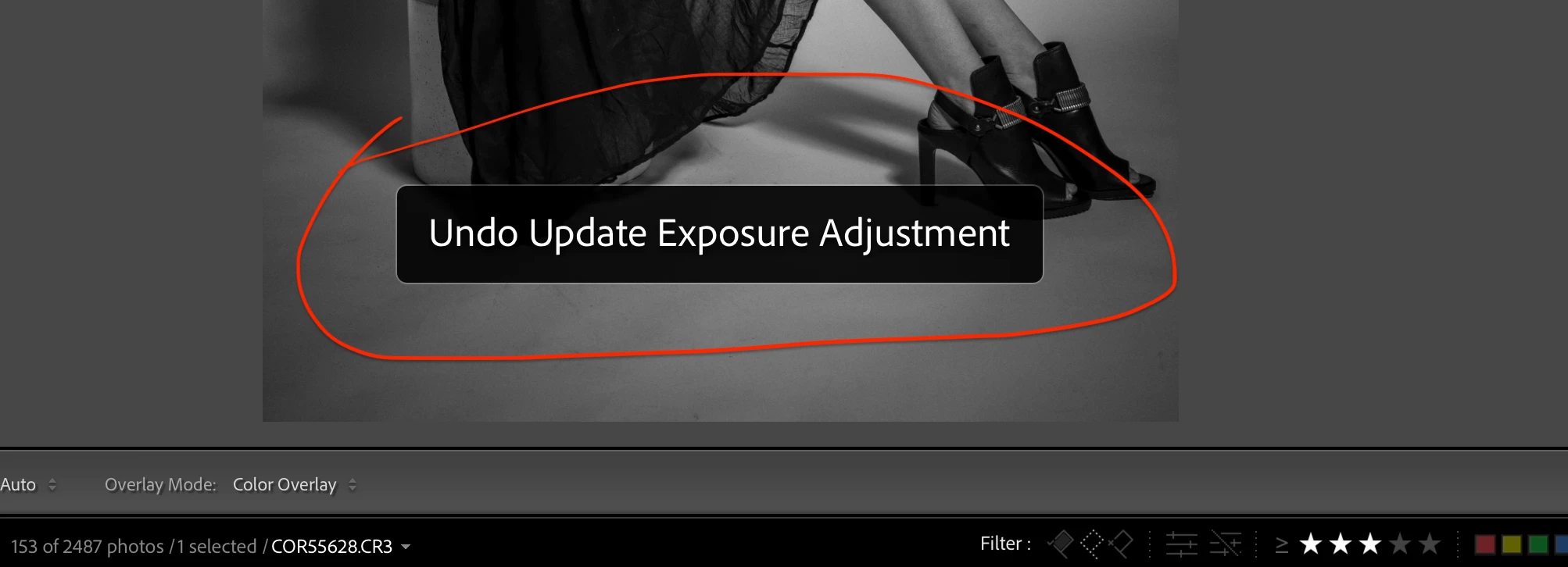
Can we please have an option to disable the notification that comes up with every action made in DEVELOP mode? (see screenshot).  Often times this notification is placed directly over an area that I am working on.  Or if not able to disable it, can we have the option to reposition or resize it?  I think many users would be appreciative of this feature.  Thanks
 

3 replies

Jim Wilde
Community Expert
Community Expert
October 22, 2022

Actually, I think it was Loupedeck I was thinking of, not Wacom. Memory lapse again.

johnrellis
Legend
October 22, 2022

These notifications are also displayed by the software controlling Loupedeck and other MIDI controllers (e.g. MIDI2LR).  They have options for turning off the notifications.

Jim Wilde
Community Expert
Community Expert
October 21, 2022

Are you using a Wacom tablet? LrC does not routinely display a notification for every action made in the Develop module, though it does display a message as you are showing when UNDO is used. Also, what messages LrC does display (mainly UNDO and Autosync messages) should be shown below the image, unless the Filmstrip is hidden (which is not in your screenshot) which will see the message then overlay the image. But IIRC a Wacom tablet will display a notification when any adjustments are made, though whether they can be disabled I really don't know.