


C.Cella
Inspiring
October 29, 2023
Open for Voting

P: Implement "Convert to HDR"

  • October 29, 2023
  • 10 replies
  • 449 views

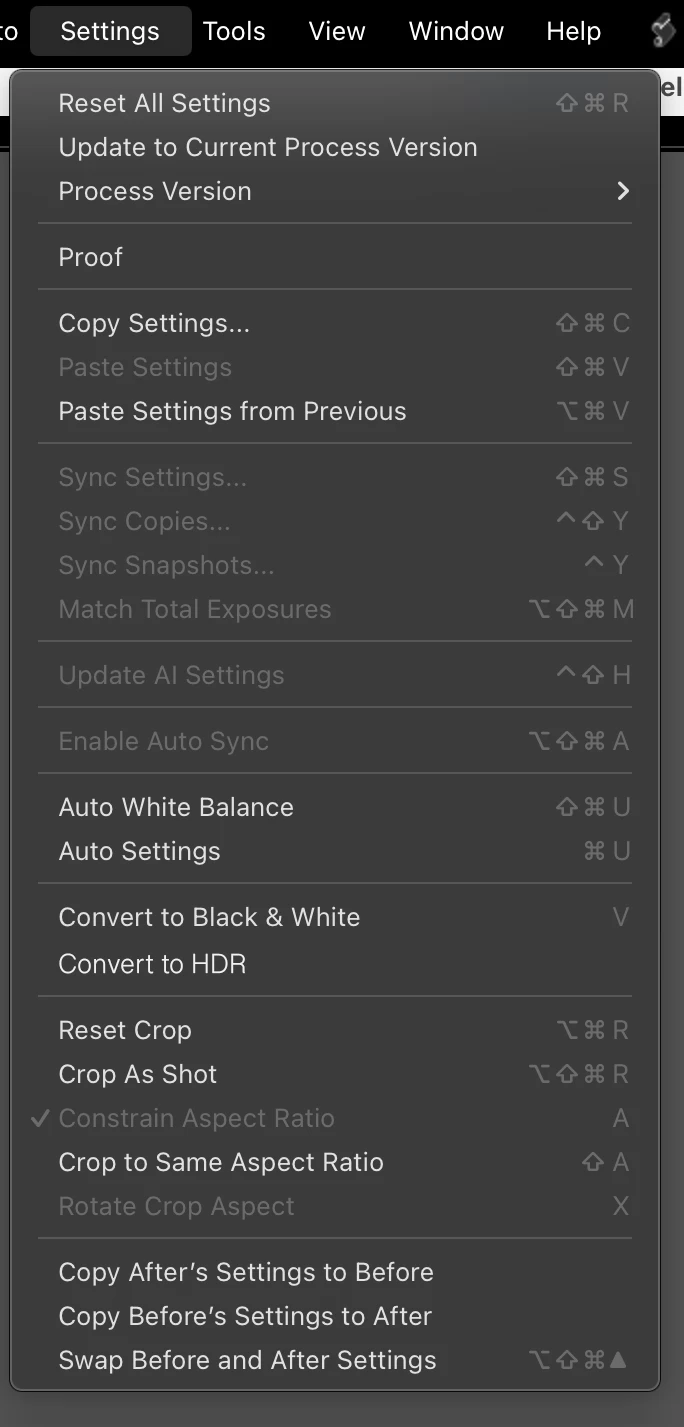
I suggest to implement a "Covert to HDR" entry in the Settings menu.

This way we could add a KBSC to it and easily toggle HDR just like we can toggle BW.


.



10 replies

C.Cella
C.CellaAuthor
Inspiring
November 12, 2023

@johnrellis 

I have used/added a LrDevelopController.setTrackingDelay (0.1) and created a "Fast Toggle HDR" script.

This helps to nullify the 2,5 seconds delay.


Strangely enough after that even the slow "Toggle HDR" script becomes instantaneous and HDR Mode is turned On/Off immediately.

Never mind the above.

I forgot to return the tracking to default in the script, that's why everything else was tracked immediately after.


.


C.Cella
C.CellaAuthor
Inspiring
November 7, 2023

A little issue when using the scrip by @johnrellis to toggle HDR Edit Mode On/Off


If by any change you do an edit before the history shows the "HDR Edit Mode on/off" step then the history will misbehave either not showing the step OR showing countless of them.


C.Cella
C.CellaAuthor
Inspiring
November 4, 2023

@johnrellis 


Funny thing John.

By assigning KBSC to the script I/we can toggle HDR on /off quickly AND because of the latency and that no history step is committed before 2,5 seconds, it is kinda like previewing the photo with or without HDR Edit Mode.


This spares me the pain to preview my "HDR Off" preset.


First time a bug in the SDK helps.


.


C.Cella
C.CellaAuthor
Inspiring
November 1, 2023

@johnrellis well we can't see HDR in Library as previews are only SDR so it doens't make much sense to toggle HDR there.


I was just curious as to why that was happening.


Hopefully by the time HDR preview arrive in Library Adobe will have implemented the entry + kbsc...or you can upgrade the script.


A million thanks for this quick script.


In 5 minutes you already made a big difference.

Not the first time 😉

johnrellis
Legend
November 1, 2023

Making it work in other modules like Convert To Black & White (and work with multiple photos selected) would be quite doable, but much more than the 5 minutes I put into the script 😆

C.Cella
C.CellaAuthor
Inspiring
November 1, 2023

@johnrellis 

I noticed the scrip doesn't work outside develop whereas Convert to BW does work.

C.Cella
C.CellaAuthor
Inspiring
November 1, 2023

@johnrellis 


I installed the scrip, it works like a charm.

The slight lag is not a big issue as it takes anyway more time to open the Basic panel and click the HDR icon so is faster then what LrC has to offer.


.


johnrellis
Legend
November 1, 2023

Here's a script Toggle HDR Edit Mode to which you can assign a keyboard shortcut:

https://www.dropbox.com/scl/fi/zidpvnprs73az0u015tcu/Toggle-HDR-Edit-Mode.lua?rlkey=yy62ux0c0artbnz8rpytjipbu&dl=0 


Download the file, open in Textedit or Notepad, and follow the installation instructions at the top.


For some reason, it's sluggish, taking about 2.5 seconds -- probably some weirdness in the SDK.


C.Cella
C.CellaAuthor
Inspiring
October 29, 2023

I am talking about the new HDR.


As you showed we already have KBSC for Merge HDR.


GoldingD
Legend
October 29, 2023

With the new HDR display feature, the letters HDR can take on two meanings, Use HDR Treatment, or Photo Merge HDR.


Are you referring to the first, or the second?