


Participant
December 4, 2022
Open for Voting

P: KBSC for Invert Selection (Library)

  • December 4, 2022
  • 3 replies
  • 310 views

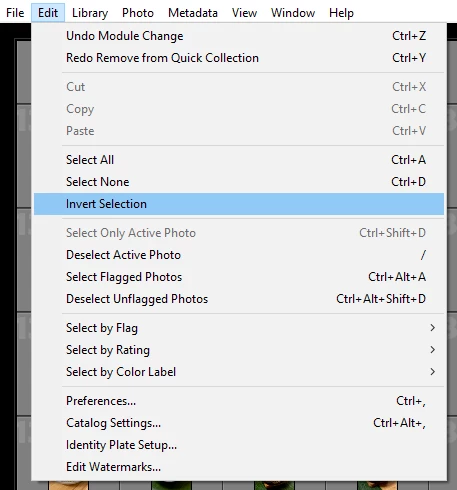
I'd love a keyboard shortcut for Inverting Selection in Lightroom Classic. It's a couple clicks under the Edit menu, but I use this method to weed out anything I choose not to use and then delete. It's quicker for me to choose the keepers (I add it to the Quick Collection) and then delete anything unusable by selecting what's been added in the Quick Collection and Inverting Selection in the folder of photos I'm working on.


Please create a dedicated shortcut for this feature, it'd make life a little more efficient. 🙂
3 replies

C.Cella
Inspiring
December 7, 2022

@jessloso 


As suggested use "Any Shortcut"


"Shift + D" for instance is unused for anything in LrC and is a comfortable choice to "Invert Selection"

If memory serves me also Alt + D works in library but not in Develop.


johnrellis
Legend
December 5, 2022

[This post contains formatting and embedded images that don't appear in email. View the post in your Web browser.]


...or use the Any Shortcut plugin:


F. McLion
Community Expert
Community Expert
December 4, 2022

If you are familiar with editing text files, there is a way to modify and/or add your own shortcut.

https://www.google.com/search?client=firefox-b-d&q=changing+shortcuts+in+lightroom+classic

Be careful manipulating files!


--- Got your issue resolved? Please label the response as 'Correct Answer' to help your fellow community members find a solution to similar problems. ---