



P: Make second copy option on import use date-based folders
When I import photos from my Nikon D-750 and Z8, I choose the "Make a second copy to..." option to a directory on my Windows Home Server, where they are backed up into the cloud by a backup service and are also monitored by Amazon Photos for backups.
I have hundreds of backup folders and they all have names like this:
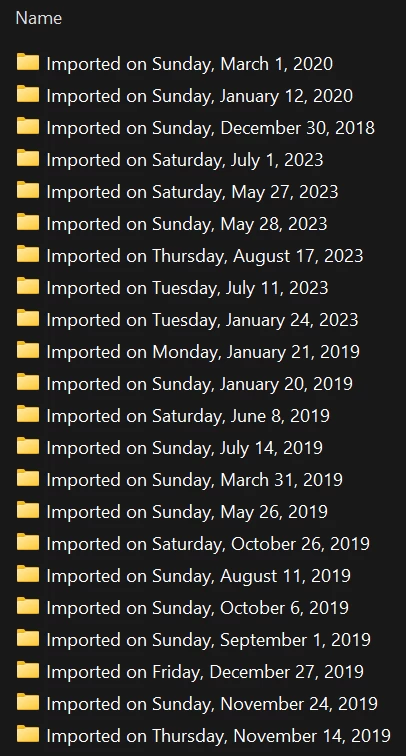
These names are utterly useless for finding an import backup that contains a specific date and the date created/modified is not helpful.
Please allow me to specify a name for the folder, using a pattern. I'd prefer a name like
YYYY-MM-DD Lightroom Import
so I can find the folder containing photos taken on a specific day.
I'm using Lightroom Classic 13.0.1 on Windows 11, with the backups over SMB to a Windows Server 2016 Essentials host.
 AdChoices